
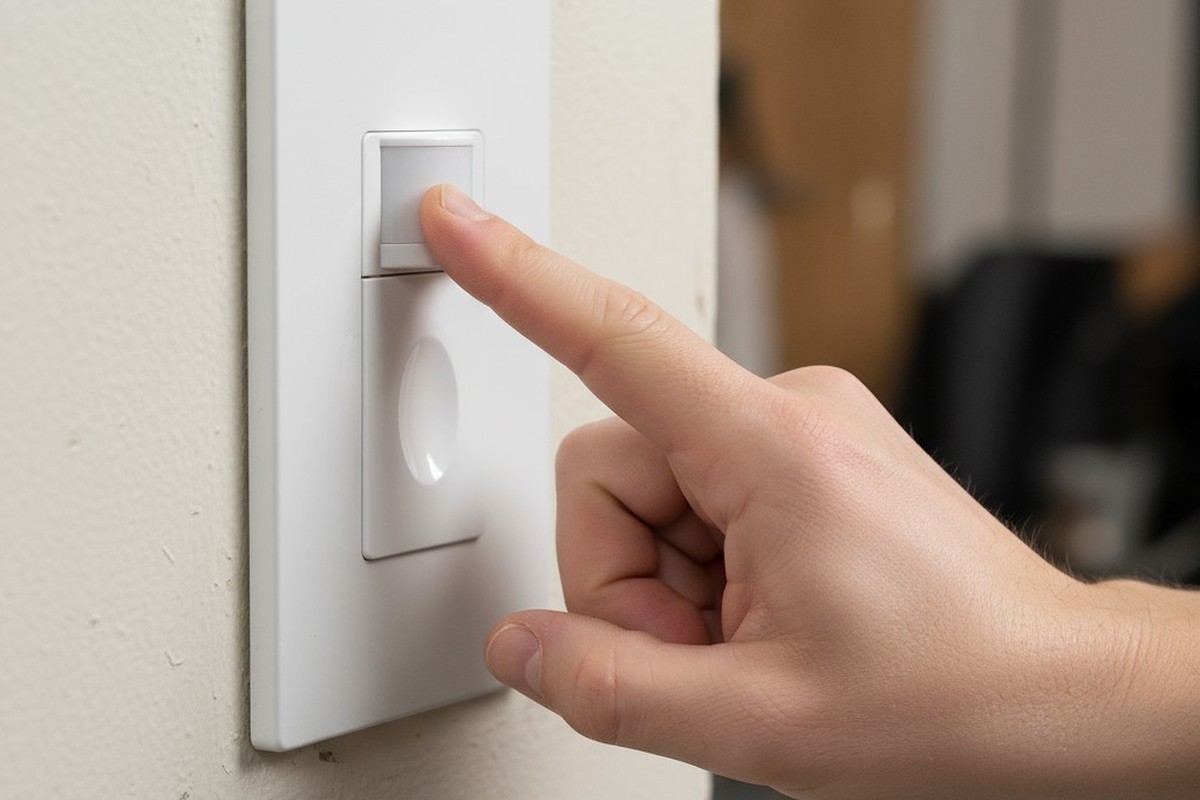
The house lights dim. A hush falls over the audience. On stage, a performer holds a final, dramatic pose before the scene cuts to black. The moment is perfect, the culmination of weeks of rehearsal. Then, with an audible click, a bank of fluorescent lights overhead flickers to life, shattering the carefully crafted darkness and yanking everyone out of the story.
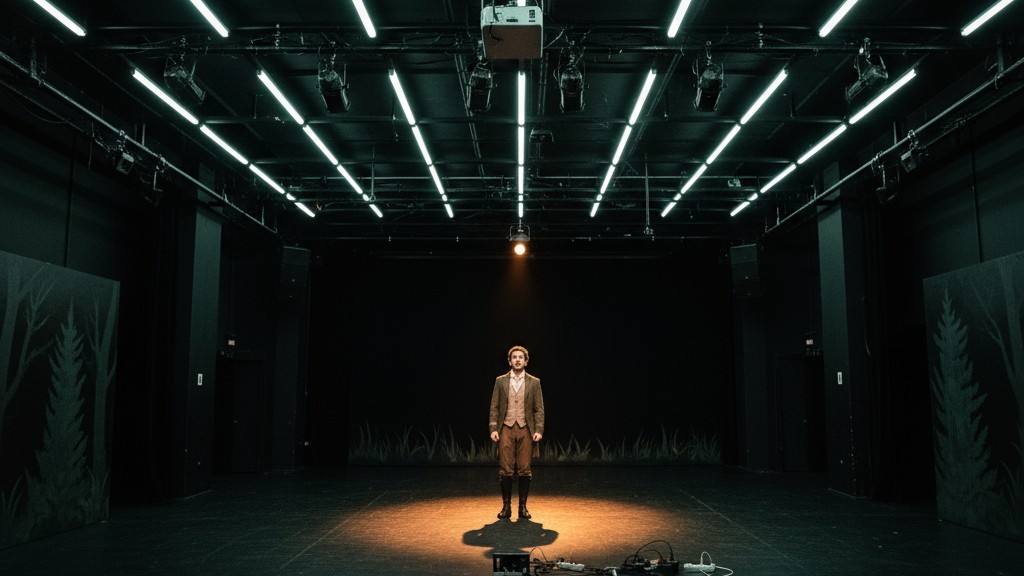
The culprit isn’t a missed cue from the lighting booth. It’s a motion sensor—a device installed to save energy, now acting as an unwitting saboteur. This disaster is painfully familiar in black box theaters, school auditoriums, and rehearsal rooms where standard building technology clashes with the demands of performance. The solution isn’t to abandon automated lighting, but to implement it with intelligence. It requires a shift from aggressive automation to a system that assists rather than dictates. By favoring manual control, employing patient timeouts, and placing sensors strategically, you can achieve energy efficiency without ever compromising a blackout.
The Enemy of Discipline: Why Standard Occupancy Sensors Fail in Performance
The failure of most off-the-shelf motion sensors in a theatrical setting stems from one flawed assumption: that a lack of motion means a lack of people. In an office, this is a safe bet. In a theater, it’s a catastrophic miscalculation.
The Auto-On Ambush
Standard occupancy sensors are built for convenience. They detect a person entering a room and immediately turn on the lights. This “auto-on” function is the primary source of conflict. During a performance, light is a narrative tool. An unexpected blast of light, triggered by an actor moving in the wings or an audience member shifting in their seat, is a jarring, unscripted event that shatters the fourth wall. Lighting for a performance must be 100% intentional, dictated by the script and the designer, not an algorithm.
The Stillness Problem
The second point of failure is the “auto-off” function. Most common sensors, particularly Passive Infrared (PIR) types, don’t detect presence; they detect the change caused by a moving heat source. A person walking creates a dynamic thermal signature the sensor easily registers. An actor holding a dramatic pause, however, or an entire audience rapt in a quiet scene, presents a static one. After its timeout period, the sensor interprets this stillness as an empty room and cuts the power. The result is a premature blackout that can derail a rehearsal or ruin a performance.
The First Principle: Embrace Manual-On Control
The most effective way to prevent these failures is to invert the sensor’s logic. A theatrical space doesn’t need a system that assumes the lights should be on; it needs one that waits for a direct command. This is the job of a vacancy sensor.
קבלו השראה מפורטפוליו חיישני התנועה של Rayzeek.
לא מוצאים את מה שאתם מחפשים? אל דאגה. תמיד יש דרכים חלופיות לפתור את הבעיות שלכם. אולי אחד הפורטפוליוים שלנו יכול לעזור.
While they look identical, occupancy and vacancy sensors operate on different principles. An occupancy sensor is fully autonomous, automating both “on” and “off.” A vacancy sensor only automates the “off.” The lights must be turned on manually with a wall switch. The sensor’s only job is to turn the lights off after confirming the room has been empty for a set period.
This simple distinction is transformative. By requiring a manual “on” command, a vacancy sensor returns authority to the stage manager or director. The work lights are turned on when a session begins and stay on, regardless of motion, until they are switched off or the room is empty for an extended time. During a performance, the work lights are off by default, so the sensor does nothing. It cannot trigger an “auto-on ambush” because the feature doesn’t exist. The system becomes a passive failsafe, not an active participant.
The Art of Patience: Set Timeouts for Theatrical Stillness
For a vacancy sensor to work, its timeout must respect the rhythm of a theatrical environment. The short, 5-to-15-minute delays common in offices are useless here; they will inevitably trigger the “stillness problem” during rehearsals.
A rehearsal room sees long periods of low motion during note sessions, table reads, or extended pauses. The sensor’s timeout must be long enough to bridge these moments. A 30-minute timeout is a good starting point, but 45 to 60 minutes is often more practical. The goal is a delay longer than any anticipated period of inactivity.
אולי יעניין אותך גם

- מתח: 2 סוללות AAA
- מצב יום/לילה
- השהיית זמן: 15 דקות, 30 דקות, שעה אחת (ברירת מחדל), שעתיים

- חיישן נוכחות PIR להתקנה על התקרה עם יציאת ממסר מגע יבש
- אספקת מתח נמוך 12/24VDC או 12/24VAC
- מגעי ממסר מבודדים COM, NO ו-NC עבור היזונים של EMS, HVAC ובקרת מבנים

- מתג חיישן תנועה מיקרוגל שקוע לתקרה במתח נמוך DC
- כניסת 12 VDC / 24 VDC עם טווח של 10-30 VDC
- זרם עבודה מרבי של 10A עם השהיית זמן, סף Lux ורגישות מתכווננים
- מתג חיישן תנועה מיקרוגל שקוע לתקרה לעומסים גבוהים יותר
- כניסת מתח רשת 100-265 VAC, דגם 10A
- חיישן מיקרוגל 5.8GHz עם השהיית זמן מתכווננת, סף Lux ורגישות
- מתג חיישן תנועה מיקרוגל שקוע להתקנה בתקרה
- כניסת מתח רשת 100-265VAC, דגם 5A
- חיישן מיקרוגל 5.8GHz עם השהיית זמן מתכווננת, סף Lux ורגישות
- עמעם חיישן נוכחות PIR להתקנה בתקרה RZ037 למתח של 220V
- זרם עבודה מרבי של 3A עם עומס נקוב של 660W
- לחצן LUX שולט על הפעלה/כיבוי של חיישן האור ועל בהירות העמעום שנקבעה על ידי המשתמש
- עמעם חיישן נוכחות PIR להתקנה בתקרה RZ037 למתח של 110V
- זרם עבודה מרבי של 3A עם עומס נקוב של 330W
- לחצן LUX שולט על הפעלה/כיבוי של חיישן האור ועל בהירות העמעום שנקבעה על ידי המשתמש

- מתג חיישן תנועה מיקרוגל להתקנה בתקרה במתח נמוך DC
- כניסת 12 VDC / 24 VDC עם טווח של 10-30 VDC
- זרם עבודה מרבי של 10A עם השהיית זמן, סף Lux ורגישות מתכווננים
- מתג חיישן תנועה מיקרוגל להתקנה בתקרה לעומס גבוה יותר
- כניסת מתח רשת 100-265 VAC, דגם 10A
- חיישן מיקרוגל 5.8GHz עם השהיית זמן מתכווננת, סף Lux ורגישות
- מתג חיישן תנועה מיקרוגל להתקנה בתקרה
- כניסת מתח רשת 100-265VAC, דגם 5A
- חיישן מיקרוגל 5.8GHz עם השהיית זמן מתכווננת, סף Lux ורגישות

- מתג חיישן תנועה PIR שקוע לתקרה במתח נמוך DC
- כניסת 12 VDC / 24 VDC עם טווח של 10-30 VDC
- זרם עבודה מרבי של 10A עם השהיית זמן מתכווננת, סף תאורה (Lux) ורגישות מתכווננים

- מתג חיישן תנועה PIR שקוע לתקרה לעומס גבוה יותר
- כניסת מתח רשת 100-265 VAC, דגם 10A
- גילוי ב-360 מעלות עם השהיית זמן מתכווננת, סף תאורה (Lux) ורגישות מתכווננים
- מתג חיישן תנועה PIR שקוע לתקרה
- כניסת מתח רשת 100-265VAC, דגם 5A
- גילוי ב-360 מעלות עם השהיית זמן מתכווננת, סף תאורה (Lux) ורגישות מתכווננים

- ערכת מתג ומקלט אלחוטיים לבקרת תאורה הפעלה/כיבוי (ON/OFF) למבנים סגורים
- מקלט 100-230VAC, 50/60Hz עם זרם נקוב של 5A
- מתג אלחוטי מוזן סוללת CR2032 עם תקשורת בתדר 2.4GHz
- זיהוי נוכחות (הפעלה אוטומטית/כיבוי אוטומטי)
- 12–24V DC (10–30VDC), עד 10A
- כיסוי של 360°, קוטר של 8–12 מטר
- השהיית זמן 15 שניות–30 דקות
- חיישן תאורה כבוי/15/25/35 Lux
- רגישות גבוהה/נמוכה
- מצב נוכחות עם הפעלה אוטומטית/כיבוי אוטומטי
- 100–265V AC, 10A (נדרש מוליך אפס)
- כיסוי של 360°; קוטר גילוי של 8–12 מטרים
- השהיית זמן של 15 שניות–30 דקות; Lux OFF/15/25/35; רגישות גבוהה/נמוכה
- מצב נוכחות עם הפעלה אוטומטית/כיבוי אוטומטי
- 100–265V AC, 5A (נדרש מוליך אפס)
- כיסוי של 360°; קוטר גילוי של 8–12 מטרים
- השהיית זמן של 15 שניות–30 דקות; Lux OFF/15/25/35; רגישות גבוהה/נמוכה
This long timeout also serves as a crucial buffer. If the work lights are on the same circuit as the theatrical grid, a long delay ensures they don’t shut off during a performance blackout. The sensor won’t detect motion in the dark, but the extended timeout will carry the system through until the stage lights come back up. It’s a small compromise on energy efficiency that pays massive dividends in reliability.
Strategic Sightlines: Watch the Doors, Not the Drama
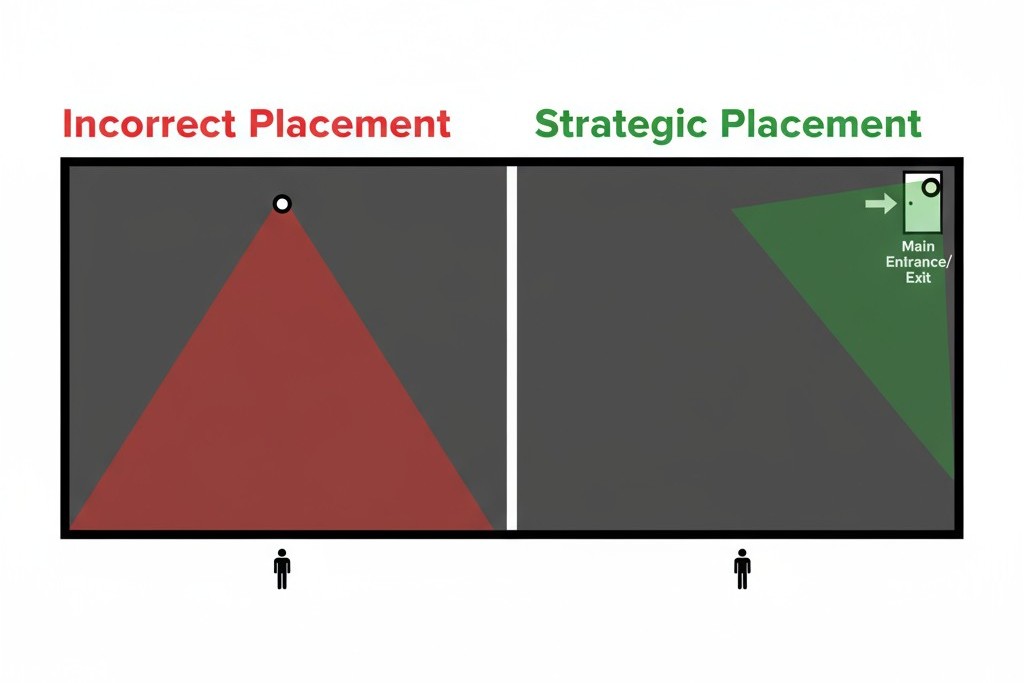
A sensor’s placement is as important as its programming. Its goal is not to track every person on stage, but simply to determine if the room is occupied. This requires targeted observation, not comprehensive coverage.
The most reliable placement is aimed at the main entry and exit points. A sensor with a clear view of the doorway can accurately register when people come and go. This provides the only information that matters—is the room in use?—without monitoring the performance area itself. This strategy narrows the sensor’s field of view to only what is necessary, minimizing the chance it will be affected by on-stage action.
Placing a sensor with a view of the stage or audience is a common mistake. A sensor pointed at the stage can be fooled by the rapid heating and cooling of theatrical lighting instruments, causing false triggers. More importantly, it creates a system that is trying to watch the very activity it should be ignoring. The sensor’s job is to be a simple gatekeeper, not a critic in the front row.
מחפשים פתרונות חיסכון באנרגיה המופעלים על ידי תנועה?
צרו איתנו קשר לקבלת פתרונות מלאים של חיישני תנועה PIR, מוצרים חוסכי אנרגיה המופעלים על ידי תנועה, מתגי חיישני תנועה ופתרונות מסחריים לגילוי נוכחות/חוסר נוכחות (Occupancy/Vacancy).
Adapting the Space: Solutions for Multi-Use Rooms
Many performance spaces double as rehearsal halls, classrooms, and event venues. In these environments, a single sensor configuration may not be ideal. The solution is an adaptable system.
Mode-Based Controls
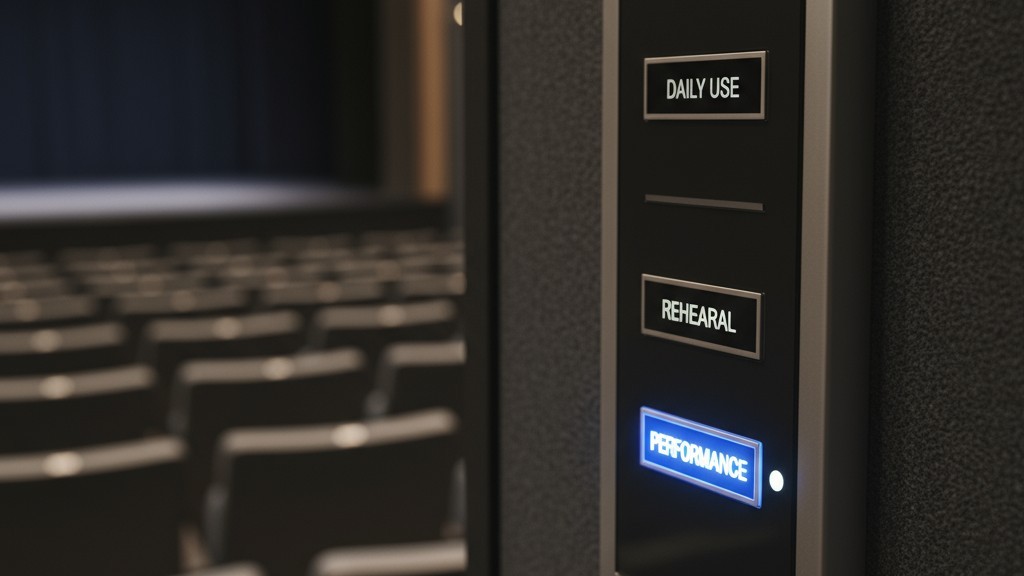
For a multi-use space, the ideal setup is a lighting control system with selectable modes. A wall-mounted keypad or a simple key switch can allow a user to choose the correct sensor profile for the day’s activity. A “Rehearsal” mode could engage the vacancy sensor with a 30-minute timeout. A “Performance” mode would disable the sensor’s auto-off capability entirely, putting the room’s lighting under the exclusive control of the lighting console. This offers the best of both worlds: automated efficiency for daily use and absolute manual control when it matters most.
Practical Workarounds
When a full system replacement isn’t an option, you can still mitigate the problems. If an existing occupancy sensor has an aggressive “auto-on” function, a simple workaround is to carefully apply opaque electrical tape to its lens, blocking its view of the stage and shrinking its effective zone to just the entryway. If a sensor’s timeout is too short and can’t be adjusted, the only reliable solution during a performance is to disable that circuit entirely. It’s a crude fix, but one that guarantees your show won’t be sabotaged by a flicker of unwanted light.







