

Most retrofit lighting complaints do not start with the fixture. They start with a room that changed after the wiring was done.
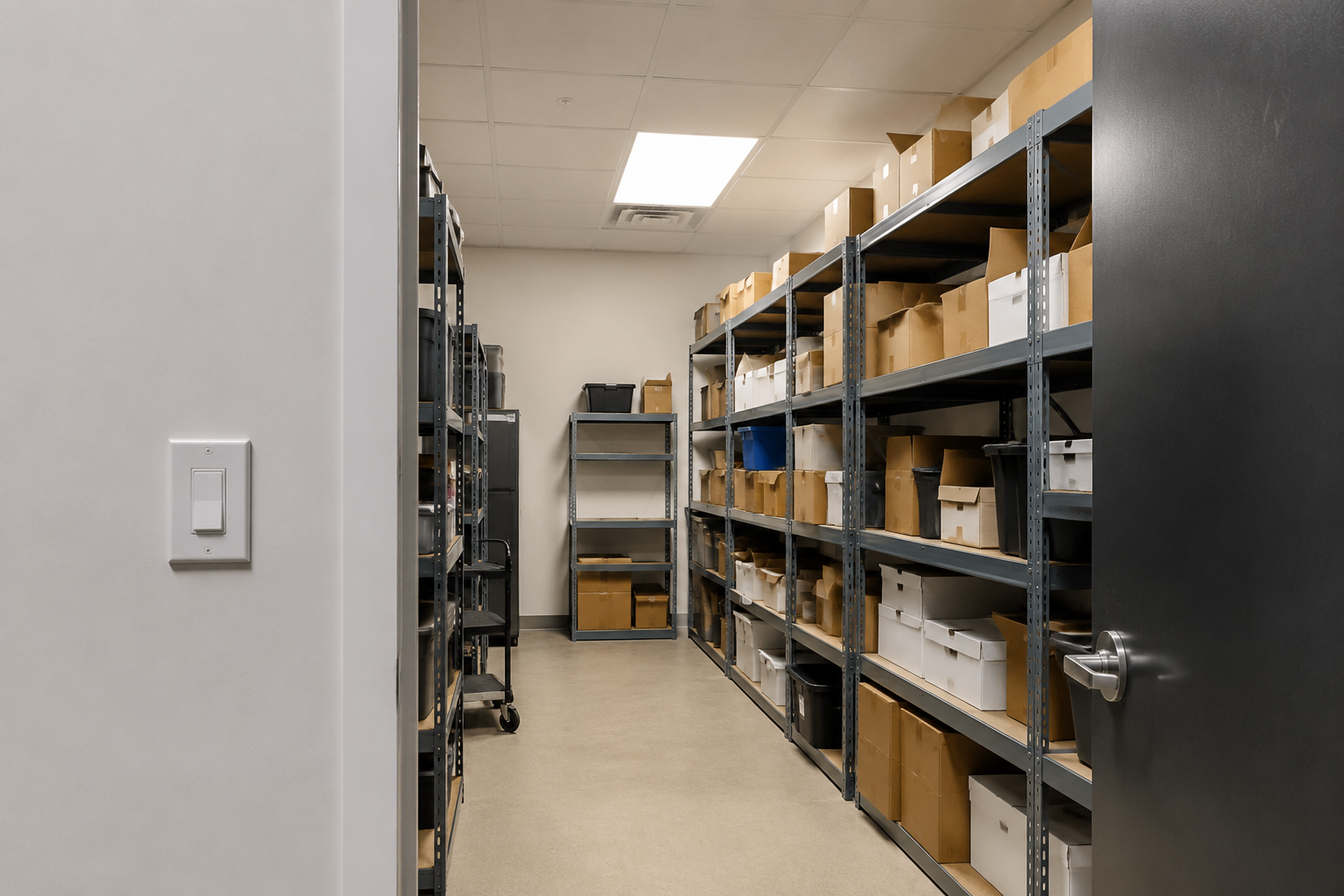
A stockroom gets taller shelves, and the old wall switch is now behind the door. A utility room becomes a packing area, and people spend most of their time at the back bench. A garage entry changes, so staff now come in from the side door with both hands full. The switch still works. It is just in the wrong place for the way the room is used now.
That is the retrofit problem this article is about. Not adding technology for its own sake, and not replacing wiring just because the layout is awkward. The goal is simpler: put motion detection or manual control where it actually helps, without opening walls for a new switch leg.
A Wall Switch Can Work Fine and Still Be the Problem
A wall-box switch is tied to one location. That is fine in a clean rectangular room where people enter, flip the switch, use the room, and leave the same way. Retrofit spaces are rarely that tidy. Shelving blocks the view. A door hides the switch. People work around a corner. The best place to detect occupancy may be on the ceiling or on the opposite wall, not beside the original doorway.
This is why some lighting problems get misdiagnosed. A customer says the motion control is unreliable because the light turns off while someone is still inside. In reality, the sensor may only be watching the doorway. The person reading labels behind a shelf, loading boxes at a bench, or standing near a washer is outside the useful detection area.
Separate the Load Location From the Control Location
The useful move in a retrofit is to stop treating the old switch box as the only possible control point. The receiver can stay with the lighting load, while the sensor or switch moves to the place where people actually enter, reach, walk, or work.
The Rayzeek RZ039 Wireless Motion Sensor Kit is for the automatic-control version of that problem. The receiver controls the light circuit, and the wireless motion sensor can be placed for the room’s real activity pattern instead of being trapped at the old switch position.
The Rayzeek RZ040 Wireless Switch and Receiver Kit is for the manual-control version. The receiver connects to the light circuit, and the wireless switch gives users an ON/OFF point where they naturally expect one: near a second entrance, beside a workbench, next to a bed, or at the point where staff decide whether the light should be on.
Use RZ039 When the Room Needs Better Motion Placement
Choose the RZ039 when the complaint is about lighting behavior. The light does not come on soon enough. It shuts off while someone is still working. People enter with their hands full and do not want to hunt for a switch. A wall-box sensor sees the doorway but misses the shelf aisle, laundry machines, tool bench, or storage rack where the real work happens.
The value of the RZ039 is not just that it is wireless. The value is that the sensor can be placed for the view. In a storage room, that may mean aiming across the aisle instead of straight at the door. In a utility room, it may mean watching the path between the entry and the machines. In a workshop, it may mean covering the bench area so the light does not time out while someone is standing still.
קבלו השראה מפורטפוליו חיישני התנועה של Rayzeek.
לא מוצאים את מה שאתם מחפשים? אל דאגה. תמיד יש דרכים חלופיות לפתור את הבעיות שלכם. אולי אחד הפורטפוליוים שלנו יכול לעזור.
Before final mounting, treat the sensor location as something to test, not guess. Pair the kit, confirm the receiver switches the light, then temporarily place the sensor with tape or a loose mount. Walk the normal entry path. Stand at the deepest shelf. Open the door fully. Park the cart where it usually sits. If hallway traffic or an open doorway triggers the light, change the angle before the installer leaves.
Timeout matters too. A short timeout can make sense in a pass-through closet or small pantry. It can be a nuisance in a stockroom where someone stands still while counting parts. Set the delay for the task, not for the quickest walk-through test.
Use RZ040 When the Room Needs a Switch Somewhere Else
Not every awkward room should become motion-controlled. Some spaces are better with a simple switch in the right place. Think of a second entrance that was added later, a workbench on the far side of the room, a bedside light where running new cable would be messy, or a storage area where staff want deliberate control because they may stand still for long periods.
The RZ040 fits those cases. It gives the room a new control point without fishing a new switch leg through finished walls. The receiver still needs access to the lighting circuit, so there is still electrical work at the load or receiver location. The part it avoids is usually the disruptive part: cutting, chasing, patching, repainting, and taking the space out of use for a small layout problem.
Place the wireless switch where the user would reach without thinking. That might be beside the door people actually use, not the door on the original drawing. It might be just inside a stockroom so someone can hit it while carrying boxes. It might be near the bench where the light is needed most. Test it with the door closed and from the user’s normal position before committing to the final spot.
The tradeoff is straightforward: the RZ040 gives people direct control, but it still depends on people turning lights off. If the main goal is automatic shutoff or hands-free entry, look at the RZ039 first. If automatic shutoff would annoy users because they stand still while working, move around unpredictably, or need deliberate ON/OFF control, the RZ040 is often the cleaner answer.
אולי יעניין אותך גם

- מתח: 2 סוללות AAA
- מצב יום/לילה
- השהיית זמן: 15 דקות, 30 דקות, שעה אחת (ברירת מחדל), שעתיים

- חיישן נוכחות PIR להתקנה על התקרה עם יציאת ממסר מגע יבש
- אספקת מתח נמוך 12/24VDC או 12/24VAC
- מגעי ממסר מבודדים COM, NO ו-NC עבור היזונים של EMS, HVAC ובקרת מבנים

- מתג חיישן תנועה מיקרוגל שקוע לתקרה במתח נמוך DC
- כניסת 12 VDC / 24 VDC עם טווח של 10-30 VDC
- זרם עבודה מרבי של 10A עם השהיית זמן, סף Lux ורגישות מתכווננים
- מתג חיישן תנועה מיקרוגל שקוע לתקרה לעומסים גבוהים יותר
- כניסת מתח רשת 100-265 VAC, דגם 10A
- חיישן מיקרוגל 5.8GHz עם השהיית זמן מתכווננת, סף Lux ורגישות
- מתג חיישן תנועה מיקרוגל שקוע להתקנה בתקרה
- כניסת מתח רשת 100-265VAC, דגם 5A
- חיישן מיקרוגל 5.8GHz עם השהיית זמן מתכווננת, סף Lux ורגישות
- עמעם חיישן נוכחות PIR להתקנה בתקרה RZ037 למתח של 220V
- זרם עבודה מרבי של 3A עם עומס נקוב של 660W
- לחצן LUX שולט על הפעלה/כיבוי של חיישן האור ועל בהירות העמעום שנקבעה על ידי המשתמש
- עמעם חיישן נוכחות PIR להתקנה בתקרה RZ037 למתח של 110V
- זרם עבודה מרבי של 3A עם עומס נקוב של 330W
- לחצן LUX שולט על הפעלה/כיבוי של חיישן האור ועל בהירות העמעום שנקבעה על ידי המשתמש

- מתג חיישן תנועה מיקרוגל להתקנה בתקרה במתח נמוך DC
- כניסת 12 VDC / 24 VDC עם טווח של 10-30 VDC
- זרם עבודה מרבי של 10A עם השהיית זמן, סף Lux ורגישות מתכווננים
- מתג חיישן תנועה מיקרוגל להתקנה בתקרה לעומס גבוה יותר
- כניסת מתח רשת 100-265 VAC, דגם 10A
- חיישן מיקרוגל 5.8GHz עם השהיית זמן מתכווננת, סף Lux ורגישות
- מתג חיישן תנועה מיקרוגל להתקנה בתקרה
- כניסת מתח רשת 100-265VAC, דגם 5A
- חיישן מיקרוגל 5.8GHz עם השהיית זמן מתכווננת, סף Lux ורגישות

- מתג חיישן תנועה PIR שקוע לתקרה במתח נמוך DC
- כניסת 12 VDC / 24 VDC עם טווח של 10-30 VDC
- זרם עבודה מרבי של 10A עם השהיית זמן מתכווננת, סף תאורה (Lux) ורגישות מתכווננים

- מתג חיישן תנועה PIR שקוע לתקרה לעומס גבוה יותר
- כניסת מתח רשת 100-265 VAC, דגם 10A
- גילוי ב-360 מעלות עם השהיית זמן מתכווננת, סף תאורה (Lux) ורגישות מתכווננים
- מתג חיישן תנועה PIR שקוע לתקרה
- כניסת מתח רשת 100-265VAC, דגם 5A
- גילוי ב-360 מעלות עם השהיית זמן מתכווננת, סף תאורה (Lux) ורגישות מתכווננים

- ערכת מתג ומקלט אלחוטיים לבקרת תאורה הפעלה/כיבוי (ON/OFF) למבנים סגורים
- מקלט 100-230VAC, 50/60Hz עם זרם נקוב של 5A
- מתג אלחוטי מוזן סוללת CR2032 עם תקשורת בתדר 2.4GHz
- זיהוי נוכחות (הפעלה אוטומטית/כיבוי אוטומטי)
- 12–24V DC (10–30VDC), עד 10A
- כיסוי של 360°, קוטר של 8–12 מטר
- השהיית זמן 15 שניות–30 דקות
- חיישן תאורה כבוי/15/25/35 Lux
- רגישות גבוהה/נמוכה
- מצב נוכחות עם הפעלה אוטומטית/כיבוי אוטומטי
- 100–265V AC, 10A (נדרש מוליך אפס)
- כיסוי של 360°; קוטר גילוי של 8–12 מטרים
- השהיית זמן של 15 שניות–30 דקות; Lux OFF/15/25/35; רגישות גבוהה/נמוכה
- מצב נוכחות עם הפעלה אוטומטית/כיבוי אוטומטי
- 100–265V AC, 5A (נדרש מוליך אפס)
- כיסוי של 360°; קוטר גילוי של 8–12 מטרים
- השהיית זמן של 15 שניות–30 דקות; Lux OFF/15/25/35; רגישות גבוהה/נמוכה
Commission the Room, Not Just the Devices
A wireless kit is not finished just because the devices pair and the light turns on. That only proves the electrical function. The real question is whether the room now works better than it did before.
מחפשים פתרונות חיסכון באנרגיה המופעלים על ידי תנועה?
צרו איתנו קשר לקבלת פתרונות מלאים של חיישני תנועה PIR, מוצרים חוסכי אנרגיה המופעלים על ידי תנועה, מתגי חיישני תנועה ופתרונות מסחריים לגילוי נוכחות/חוסר נוכחות (Occupancy/Vacancy).
For RZ039 installations, test with the room in its real condition: shelves loaded, doors open and closed, carts in their usual spots, and someone standing where the task actually happens. Check both entry detection and occupied coverage. Also check what should not trigger the light, such as people passing in an adjacent hallway or movement outside an open door.
For RZ040 installations, test the switch like a user, not like an installer. Can someone reach it while carrying items? Is it obvious enough for a new employee or guest? Does it reduce confusion, or does it create two competing habits because the old switch remains in a prominent place?
Wireless controls also need ordinary maintenance thinking. Battery-powered controls should be reachable. Metal shelving, long distances, and thick walls can affect range. If the room layout changes again, the best sensor or switch position may change with it. The advantage is that moving a wireless control is usually much easier than rewiring the room again.
The Retrofit Rule
Do not start by asking where the old switch is. Ask what problem the room is creating.
If the problem is visibility, missed occupancy, hands-full entry, or lights shutting off while people are still inside, use the RZ039 and place the sensor where the room needs to be seen. If the problem is that users need ON/OFF control from a different location, use the RZ040 and put the switch where the user naturally reaches. Both kits solve the same retrofit issue: the room changed, but the wiring did not.






