
[ARTICLE]
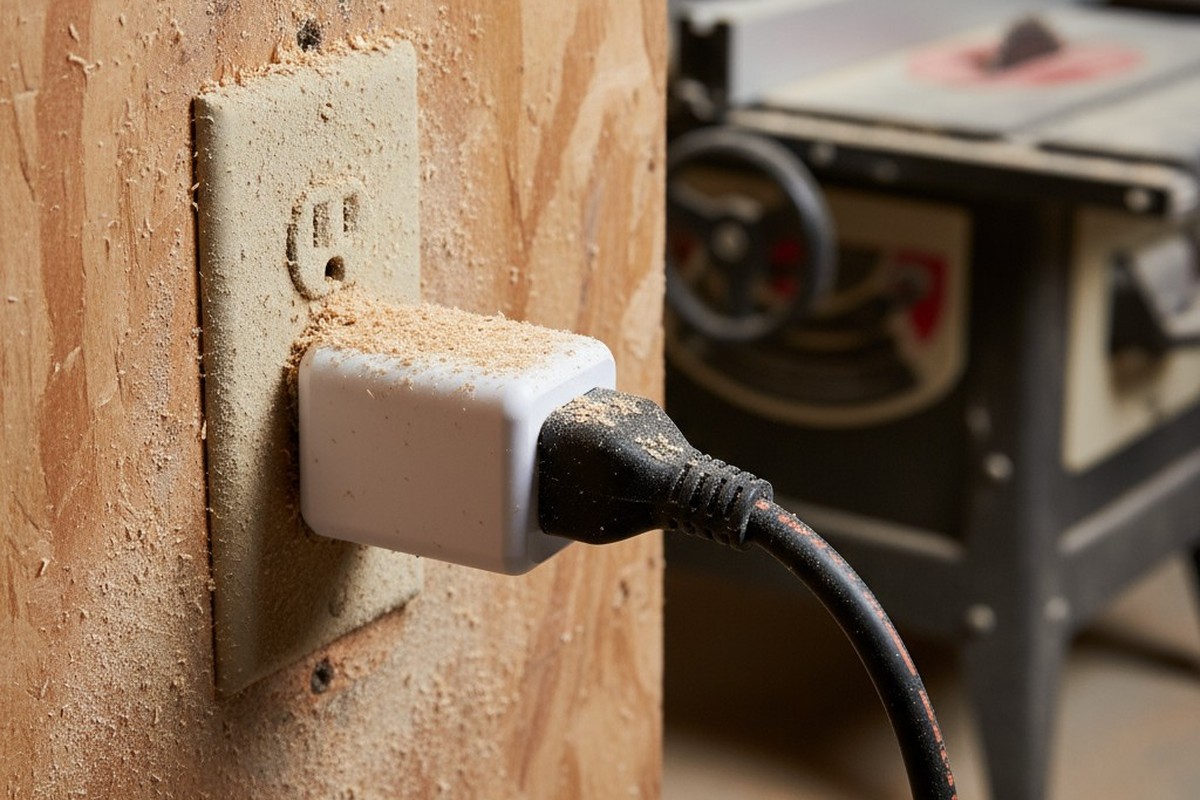
Workshop automation devices face a hostile gauntlet. Sawdust settles into ventilation slots, metal shavings create conductive bridges on circuit boards, and steel tool racks transform wireless signals into scattered ghosts. A smart plug that works perfectly in a climate-controlled home often becomes erratic or fails outright within months of being deployed in a workshop.
The failures are both mechanical and operational. Fine dust infiltrates enclosures, degrading electrical contacts and choking off airflow. Metal structures create electromagnetic dead zones that strangle Wi-Fi. The result is intermittent behavior that undermines the very purpose of automation: predictable, hands-free operation when your attention should be on your work.
In these environments, a simpler tool often wins. Plug-in motion sensors with physical controls and sealed designs offer measurable advantages over smart plugs where dust, debris, and network interference are daily realities. The real comparison isn’t about features, but about survival.
The Workshop Gauntlet
A workshop is not a dirty living room. It’s an active source of contamination. Sawdust from woodworking produces particles small enough to penetrate any ventilation grille. Metal machining creates even finer, conductive debris. This isn’t an occasional problem; it’s a constant byproduct of getting work done. At the same time, motors, metal cabinets, and steel workbenches create a storm of electromagnetic interference.
These conditions degrade consumer electronics from two directions at once. Dust infiltration is the primary mechanical failure. Once inside an enclosure, particles coat circuit boards, jam relay contacts, and obstruct cooling, shortening a device’s lifespan from years to months.
Wireless failure is the primary operational problem. Metal structures reflect and absorb radio signals, creating dead zones where Wi-Fi can’t penetrate. A smart plug may be electrically functional, but if it can’t talk to the network, its “smart” features are useless. It becomes a frustratingly dumb switch. One problem cripples the hardware, the other cripples the function. Either way, you’re left with automation that can’t be trusted.
Dust: The Silent Killer
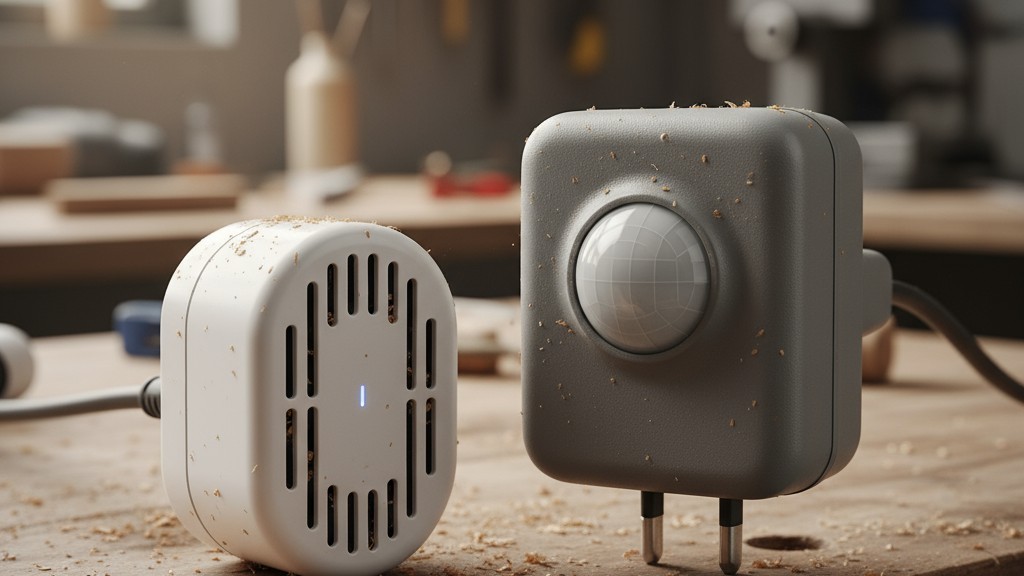
The difference between a motion sensor and a smart plug often comes down to a single design choice: ventilation.
Plug-in motion sensors, especially those designed for commercial or outdoor use, often use sealed enclosures. Their passive infrared sensors only need a small optical window to detect changes in heat signatures, not active airflow for cooling. This allows the internal circuitry and the power-switching relay to be isolated from the environment. By sealing the internals, these devices eliminate the primary pathway for dust contamination.
The trade-off is heat management. Components must be rated for higher temperatures, which typically limits the device to switching loads of 5 to 15 amperes—more than enough for lights, dust collectors, or individual tools. Some models carry Ingress Protection (IP) ratings, like IP54, which formally quantifies their resistance to dust. This level of sealing is rare in consumer-grade smart home devices, and it’s why a sealed motion sensor can run for years in a workshop where a smart plug fails in months.
Smart plugs, by contrast, are designed for clean, residential air. Their compact cases are packed with heat-generating components like Wi-Fi radios and control circuits. Ventilation slots are essential to prevent overheating. Unfortunately, these same slots act as a superhighway for sawdust and metal fines. Non-conductive dust insulates relay contacts, causing them to overheat and fail, while conductive metal dust can short-circuit the entire board. The very design that keeps a smart plug cool in a living room ensures its premature death in a workshop.
Rayzeek人感センサーのポートフォリオを見る.
お探しの製品が見つかりませんか?ご安心ください。課題を解決する手段は常に複数存在します。当社の製品ポートフォリオのいずれかがお役に立つかもしれません。
Metal, Wi-Fi, and the Signal Graveyard
Workshops are graveyards for wireless signals. Steel tool cabinets, metal shelving, and even corrugated walls reflect and absorb the 2.4 GHz radio waves used by most smart devices. This creates a chaotic environment of signal reflections and dead zones where reliable connectivity is impossible.
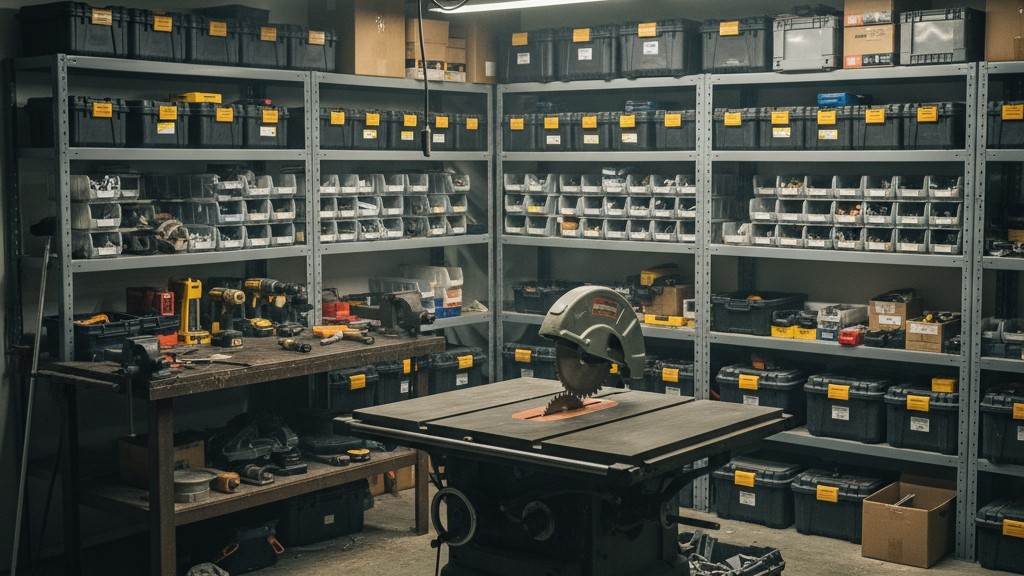
A smart plug needs a stable, two-way connection to an access point to function. When signal strength drops, data packets are lost. The device tries to resend them, introducing lag. If packet loss climbs too high, the connection drops entirely. The device becomes a brick until it can re-establish a connection, which can take seconds or minutes.
こちらの商品もおすすめです

- 電圧: 単4形乾電池 2本
- 昼/夜モード
- タイマー設定時間: 15分、30分、1時間(デフォルト)、2時間

- 無電圧接点リレー出力付き天井取り付け型PIR人感センサー
- 12/24VDCまたは12/24VAC低電圧電源
- EMS、HVAC、および建物制御入力用COM、NO、NC絶縁リレー接点

- 低電圧DC天井埋め込み型マイクロ波人感センサースイッチ
- 10~30 VDC範囲の12 VDC / 24 VDC入力
- 調整可能なタイムラグ、照度(Lux)閾値、感度を備えた最大動作電流10A仕様
- 高負荷対応型 埋込型天井取付けマイクロ波人感センサースイッチ
- 100-265 VAC 商用電源入力、10Aモデル
- 調整可能なタイムラグ、照度(Lux)閾値、感度を備えた5.8 GHzマイクロ波検知
- 埋込型天井取付けマイクロ波人感センサースイッチ
- 100-265 VAC商用電圧入力、5Aモデル
- 調整可能なタイムラグ、照度(Lux)閾値、感度を備えた5.8 GHzマイクロ波検知
- 220V電源対応 天井取付けRZ037 PIR(赤外線)人感センサー調光器
- 定格負荷660W、最大動作電流3A
- LUXボタンによる照度センサーのON/OFFおよびユーザー設定の調光明るさ制御
- 110V電源対応 天井取付けRZ037 PIR(赤外線)人感センサー調光器
- 定格負荷330W、最大動作電流3A
- LUXボタンによる照度センサーのON/OFFおよびユーザー設定の調光明るさ制御

- 低電圧DC対応 天井取付けマイクロ波人感センサースイッチ
- 10~30 VDC範囲の12 VDC / 24 VDC入力
- 調整可能なタイムラグ、照度(Lux)閾値、感度を備えた最大動作電流10A仕様
- 高負荷対応 天井取付型マイクロ波人感センサースイッチ
- 100-265 VAC 商用電源入力、10Aモデル
- 調整可能なタイムラグ、照度(Lux)閾値、感度を備えた5.8 GHzマイクロ波検知
- 天井取り付け型マイクロ波人感センサースイッチ
- 100-265 VAC商用電圧入力、5Aモデル
- 調整可能なタイムラグ、照度(Lux)閾値、感度を備えた5.8 GHzマイクロ波検知

- 低電圧DC埋込型天井PIR人感センサースイッチ
- 10~30 VDC範囲の12 VDC / 24 VDC入力
- 最大動作電流10A(調整可能なタイムラグ、照度閾値、感度設定付き)

- 高負荷対応 埋込型天井PIR人感センサースイッチ
- 100-265 VAC 商用電源入力、10Aモデル
- 360度検知(調整可能なタイムラグ、照度閾値、感度設定付き)
- 埋込型天井PIR人感センサースイッチ
- 100-265 VAC商用電圧入力、5Aモデル
- 360度検知(調整可能なタイムラグ、照度閾値、感度設定付き)

- 屋内用照明ON/OFF制御ワイヤレススイッチ&受信機キット
- 100-230VAC、50/60Hz、定格電流5A受信機
- 2.4GHz通信対応 CR2032電池駆動ワイヤレススイッチ
- Occupancy(自動点灯/自動消灯)
- 12–24V DC (10–30VDC)、最大10A
- 360°検知エリア、直径8–12m
- タイムラグ 15秒–30分
- 照度センサー オフ/15/25/35 Lux
- 高/低感度
- 自動点灯/自動消灯人感モード
- 100–265V AC, 10A(中性線必須)
- 360°検知範囲、検知直径8–12 m
- タイムデレイ15秒–30分、Lux OFF/15/25/35、感度 高/低
- 自動点灯/自動消灯人感モード
- 100–265V AC, 5A(中性線必須)
- 360°検知範囲、検知直径8–12 m
- タイムデレイ15秒–30分、Lux OFF/15/25/35、感度 高/低
This is where the promise of smart convenience evaporates. A woodworker covered in sawdust can’t easily pull out a phone, open an app, and tap a button. The hands-free automation that smart plugs promise becomes unreliable precisely when it’s needed most. A plug-in motion sensor, however, operates independently. Its detection cone and time delay are set with a physical dial. It responds to your presence, not a command from a distant server, eliminating the fragile dependency that metal structures so easily break.
Seeing Through the Clutter
Motion detection in a workshop has to account for constant obstruction. Tool cabinets, lumber racks, and machinery create blind spots. A sensor with a narrow detection cone, optimized for a hallway, might miss you entirely if you’re standing behind a table saw.
Wide-angle detection cones—120 or even 150 degrees—dramatically reduce these blind spots. A single sensor mounted in a corner can cover an entire garage bay, activating lights or a dust collector the moment you walk in, regardless of your path. This reliability is key; you want the lights on before you navigate around a spinning blade, not after you fumble for a switch. While a wide cone might occasionally miss you if you stand perfectly still for a long time, that’s a far less common problem in an active workshop than the blind spots created by narrow-cone sensors.
Standalone vs. The Fragile Cloud
Reliability in a workshop demands independence. A plug-in motion sensor with physical dials is a self-contained system. It needs power, and that’s it. No Wi-Fi, no router, no internet connection, no cloud server. It is immune to internet outages, server maintenance, or a manufacturer deciding to shut down their service. Settings are adjusted instantly with the turn of a knob—a simple, tactile interface that works even when your hands are caked in grime.
A smart plug, however, relies on a fragile chain of dependencies. The plug needs the Wi-Fi. The Wi-Fi needs the router. The router needs the internet. The internet needs to connect to the manufacturer’s cloud server. The server needs to talk to your phone’s app. If any single link in that chain breaks, the plug stops being smart. It reverts to a manual switch with a tiny, inconvenient button you can’t press with gloves on. This isn’t a hypothetical risk. Routers reboot, internet service goes down, and cloud services fail. Each is a point of failure that a standalone motion sensor simply doesn’t have.
Matching the Plug to the Power Tool
A plug rated for “15 amps” can still fail spectacularly when connected to a 10-amp motor. That’s because the rating doesn’t tell the whole story. You have to distinguish between resistive and inductive loads.
A resistive load, like a light bulb or a heater, draws a steady current. An inductive load, like the motor in a table saw or dust collector, is completely different. When a motor starts, it creates a massive inrush current that can be three to ten times its normal running current for a fraction of a second. This surge of power puts immense stress on the mechanical relay inside a plug.
A cheap smart plug designed for lamps might have its relay contacts welded shut by the inrush from a 1.5-horsepower motor. That’s why robust motion sensors and industrial-grade plugs often provide a separate, lower rating for motors (e.g., “1/2 HP”) or inductive loads. Always check the fine print and match the device to the tool. For motor-driven equipment, a safety margin is not optional—it’s essential for preventing premature failure and potential fire hazards.
人感センサーを活用した省エネソリューションをお探しですか?
PIR人感センサー、人感センサー搭載省エネ製品、人感センサースイッチ、商業施設向けOccupancy/Vacancy(在室/不在)ソリューションについては、お気軽にお問い合わせください。
Managing Cords and Trip Hazards
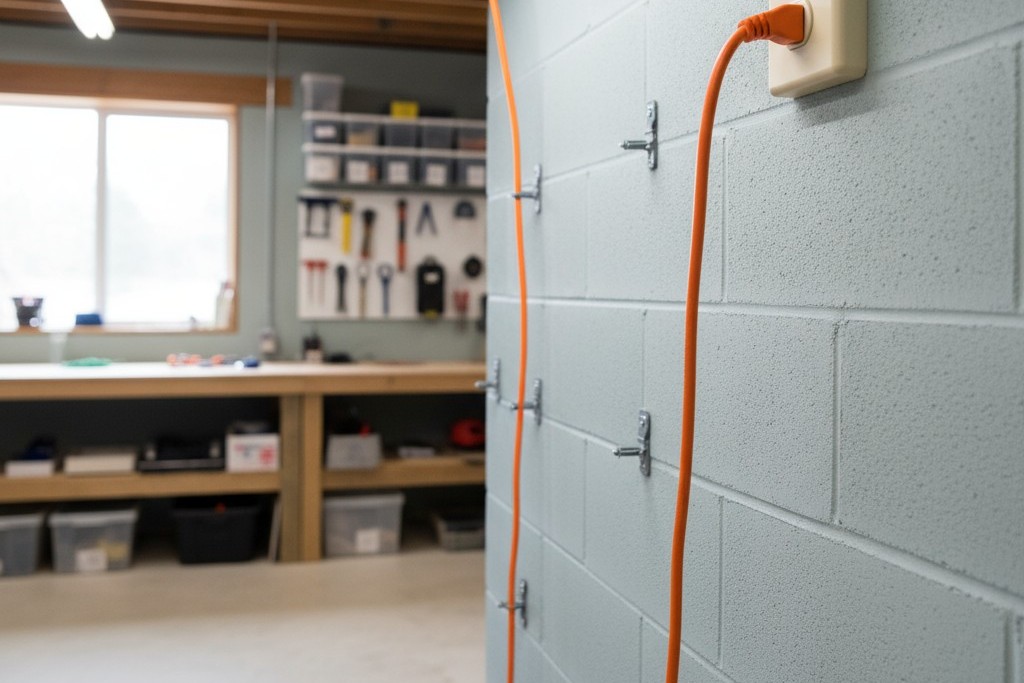
Plug-in devices mean cords, and in a workshop, a stray cord is more than an eyesore; it’s a serious trip hazard. Routing cords safely is critical. Keep them along walls, secure them overhead, or use cord covers in any open pathway. An outlet mounted high on a wall is ideal for controlling overhead lights, keeping the cord completely off the floor.
Also, pay attention to strain relief—the point where the cord enters the plug. Repeated flexing and tension will eventually cause the internal wires to break. Route cords with gentle curves, not sharp bends, and choose devices with well-designed, reinforced cord exits. These small details in physical construction determine whether a device will last for years or fail from mechanical stress.
When Smart Plugs Still Make Sense
Despite their vulnerabilities, smart plugs have a place in some workshop scenarios. For long-running processes that benefit from remote monitoring—like a battery charger running overnight or a dehumidifier in a lumber storage area—a smart plug can be invaluable. In these cases, the environment is often cleaner, and the need is for remote status checks, not instant motion activation.
A hybrid approach is often best. Use rugged, sealed motion sensors for lights and dust collection in the main, high-traffic work area. Deploy smart plugs selectively in cleaner zones for specific tasks like scheduled battery charging or monitoring equipment in an adjacent room. By playing to the strengths of each device, you can build a reliable automation system that fits the unique demands of the workshop.







