

Most retrofit lighting complaints do not start with the fixture. They start with a room that changed after the wiring was done.
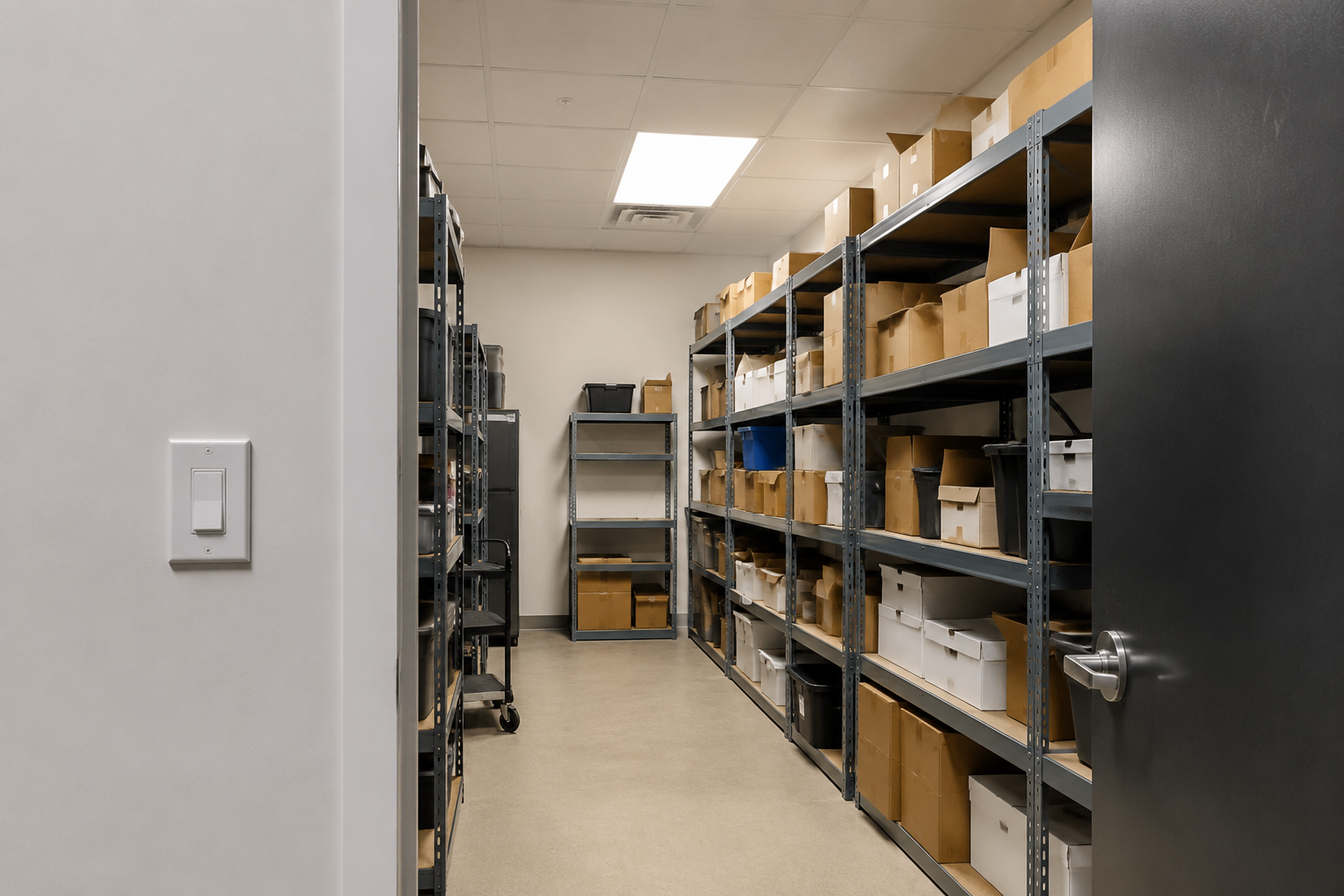
A stockroom gets taller shelves, and the old wall switch is now behind the door. A utility room becomes a packing area, and people spend most of their time at the back bench. A garage entry changes, so staff now come in from the side door with both hands full. The switch still works. It is just in the wrong place for the way the room is used now.
That is the retrofit problem this article is about. Not adding technology for its own sake, and not replacing wiring just because the layout is awkward. The goal is simpler: put motion detection or manual control where it actually helps, without opening walls for a new switch leg.
A Wall Switch Can Work Fine and Still Be the Problem
A wall-box switch is tied to one location. That is fine in a clean rectangular room where people enter, flip the switch, use the room, and leave the same way. Retrofit spaces are rarely that tidy. Shelving blocks the view. A door hides the switch. People work around a corner. The best place to detect occupancy may be on the ceiling or on the opposite wall, not beside the original doorway.
This is why some lighting problems get misdiagnosed. A customer says the motion control is unreliable because the light turns off while someone is still inside. In reality, the sensor may only be watching the doorway. The person reading labels behind a shelf, loading boxes at a bench, or standing near a washer is outside the useful detection area.
Separate the Load Location From the Control Location
The useful move in a retrofit is to stop treating the old switch box as the only possible control point. The receiver can stay with the lighting load, while the sensor or switch moves to the place where people actually enter, reach, walk, or work.
その Rayzeek RZ039 Wireless Motion Sensor Kit is for the automatic-control version of that problem. The receiver controls the light circuit, and the wireless motion sensor can be placed for the room’s real activity pattern instead of being trapped at the old switch position.
その Rayzeek RZ040 Wireless Switch and Receiver Kit is for the manual-control version. The receiver connects to the light circuit, and the wireless switch gives users an ON/OFF point where they naturally expect one: near a second entrance, beside a workbench, next to a bed, or at the point where staff decide whether the light should be on.
Use RZ039 When the Room Needs Better Motion Placement
Choose the RZ039 when the complaint is about lighting behavior. The light does not come on soon enough. It shuts off while someone is still working. People enter with their hands full and do not want to hunt for a switch. A wall-box sensor sees the doorway but misses the shelf aisle, laundry machines, tool bench, or storage rack where the real work happens.
The value of the RZ039 is not just that it is wireless. The value is that the sensor can be placed for the view. In a storage room, that may mean aiming across the aisle instead of straight at the door. In a utility room, it may mean watching the path between the entry and the machines. In a workshop, it may mean covering the bench area so the light does not time out while someone is standing still.
Rayzeek人感センサーのポートフォリオを見る.
お探しの製品が見つかりませんか?ご安心ください。課題を解決する手段は常に複数存在します。当社の製品ポートフォリオのいずれかがお役に立つかもしれません。
Before final mounting, treat the sensor location as something to test, not guess. Pair the kit, confirm the receiver switches the light, then temporarily place the sensor with tape or a loose mount. Walk the normal entry path. Stand at the deepest shelf. Open the door fully. Park the cart where it usually sits. If hallway traffic or an open doorway triggers the light, change the angle before the installer leaves.
Timeout matters too. A short timeout can make sense in a pass-through closet or small pantry. It can be a nuisance in a stockroom where someone stands still while counting parts. Set the delay for the task, not for the quickest walk-through test.
Use RZ040 When the Room Needs a Switch Somewhere Else
Not every awkward room should become motion-controlled. Some spaces are better with a simple switch in the right place. Think of a second entrance that was added later, a workbench on the far side of the room, a bedside light where running new cable would be messy, or a storage area where staff want deliberate control because they may stand still for long periods.
The RZ040 fits those cases. It gives the room a new control point without fishing a new switch leg through finished walls. The receiver still needs access to the lighting circuit, so there is still electrical work at the load or receiver location. The part it avoids is usually the disruptive part: cutting, chasing, patching, repainting, and taking the space out of use for a small layout problem.
Place the wireless switch where the user would reach without thinking. That might be beside the door people actually use, not the door on the original drawing. It might be just inside a stockroom so someone can hit it while carrying boxes. It might be near the bench where the light is needed most. Test it with the door closed and from the user’s normal position before committing to the final spot.
The tradeoff is straightforward: the RZ040 gives people direct control, but it still depends on people turning lights off. If the main goal is automatic shutoff or hands-free entry, look at the RZ039 first. If automatic shutoff would annoy users because they stand still while working, move around unpredictably, or need deliberate ON/OFF control, the RZ040 is often the cleaner answer.
こちらの商品もおすすめです

- 電圧: 単4形乾電池 2本
- 昼/夜モード
- タイマー設定時間: 15分、30分、1時間(デフォルト)、2時間

- 無電圧接点リレー出力付き天井取り付け型PIR人感センサー
- 12/24VDCまたは12/24VAC低電圧電源
- EMS、HVAC、および建物制御入力用COM、NO、NC絶縁リレー接点

- 低電圧DC天井埋め込み型マイクロ波人感センサースイッチ
- 10~30 VDC範囲の12 VDC / 24 VDC入力
- 調整可能なタイムラグ、照度(Lux)閾値、感度を備えた最大動作電流10A仕様
- 高負荷対応型 埋込型天井取付けマイクロ波人感センサースイッチ
- 100-265 VAC 商用電源入力、10Aモデル
- 調整可能なタイムラグ、照度(Lux)閾値、感度を備えた5.8 GHzマイクロ波検知
- 埋込型天井取付けマイクロ波人感センサースイッチ
- 100-265 VAC商用電圧入力、5Aモデル
- 調整可能なタイムラグ、照度(Lux)閾値、感度を備えた5.8 GHzマイクロ波検知
- 220V電源対応 天井取付けRZ037 PIR(赤外線)人感センサー調光器
- 定格負荷660W、最大動作電流3A
- LUXボタンによる照度センサーのON/OFFおよびユーザー設定の調光明るさ制御
- 110V電源対応 天井取付けRZ037 PIR(赤外線)人感センサー調光器
- 定格負荷330W、最大動作電流3A
- LUXボタンによる照度センサーのON/OFFおよびユーザー設定の調光明るさ制御

- 低電圧DC対応 天井取付けマイクロ波人感センサースイッチ
- 10~30 VDC範囲の12 VDC / 24 VDC入力
- 調整可能なタイムラグ、照度(Lux)閾値、感度を備えた最大動作電流10A仕様
- 高負荷対応 天井取付型マイクロ波人感センサースイッチ
- 100-265 VAC 商用電源入力、10Aモデル
- 調整可能なタイムラグ、照度(Lux)閾値、感度を備えた5.8 GHzマイクロ波検知
- 天井取り付け型マイクロ波人感センサースイッチ
- 100-265 VAC商用電圧入力、5Aモデル
- 調整可能なタイムラグ、照度(Lux)閾値、感度を備えた5.8 GHzマイクロ波検知

- 低電圧DC埋込型天井PIR人感センサースイッチ
- 10~30 VDC範囲の12 VDC / 24 VDC入力
- 最大動作電流10A(調整可能なタイムラグ、照度閾値、感度設定付き)

- 高負荷対応 埋込型天井PIR人感センサースイッチ
- 100-265 VAC 商用電源入力、10Aモデル
- 360度検知(調整可能なタイムラグ、照度閾値、感度設定付き)
- 埋込型天井PIR人感センサースイッチ
- 100-265 VAC商用電圧入力、5Aモデル
- 360度検知(調整可能なタイムラグ、照度閾値、感度設定付き)

- 屋内用照明ON/OFF制御ワイヤレススイッチ&受信機キット
- 100-230VAC、50/60Hz、定格電流5A受信機
- 2.4GHz通信対応 CR2032電池駆動ワイヤレススイッチ
- Occupancy(自動点灯/自動消灯)
- 12–24V DC (10–30VDC)、最大10A
- 360°検知エリア、直径8–12m
- タイムラグ 15秒–30分
- 照度センサー オフ/15/25/35 Lux
- 高/低感度
- 自動点灯/自動消灯人感モード
- 100–265V AC, 10A(中性線必須)
- 360°検知範囲、検知直径8–12 m
- タイムデレイ15秒–30分、Lux OFF/15/25/35、感度 高/低
- 自動点灯/自動消灯人感モード
- 100–265V AC, 5A(中性線必須)
- 360°検知範囲、検知直径8–12 m
- タイムデレイ15秒–30分、Lux OFF/15/25/35、感度 高/低
Commission the Room, Not Just the Devices
A wireless kit is not finished just because the devices pair and the light turns on. That only proves the electrical function. The real question is whether the room now works better than it did before.
人感センサーを活用した省エネソリューションをお探しですか?
PIR人感センサー、人感センサー搭載省エネ製品、人感センサースイッチ、商業施設向けOccupancy/Vacancy(在室/不在)ソリューションについては、お気軽にお問い合わせください。
For RZ039 installations, test with the room in its real condition: shelves loaded, doors open and closed, carts in their usual spots, and someone standing where the task actually happens. Check both entry detection and occupied coverage. Also check what should not trigger the light, such as people passing in an adjacent hallway or movement outside an open door.
For RZ040 installations, test the switch like a user, not like an installer. Can someone reach it while carrying items? Is it obvious enough for a new employee or guest? Does it reduce confusion, or does it create two competing habits because the old switch remains in a prominent place?
Wireless controls also need ordinary maintenance thinking. Battery-powered controls should be reachable. Metal shelving, long distances, and thick walls can affect range. If the room layout changes again, the best sensor or switch position may change with it. The advantage is that moving a wireless control is usually much easier than rewiring the room again.
The Retrofit Rule
Do not start by asking where the old switch is. Ask what problem the room is creating.
If the problem is visibility, missed occupancy, hands-full entry, or lights shutting off while people are still inside, use the RZ039 and place the sensor where the room needs to be seen. If the problem is that users need ON/OFF control from a different location, use the RZ040 and put the switch where the user naturally reaches. Both kits solve the same retrofit issue: the room changed, but the wiring did not.






