

You know the smell of a cooked server room. It’s not just the ozone tang of frying electronics. It’s that specific, cloying scent of plastic housing baking at 105°F for forty-eight hours.
This usually hits you on a Monday morning. The silence is your first warning. The portable AC unit in the corner isn’t humming, the rack fans are screaming at max RPM, and the exhaust air feels thick enough to chew.
The culprit usually isn’t a catastrophic hardware failure of the servers themselves. It’s the support gear—cheap, consumer-grade cooling shoved into a converted broom closet to keep enterprise hardware alive on a shoestring budget. When you retrofit a residential-grade controller like the Rayzeek RZ series into a mission-critical environment, you bridge two worlds that hate each other: the aesthetic world of home automation and the unforgiving thermodynamics of 24/7 heat rejection.
It can be done, and it can save a small business thousands in cooling costs. But only if you ignore the marketing on the box and respect the physics of the switch.
The Hardware Lie: The Auto-Restart Problem
Before you touch the wiring, you need to run a hardware check that invalidates half the portable AC units on the market. In a residential setting, “smart” AC means soft-touch digital buttons and a remote. In a server closet, those digital controls are a liability.
Here’s the failure mode. Power flickers at 2:00 AM during a storm. The UPS keeps the servers up, but wall power drops for ten seconds. When power returns, a standard “dumb” mechanical AC unit—the kind with physical knobs—simply resumes cooling because the circuit is physically closed. A modern digital unit defaults to “Standby.” The Rayzeek switch might do its job perfectly, restoring power to the outlet, but the AC unit sits there, energized but off, waiting for a human finger to press a button that isn’t there.
This makes the “Plug Pull Test” non-negotiable. With the AC unit running full blast, yank the power cord from the wall. Wait thirty seconds. Plug it back in. If the compressor doesn’t kick back on automatically without you touching the control panel, that unit cannot be used for primary or backup server cooling. No amount of smart switching can fix a device that requires a physical finger press to start.
Don’t confuse this with smart plugs—those cheap WiFi dongles you stick between the wall and the cord. Many accidental IT admins assume they can use an Alexa-compatible plug to toggle the AC remotely. That might work for a desk lamp, but adding another layer of cheap silicon between the wall and a high-amperage compressor is asking for a meltdown. If the AC unit lacks auto-restart memory, a smart plug is just a remote kill switch, not a recovery tool.
Physics of the Switch: Resistive vs. Inductive Loads
With the cooling hardware verified, look at the controller. The spec sheet for a Rayzeek sensor or switch might boast a “15 Amp” rating. That number is dangerous if you don’t understand what kind of amps they mean.
Most consumer electronics ratings rely on Resistive Load. This covers things like incandescent light bulbs or simple space heaters—devices where current draw is steady and predictable. An air conditioner is an Inductive Load. When a compressor motor kicks on, it doesn’t draw a steady 10 Amps; it pulls a massive spike of inrush current—often termed Locked Rotor Amps (LRA)—that can momentarily triple the running amperage.
This spike lasts milliseconds, but it generates an arc across the relay contacts inside the switch. Over time—or sometimes immediately—this arc pits the metal contacts. Eventually, they weld shut. A welded relay means the cooling never turns off (which is fine) or never turns on (which is catastrophic).
こちらの商品もおすすめです

- 電圧: 単4形乾電池 2本
- 昼/夜モード
- タイマー設定時間: 15分、30分、1時間(デフォルト)、2時間

- 無電圧接点リレー出力付き天井取り付け型PIR人感センサー
- 12/24VDCまたは12/24VAC低電圧電源
- EMS、HVAC、および建物制御入力用COM、NO、NC絶縁リレー接点

- 低電圧DC天井埋め込み型マイクロ波人感センサースイッチ
- 10~30 VDC範囲の12 VDC / 24 VDC入力
- 調整可能なタイムラグ、照度(Lux)閾値、感度を備えた最大動作電流10A仕様
- 高負荷対応型 埋込型天井取付けマイクロ波人感センサースイッチ
- 100-265 VAC 商用電源入力、10Aモデル
- 調整可能なタイムラグ、照度(Lux)閾値、感度を備えた5.8 GHzマイクロ波検知
- 埋込型天井取付けマイクロ波人感センサースイッチ
- 100-265 VAC商用電圧入力、5Aモデル
- 調整可能なタイムラグ、照度(Lux)閾値、感度を備えた5.8 GHzマイクロ波検知
- 220V電源対応 天井取付けRZ037 PIR(赤外線)人感センサー調光器
- 定格負荷660W、最大動作電流3A
- LUXボタンによる照度センサーのON/OFFおよびユーザー設定の調光明るさ制御
- 110V電源対応 天井取付けRZ037 PIR(赤外線)人感センサー調光器
- 定格負荷330W、最大動作電流3A
- LUXボタンによる照度センサーのON/OFFおよびユーザー設定の調光明るさ制御

- 低電圧DC対応 天井取付けマイクロ波人感センサースイッチ
- 10~30 VDC範囲の12 VDC / 24 VDC入力
- 調整可能なタイムラグ、照度(Lux)閾値、感度を備えた最大動作電流10A仕様
- 高負荷対応 天井取付型マイクロ波人感センサースイッチ
- 100-265 VAC 商用電源入力、10Aモデル
- 調整可能なタイムラグ、照度(Lux)閾値、感度を備えた5.8 GHzマイクロ波検知
- 天井取り付け型マイクロ波人感センサースイッチ
- 100-265 VAC商用電圧入力、5Aモデル
- 調整可能なタイムラグ、照度(Lux)閾値、感度を備えた5.8 GHzマイクロ波検知

- 低電圧DC埋込型天井PIR人感センサースイッチ
- 10~30 VDC範囲の12 VDC / 24 VDC入力
- 最大動作電流10A(調整可能なタイムラグ、照度閾値、感度設定付き)

- 高負荷対応 埋込型天井PIR人感センサースイッチ
- 100-265 VAC 商用電源入力、10Aモデル
- 360度検知(調整可能なタイムラグ、照度閾値、感度設定付き)
- 埋込型天井PIR人感センサースイッチ
- 100-265 VAC商用電圧入力、5Aモデル
- 360度検知(調整可能なタイムラグ、照度閾値、感度設定付き)

- 屋内用照明ON/OFF制御ワイヤレススイッチ&受信機キット
- 100-230VAC、50/60Hz、定格電流5A受信機
- 2.4GHz通信対応 CR2032電池駆動ワイヤレススイッチ
- Occupancy(自動点灯/自動消灯)
- 12–24V DC (10–30VDC)、最大10A
- 360°検知エリア、直径8–12m
- タイムラグ 15秒–30分
- 照度センサー オフ/15/25/35 Lux
- 高/低感度
- 自動点灯/自動消灯人感モード
- 100–265V AC, 10A(中性線必須)
- 360°検知範囲、検知直径8–12 m
- タイムデレイ15秒–30分、Lux OFF/15/25/35、感度 高/低
- 自動点灯/自動消灯人感モード
- 100–265V AC, 5A(中性線必須)
- 360°検知範囲、検知直径8–12 m
- タイムデレイ15秒–30分、Lux OFF/15/25/35、感度 高/低
When selecting a controller for a server closet, look past the bold “15A” on the front of the box. Dig into the datasheet for the Motor Load or Inductive rating. Often, a switch rated for 15A resistive is only rated for 1/2 HP or roughly 5-8 Amps of motor load. If your portable AC draws 12 Amps while running, it likely pulls 30+ Amps on startup, far exceeding the safety margins of standard lighting controls.
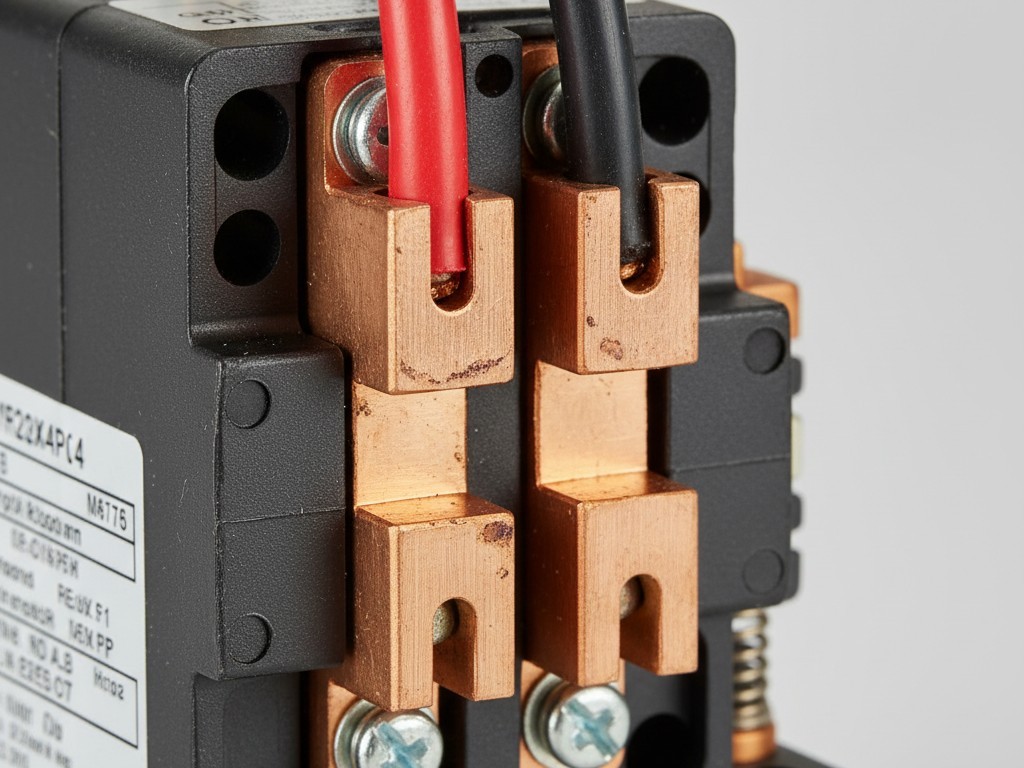
Don’t trust the switch to carry a borderline load directly. Use it to trigger a heavy-duty contactor—a relay actually built to take the punishment of a compressor start.
Configuration for Critical Cooling
Assuming the load math works out (or you’ve isolated the load with a contactor), the next failure point is logic configuration. Rayzeek units, particularly motion sensor variants like the RZ021, are designed for human comfort, not machine survival.
Occupancy sensors default to: Motion Detected -> Turn On. No Motion -> Wait 5 Minutes -> Turn Off.
This is perfect for a bathroom fan. It is useless for a server room. Servers don’t move. If you wire a cooling unit to a standard occupancy sensor, the AC runs while you are in the room working, then shuts off ten minutes after you leave, beginning the slow cook of your hard drives.
Facility managers often try to use these sensors to control lights and cooling simultaneously. This creates a “Comfort vs. Critical” conflict. You want the lights off when you leave; you want the cooling on. You cannot bind these two variables to the same logic gate without a compromise that endangers the hardware.
For a server closet, you have to invert the logic or bypass it entirely. If you use a Rayzeek sensor for cooling control, set it to Temperature Trigger mode if available, or wire it in parallel with a thermostat. A more robust “MacGyver” approach for backup cooling involves hardwiring the cooling circuit to be “Always On” unless a specific high-temp threshold is met. This uses the smart switch only as a high-limit cutoff or a remote reboot tool, rather than a daily cycle controller.
Rayzeek人感センサーのポートフォリオを見る.
お探しの製品が見つかりませんか?ご安心ください。課題を解決する手段は常に複数存在します。当社の製品ポートフォリオのいずれかがお役に立つかもしれません。
If you must use the motion sensor, relegate it to controlling exhaust fan boost or overhead lights—never primary cooling. If you have no choice but to use a sensor-based trigger for an exhaust fan, set the timeout to the maximum available setting. Even then, it’s a gamble compared to a simple thermal switch.
人感センサーを活用した省エネソリューションをお探しですか?
PIR人感センサー、人感センサー搭載省エネ製品、人感センサースイッチ、商業施設向けOccupancy/Vacancy(在室/不在)ソリューションについては、お気軽にお問い合わせください。
The Fail-Safe Verification
You aren’t done until you’ve simulated the disaster. A spec sheet promise isn’t a receipt of function. You need a “Failure Mode Trace”—a sequence of physical abuses to ensure the system fails into a safe state.
First, kill the WiFi. Unplug the router. Does the cooling controller maintain its last state, or does it default to “Off”? If the Rayzeek unit relies on a cloud connection to Tuya or Smart Life servers to execute logic, it is not a fail-safe device. It needs local memory.
Second, kill the breaker. Flip the power off, wait five minutes for capacitors to drain, and flip it back on. Watch the AC unit. Does it restart? Does the switch restore power immediately, or is there a delay?
Finally, check the heat. Use a heat gun or a hair dryer to artificially spike the temperature near the sensor. Verify that backup cooling kicks in at the designated threshold. We aren’t looking for precision here—we aren’t calibrating a laboratory instrument. We are verifying that when the primary HVAC dies on a Saturday night, this $40 piece of plastic and copper will actually close the circuit and save the $40,000 stack of metal sitting in the rack.
If it passes these tests, it stays. If it fails even one, rip it out and go back to the drawing board.







