
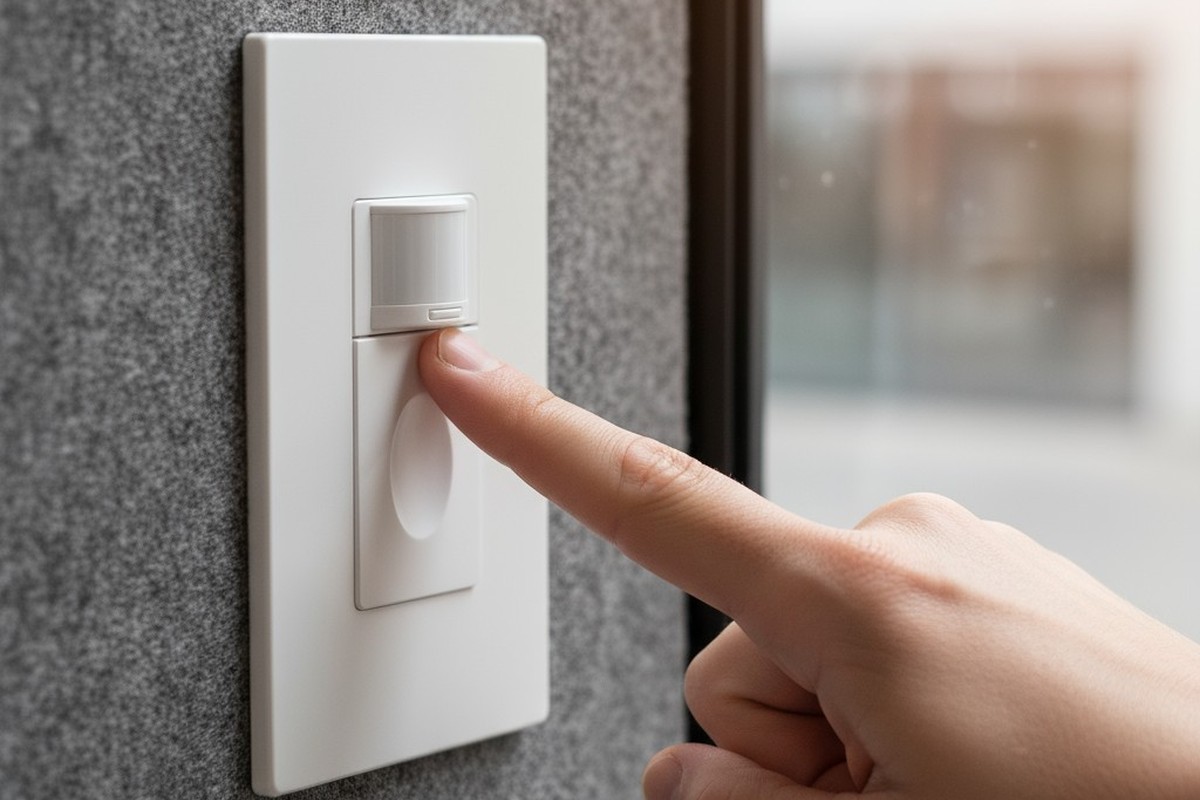
It’s a modern workplace cliché. You’re deep in a co-working phone booth, focused on a critical call, when the world suddenly goes black. A frantic wave of the arm restores the light, but the interruption is complete. Your flow is broken, and a low-grade anxiety sets in as you wait for the next plunge into darkness. This isn’t a random glitch. It’s a systemic design failure: technology intended for convenience actively undermining its user.
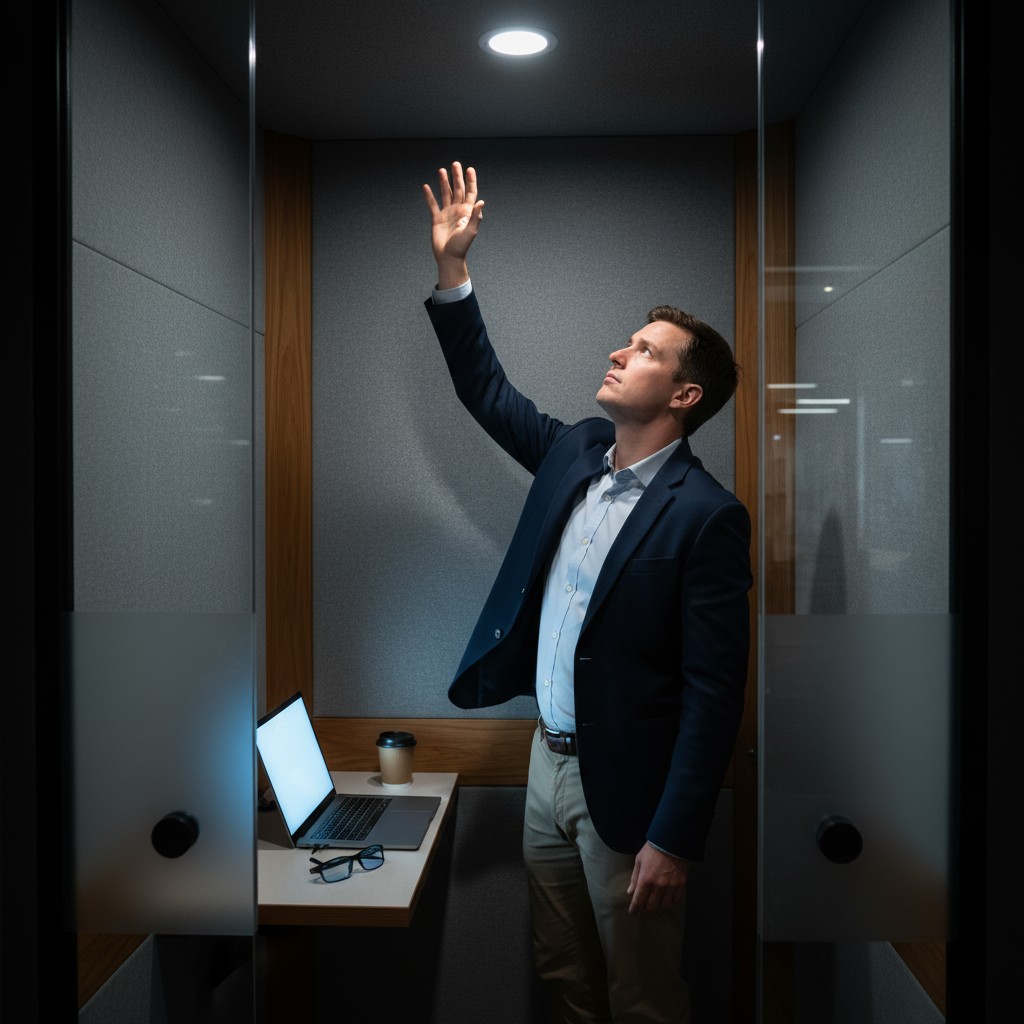
The failure stems from a basic misunderstanding of the space. A phone booth isn’t a transient hallway or a bustling restroom; it’s a space for focused, stationary work. Standard motion sensors, built for high traffic and big movements, are simply the wrong tool for the job. The answer isn’t a more complex sensor, but a more intelligent system. A properly designed system understands user behavior and uses smarter placement, better logic, and environmental awareness to create a seamless experience that never punishes someone for being quiet.
Diagnosing the Failure: The Limits of Overhead Passive Infrared Sensing
The culprit is almost always a device known as a Passive Infrared, or PIR, sensor. These sensors are the silent, low-cost gatekeepers of automated lighting in countless commercial spaces. In a phone booth, their failure isn’t a fault of the technology itself, but of its clumsy, conventional application.
How Standard PIR Sensors Detect Presence
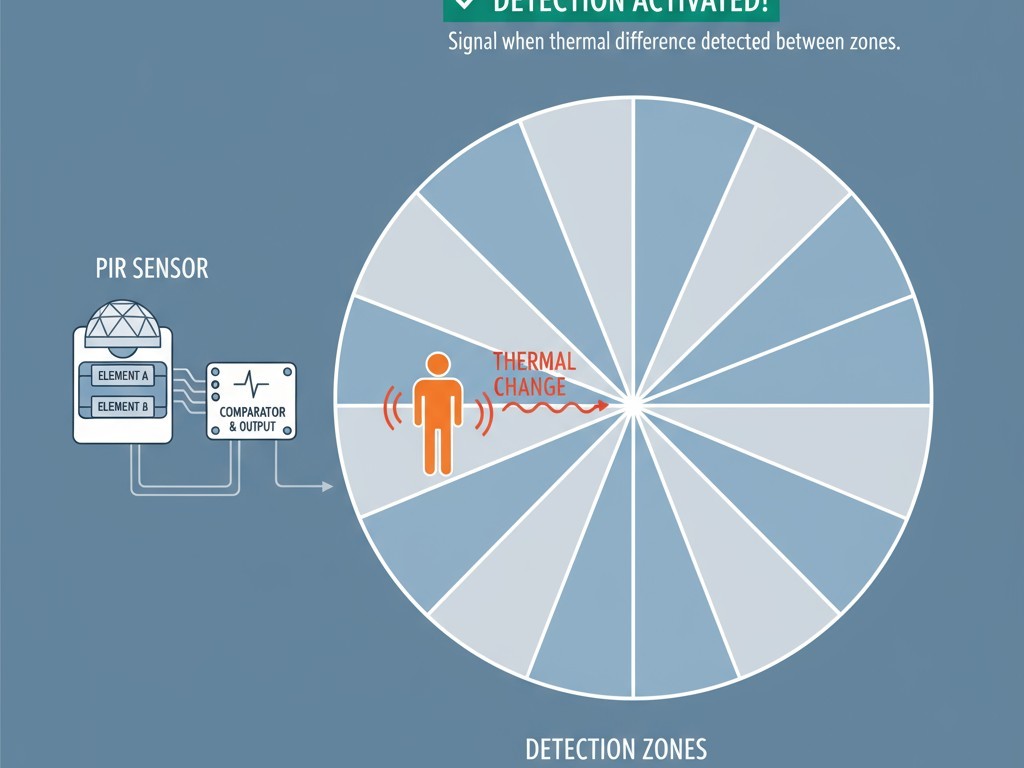
A PIR sensor doesn’t see people; it sees changes in thermal energy. Its lens divides the field of view into a grid of detection zones. When a warm body, like a person, moves from one zone to another, the sensor registers a differential in infrared radiation and triggers the light. The system is designed to detect motion, not static presence. If the thermal landscape remains unchanged for the sensor’s timeout period, the sensor assumes the room is empty and cuts the power.
קבלו השראה מפורטפוליו חיישני התנועה של Rayzeek.
לא מוצאים את מה שאתם מחפשים? אל דאגה. תמיד יש דרכים חלופיות לפתור את הבעיות שלכם. אולי אחד הפורטפוליוים שלנו יכול לעזור.
The Challenge of the Still, Seated Occupant
The conventional placement for a PIR sensor is on the ceiling, looking down. While this provides excellent coverage in a large room, in a tiny phone booth it creates a critical blind spot. From an overhead perspective, a seated person is a very small and thermally uniform target. The head and shoulders don’t move much during a phone call. Minor shifts in posture, hand gestures, or turning the head often fail to create enough of a thermal differential to cross the sensor’s detection zones. To the overhead sensor, a quiet, focused person is indistinguishable from an empty room.
Rethinking Geometry: The Superiority of Sidewall Sensor Placement
The most direct solution to the detection problem is not to change the sensor, but to change its perspective. Moving the PIR sensor from the ceiling to a sidewall fundamentally alters the geometry of detection, making it far better suited to the phone booth environment.
Capturing the Seated Posture Profile
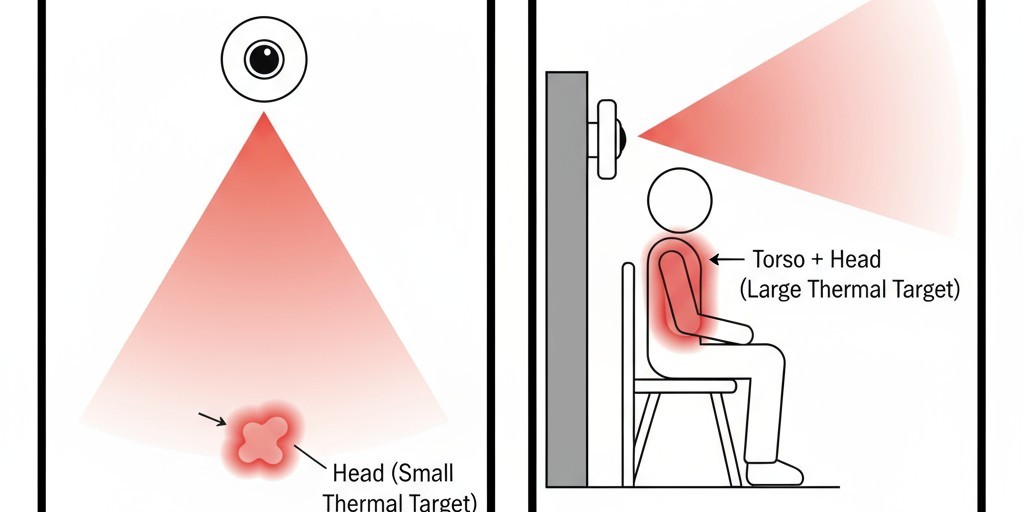
When placed on a sidewall at roughly the seated eye or shoulder level of an average user, the PIR sensor gets a completely different view. Instead of seeing a small circle representing the top of a head, it sees the entire thermal profile of the user’s torso, head, and arms. This larger thermal mass provides a much stronger signal. More importantly, small movements that are invisible from above become highly visible from the side. A slight lean, a hand gesture while talking, or turning to a notebook are all horizontal movements that will reliably cross the sensor’s detection zones.
Minimizing False Negatives Without Increasing False Positives
By aligning the sensor’s field of view with the occupant’s most likely axis of movement, sidewall placement dramatically reduces false negatives: the frustrating moments when the sensor fails to see a user who is still in the booth. This improvement doesn’t require cranking up the sensor’s sensitivity, which could cause false positives from vibrations or airflow. The solution is simply better-aligned data. The sensor is positioned to see the movements that actually happen, not forced to find a signal in the noise of a static overhead view.
Shifting the Default: From Occupancy Sensing to Intelligent Vacancy Mode
Solving the detection problem is only half the battle. The logic controlling the light also needs a rethink. The standard “occupancy” model, which automatically turns the light on and off, is fundamentally flawed for a space like a phone booth.
מחפשים פתרונות חיסכון באנרגיה המופעלים על ידי תנועה?
צרו איתנו קשר לקבלת פתרונות מלאים של חיישני תנועה PIR, מוצרים חוסכי אנרגיה המופעלים על ידי תנועה, מתגי חיישני תנועה ופתרונות מסחריים לגילוי נוכחות/חוסר נוכחות (Occupancy/Vacancy).
The Flaw in “Automatic On, Automatic Off” Logic
An automatic-on system assumes that anyone entering the booth needs the light. But a user might just be peeking inside to see if it’s free or grabbing a forgotten item. The auto-on light is a minor annoyance, but the automatic-off function is the real problem. It puts the user in a constant, low-level battle with the timer, setting the system’s logic directly at odds with the user’s need for focus.
Implementing a Manual-On System with Humane Timeouts
A far more robust and user-centric approach is a “vacancy” model. Here, the user manually turns the light on with a simple push-button, a single action that confirms their intent to occupy the space. The sensor’s role then shifts: its only job is to turn the light off after it has confirmed the space is vacant. The PIR sensor, now properly placed on the sidewall, works with a timer to determine when the occupant has left.
An essential detail is the humane timeout. Instead of an abrupt cutoff, a well-designed system provides a warning. For example, 30 seconds before the timeout expires, the light could dim to 50 percent. This subtle cue alerts the user, who can make a small movement to reset the timer without a jarring plunge into darkness. It transforms the interaction from adversarial to cooperative.
Solving the Blinding Entry: Integrating Photo-Thresholds for Adaptive Lighting
That cooperative spirit should extend to the very first moment a user enters the booth. Stepping out of a brightly lit corridor and into a dark phone booth, a person can be momentarily blinded if the light snaps on at full intensity. This is another small but significant point of friction that a thoughtful system can eliminate.
By incorporating a simple photocell, or photo-threshold sensor, the control system can become aware of its surroundings. The photocell measures the ambient light outside the booth. If it detects a bright environment, the controller can be programmed to turn the light on at a lower intensity, perhaps 30 or 40 percent, allowing the user’s eyes to adjust comfortably. The user can then choose to increase the brightness manually if needed. It’s a small detail that signals a high level of design thoughtfulness.
אולי יעניין אותך גם

- מתח: 2 סוללות AAA
- מצב יום/לילה
- השהיית זמן: 15 דקות, 30 דקות, שעה אחת (ברירת מחדל), שעתיים

- חיישן נוכחות PIR להתקנה על התקרה עם יציאת ממסר מגע יבש
- אספקת מתח נמוך 12/24VDC או 12/24VAC
- מגעי ממסר מבודדים COM, NO ו-NC עבור היזונים של EMS, HVAC ובקרת מבנים

- מתג חיישן תנועה מיקרוגל שקוע לתקרה במתח נמוך DC
- כניסת 12 VDC / 24 VDC עם טווח של 10-30 VDC
- זרם עבודה מרבי של 10A עם השהיית זמן, סף Lux ורגישות מתכווננים
- מתג חיישן תנועה מיקרוגל שקוע לתקרה לעומסים גבוהים יותר
- כניסת מתח רשת 100-265 VAC, דגם 10A
- חיישן מיקרוגל 5.8GHz עם השהיית זמן מתכווננת, סף Lux ורגישות
- מתג חיישן תנועה מיקרוגל שקוע להתקנה בתקרה
- כניסת מתח רשת 100-265VAC, דגם 5A
- חיישן מיקרוגל 5.8GHz עם השהיית זמן מתכווננת, סף Lux ורגישות
- עמעם חיישן נוכחות PIR להתקנה בתקרה RZ037 למתח של 220V
- זרם עבודה מרבי של 3A עם עומס נקוב של 660W
- לחצן LUX שולט על הפעלה/כיבוי של חיישן האור ועל בהירות העמעום שנקבעה על ידי המשתמש
- עמעם חיישן נוכחות PIR להתקנה בתקרה RZ037 למתח של 110V
- זרם עבודה מרבי של 3A עם עומס נקוב של 330W
- לחצן LUX שולט על הפעלה/כיבוי של חיישן האור ועל בהירות העמעום שנקבעה על ידי המשתמש

- מתג חיישן תנועה מיקרוגל להתקנה בתקרה במתח נמוך DC
- כניסת 12 VDC / 24 VDC עם טווח של 10-30 VDC
- זרם עבודה מרבי של 10A עם השהיית זמן, סף Lux ורגישות מתכווננים
- מתג חיישן תנועה מיקרוגל להתקנה בתקרה לעומס גבוה יותר
- כניסת מתח רשת 100-265 VAC, דגם 10A
- חיישן מיקרוגל 5.8GHz עם השהיית זמן מתכווננת, סף Lux ורגישות
- מתג חיישן תנועה מיקרוגל להתקנה בתקרה
- כניסת מתח רשת 100-265VAC, דגם 5A
- חיישן מיקרוגל 5.8GHz עם השהיית זמן מתכווננת, סף Lux ורגישות

- מתג חיישן תנועה PIR שקוע לתקרה במתח נמוך DC
- כניסת 12 VDC / 24 VDC עם טווח של 10-30 VDC
- זרם עבודה מרבי של 10A עם השהיית זמן מתכווננת, סף תאורה (Lux) ורגישות מתכווננים

- מתג חיישן תנועה PIR שקוע לתקרה לעומס גבוה יותר
- כניסת מתח רשת 100-265 VAC, דגם 10A
- גילוי ב-360 מעלות עם השהיית זמן מתכווננת, סף תאורה (Lux) ורגישות מתכווננים
- מתג חיישן תנועה PIR שקוע לתקרה
- כניסת מתח רשת 100-265VAC, דגם 5A
- גילוי ב-360 מעלות עם השהיית זמן מתכווננת, סף תאורה (Lux) ורגישות מתכווננים

- ערכת מתג ומקלט אלחוטיים לבקרת תאורה הפעלה/כיבוי (ON/OFF) למבנים סגורים
- מקלט 100-230VAC, 50/60Hz עם זרם נקוב של 5A
- מתג אלחוטי מוזן סוללת CR2032 עם תקשורת בתדר 2.4GHz
- זיהוי נוכחות (הפעלה אוטומטית/כיבוי אוטומטי)
- 12–24V DC (10–30VDC), עד 10A
- כיסוי של 360°, קוטר של 8–12 מטר
- השהיית זמן 15 שניות–30 דקות
- חיישן תאורה כבוי/15/25/35 Lux
- רגישות גבוהה/נמוכה
- מצב נוכחות עם הפעלה אוטומטית/כיבוי אוטומטי
- 100–265V AC, 10A (נדרש מוליך אפס)
- כיסוי של 360°; קוטר גילוי של 8–12 מטרים
- השהיית זמן של 15 שניות–30 דקות; Lux OFF/15/25/35; רגישות גבוהה/נמוכה
- מצב נוכחות עם הפעלה אוטומטית/כיבוי אוטומטי
- 100–265V AC, 5A (נדרש מוליך אפס)
- כיסוי של 360°; קוטר גילוי של 8–12 מטרים
- השהיית זמן של 15 שניות–30 דקות; Lux OFF/15/25/35; רגישות גבוהה/נמוכה
The Case for Simplicity: Why Tuned PIR Outperforms Ultrasonic Complexity
When faced with the limits of a standard PIR setup, some are tempted to reach for more complex technology like ultrasonic sensors. While these devices work by bouncing sound waves off objects and can detect very fine motion, for a phone booth they are often an over-engineered and inferior solution. Ultrasonic sensors are more expensive and can be triggered by non-human factors, like the vibration from a ventilation fan or fluttering papers. They solve the “still user” problem but can introduce a new set of reliability issues.
This brings us to a core principle of intelligent design: the goal isn’t to use the most powerful technology, but the most appropriate one. A simple, reliable PIR sensor, when implemented with thoughtful design—correct sidewall placement, vacancy-based logic, and adaptive photo-thresholds—creates a system that is robust, cost-effective, and perfectly tuned to its purpose. It simply works, disappearing into the background so the user can focus on theirs.







