
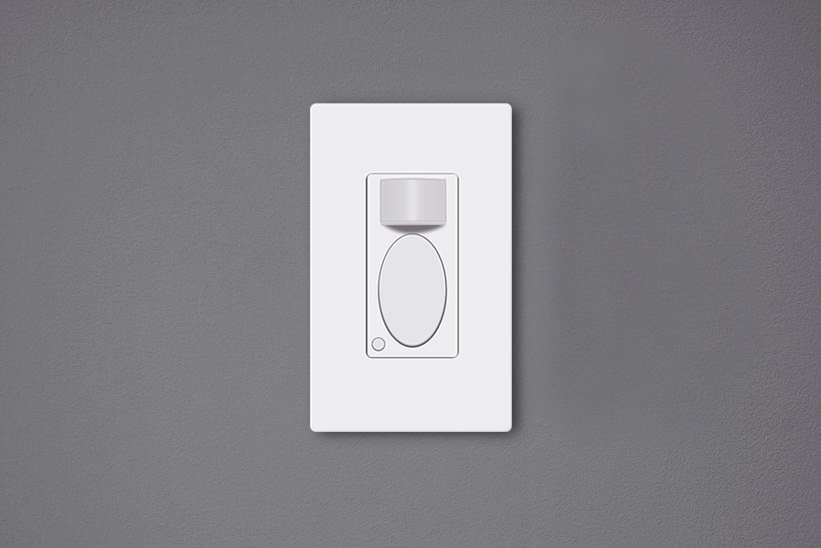
مفاتيح إضاءة مستشعر الحركة هي مفاتيح جدارية تعمل بالحركة ويمكنها إضاءة المصابيح تلقائياً أثناء تواجد الأشخاص في الغرفة وإطفاء المصابيح بعد مغادرتنا. هذه مفاتيح إضاءة مستشعر الحركة صديقة للبيئة ويمكنها توفير طاقة هائلة، كما أنها تجعل حياتنا مريحة، بحيث لم نعد بحاجة للمس مفتاح الإضاءة بعد الآن.
المحتويات
لماذا نحتاج إلى ضبط المفتاح
ضبط مفتاح إضاءة مستشعر الحركة بعد التركيب يُعد أمراً بالغ الأهمية حيث قد لا يناسبك الإعداد الافتراضي بشكل جيد. على الرغم من أن معظم الشركات المصنعة توفر إعداداً افتراضياً للمصنع جاهزاً للاستخدام اليومي المعتاد، إلا أنك قد تحتاج مع ذلك إلى تغيير التخصيص بما يلبي طلبك الفريد بشكل محدد.
على سبيل المثال، مفتاح مستشعر الحركة Rayzeek’الإعداد الافتراضي له هو وضع الاشغال، وتأخير زمني مدته دقيقة واحدة، وقيمة إضاءة محيطية تبلغ 25 لوكس، وهو أمر مناسب تماماً لمعظم المستخدمين المنزليين. ومع ذلك، لا يزال بإمكانك تخصيص تأخير زمني أقصر مثل 15 ثانية وقيمة لوكس أعلى مثل 35 لوكس لتوفير المزيد من الطاقة.
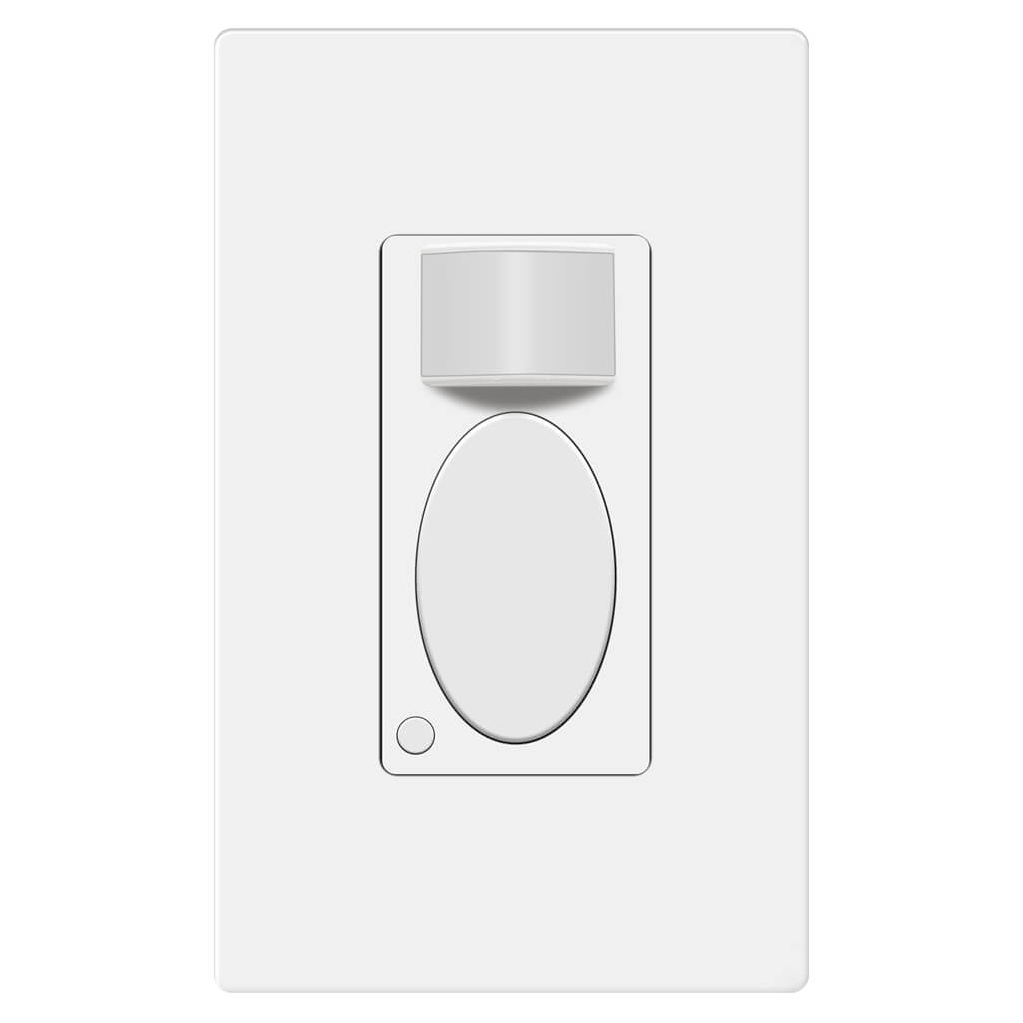
Rayzeek RZ021-5A-G
مفتاح إضاءة بمستشعر الحركة
مستشعر شغل/إخلاء المكان
- وضع التشغيل/الإيقاف اليدوي الحصري
- لا يتطلب سلكًا محايدًا
- 110v~277v للمنشآت التجارية
عندما لا يتم ضبط مفتاح مستشعر الحركة بشكل جيد، لا يقتصر الأمر على استهلاك المزيد من الكهرباء فحسب، بل يتسبب أيضاً في إزعاجات مثل التشغيل العرضي أو الإيقاف الخاطئ للضوء.
كيفية ضبط مفتاح إضاءة مستشعر الحركة
يمكن للمستخدمين ضبط إعدادات مفتاح إضاءة مستشعر الحركة عن طريق تبديل المفاتيح الموجودة تحت الغطاء أو الضغط على الأزرار الموجودة على السطح.
احصل على الإلهام من محفظة منتجات مستشعرات الحركة Rayzeek.
لم تجد ما تبحث عنه؟ لا تقلق، فهناك دائمًا طرق بديلة لحل مشكلاتك. ربما تكون إحدى محافظ منتجاتنا هي الحل المناسب.
تتم برمجة العديد من مفاتيح إضاءة مستشعر الحركة الكلاسيكية عن طريق تغيير الأزرار المساعدة أو المفاتيح الموجودة خلف لوحة الغطاء. بغرض الظهور بشكل متناسق ككتلة واحدة، يتم إخفاء أزرار أو مفاتيح التخصيص مرئياً تحت لوحة التحكم. لتغيير هذه الإعدادات، تحتاج إلى إزالة لوحة التحكم أو غطاء مفتاح مستشعر الحركة للوصول إليها.
في الوقت الحالي، يمكن ضبط مفاتيح إضاءة مستشعر الحركة المبتكرة الموجودة في السوق مباشرة على السطح بالضغط على بعض الأزرار دون إزالة أي أغطية أو لوحات. مثل سلسلة مفاتيح مستشعر الحركة Rayzeek، يمكنك تخصيص جميع الإعدادات فقط إما بالضغط لفترة قصيرة أو الضغط مع الاستمرار على زرين. الطريقة الجديدة لضبط الإعدادات أفضل من ذي قبل لأن إزالة الأغطية المتكررة على المفتاح قد تنتهي بارتخائه.
ما يجب مراعاته عند ضبط المفتاح
إليك بعض الإرشادات التي يمكنك اتباعها عند ضبط مفاتيح مستشعر الحركة الخاصة بك للحصول على أفضل أداء
وضع استشعار الحركة
عندما تشتري جهازا يجمع بين وظيفتين في جهاز واحد، أو مستشعر الإشغال/الشواغر wall switch, you are able to select the motion sensor light switch to work as an occupancy sensor switch or vacancy sensor switch. Some occupancy sensor with a manual-on feature is typically the same as an Occ/Van sensor.
وضع الإشغال
The occupancy sensor mode is an Auto-On/Auto-Off motion detection mode, which turns on the light when the motion sensor detects people and turns off after the motion detector cannot see the people.
The occupancy mode or occupancy sensor switch is competent to cover most requirements for daily residential and commercial applications. In the occupancy mode, the motion sensor light switch is completely hands-free and automatic, which is suitable for home and business use like kitchen, bathroom, hallways and private offices.
وضع الشواغر (عدم الإشغال)
The vacancy sensor mode is a Manual-On/Auto-Off motion detection mode, and sometimes it is also called a Manul-On occupancy mode. When in vacancy mode, the light turns on only after you manually press the button on the light switch, and the light will automatically turn off, similar to occupancy mode.
The vacancy sensor switch or vacancy mode is usually used in commercial places rather than homes because it is not entirely automatic and it would require some manual action. However, the vacancy sensor can save more energy than the occupancy sensor because the light will only turn on when people press the button, and it cannot turn the light on falsely like an occupancy sensor does. So vacancy sensor is required by energy code to be widely used in commercial buildings and often seen in offices such as conference rooms.
التأخير الزمني
The time delay or time-out setting decides for how long the light is continuously kept on after the light is first activated by the motion detector. As long as the motion sensor detects people in the room, the light will keep on. After people leave the room and the motion sensor cannot detect any motion, the light will keep on and not instantly turn off in case of people coming back. After the time delay expires, the motion sensor switch will turn off the light.
Apparently, a short time delay, like 15 seconds, can turn off the light as soon as you leave the room, which is the most eco-friendly time out option. And a 30-minute time delay will keep the light ON for another 30 minutes after the room is already empty.
So how to set a proper time delay?
If you only need the light while you are using the room or just passing by for temporary illumination for navigation, you can set a shorter time delay like 15 seconds to 1 minute for maximum energy saving.
If you need to stay in the room for a long time, such as cooking or reading, or frequently coming in and out of the room while leaving the lights on, you can set a longer time delay, such as 15 to 30 minutes to the light ON and prevent it from undesired turn-offs.
هل تبحث عن حلول لتوفير الطاقة تعمل بالحركة؟
تواصل معنا للحصول على أجهزة استشعار الحركة PIR بالكامل، والمنتجات الموفرة للطاقة والتي تعمل بالحركة، ومفاتيح أجهزة استشعار الحركة، والحلول التجارية للإشغال/الشاغر.
مستشعر الضوء
The light sensor or ambient light detection feature allows the light to stay off with sufficient ambient light to reduce unnecessary energy waste in the daytime because it’s a waste to keep the lights on when there is ample natural light.
Usually, users can choose to disable the light sensor or select from a low, medium, or high pre-set LUX value for the light sensor. The Lux measures luminous flux per unit area, equal to one lumen per square meter, and the LUX value somehow represents the brightness of the environment.
The higher the LUX value, the brighter the environment is. Some motion sensor switches would provide light sensor options with settings like low, medium to high, or with accurate LUX values like 15 LUX, 25 LUX, 35 LUX.
When the light sensor/ambient light detection is disabled, the motion sensor will turn on the light whenever it detects motion.
When the user selects a light sensor value, for example, low or 15LUX, the motion sensor will only activate the light when the ambient light is below 15LUX.
So how to set the light sensor value?
If you need the light to turn on in dark rooms for illumination, you can choose a low value like Low, 15LUX, or OFF.
If you need the light to turn on to provide supportive illumination to the natural light, for example, offices and kitchens in the daytime, you can choose a medium or high light sensor value like Medium, 25 LUX or 35 Lux.
If you need the light to turn on every time people pass by or enter, you can disable the light sensor.
حساسية المستشعر
The sensor sensitivity calculates how far the motion sensor can detect, and the sensor sensitivity is a key factor to program before putting it into use. Unlike motion sensor lights, the motion sensor light switches need to be installed into wall boxes, so the location and placement of the motion sensor are usually highly restricted. After installation, the only way to alter the motion detection coverage zone is to change the sensor sensitivity of the motion sensor.
When the sensitivity is not well-adjusted, the motion sensor would not be as convenient as it should be.
When the sensitivity is too low, the motion sensor might be clumsy that the light will not detect you efficiently until you come quite near.
قد تكون مهتمًا بـ

- الجهد الكهربائي: بطاريتان AAA
- وضع النهار/الليل
- التأخير الزمني: 15 دقيقة، 30 دقيقة، ساعة واحدة (افتراضي)، ساعتان

- مستشعر إشغال PIR للسقف مع مخرج مرحل اتصال جاف
- مصدر إمداد بالطاقة منخفض الجهد 12/24VDC أو 12/24VAC
- ملامسات مرحل معزولة (COM وNO وNC) لمدخلات التحكم في أنظمة إدارة الطاقة (EMS) والتدفئة والتهوية وتكييف الهواء (HVAC) وإدارة المباني

- مفتاح مستشعر الحركة بالموجات الدقيقة بجهد منخفض من التيار المستمر (DC) للتركيب الغاطس في السقف
- دخل 12 VDC / 24 VDC مع نطاق من 10 إلى 30 VDC
- تيار تشغيل أقصى 10A مع تأخير زمني قابل للتعديل، وعتبة إضاءة (Lux)، وحساسية قابلة للضبط
- مفتاح مستشعر الحركة بالموجات الدقيقة للأحمال العالية للتركيب الغاطس في السقف
- دخل جهد الخط 100-265 VAC، طراز 10A
- استشعار بالموجات الدقيقة بتردد 5.8 GHz مع تأخير زمني قابل للتعديل، وعتبة إضاءة (Lux)، وحساسية قابلة للضبط
- مفتاح مستشعر الحركة بالموجات الدقيقة للتركيب الغاطس في السقف
- دخل جهد الخط 100-265 VAC، طراز 5A
- استشعار بالموجات الدقيقة بتردد 5.8 GHz مع تأخير زمني قابل للتعديل، وعتبة إضاءة (Lux)، وحساسية قابلة للضبط
- خافض إضاءة بمستشعر الإشغال RZ037 PIR للتركيب السقفي بقدرة جهد 220V
- تيار تشغيل أقصى 3A مع حمل مقدر يبلغ 660W
- زر LUX للتحكم في تشغيل/إيقاف مستشعر الضوء ومستوى سطوع خفت الإضاءة المحدد من قبل المستخدم
- خافض إضاءة بمستشعر الإشغال RZ037 PIR للتركيب السقفي بقدرة جهد 110V
- تيار تشغيل أقصى 3A مع حمل مقدر يبلغ 330W
- زر LUX للتحكم في تشغيل/إيقاف مستشعر الضوء ومستوى سطوع خفت الإضاءة المحدد من قبل المستخدم

- مفتاح مستشعر حركة ميكروويف لسقف، يعمل بالتيار المستمر منخفض الجهد
- دخل 12 VDC / 24 VDC مع نطاق من 10 إلى 30 VDC
- تيار تشغيل أقصى 10A مع تأخير زمني قابل للتعديل، وعتبة إضاءة (Lux)، وحساسية قابلة للضبط
- مفتاح مستشعر حركة ميكروويف لسقف ذو حمل أعلى
- دخل جهد الخط 100-265 VAC، طراز 10A
- استشعار بالموجات الدقيقة بتردد 5.8 GHz مع تأخير زمني قابل للتعديل، وعتبة إضاءة (Lux)، وحساسية قابلة للضبط
- مفتاح مستشعر حركة ميكروويف لسقف
- دخل جهد الخط 100-265 VAC، طراز 5A
- استشعار بالموجات الدقيقة بتردد 5.8 GHz مع تأخير زمني قابل للتعديل، وعتبة إضاءة (Lux)، وحساسية قابلة للضبط

- مفتاح حساس الحركة للأشعة تحت الحمراء PIR المدمج للسقف يعمل بالتيار المستمر منخفض الجهد
- دخل 12 VDC / 24 VDC مع نطاق من 10 إلى 30 VDC
- أقصى تيار تشغيل 10A مع تأخير زمني قابل للتعديل وعتبة إضاءة (Lux) وحساسية قابلتين للتعديل

- مفتاح حساس الحركة للأشعة تحت الحمراء PIR المدمج للسقف للأحمال العالية
- دخل جهد الخط 100-265 VAC، طراز 10A
- كشف بزاوية 360 درجة مع تأخير زمني قابل للتعديل وعتبة إضاءة (Lux) وحساسية قابلتين للتعديل
- مفتاح حساس الحركة للأشعة تحت الحمراء PIR المدمج للسقف
- دخل جهد الخط 100-265 VAC، طراز 5A
- كشف بزاوية 360 درجة مع تأخير زمني قابل للتعديل وعتبة إضاءة (Lux) وحساسية قابلتين للتعديل

- طقم مفتاح ومستقبل لاسلكي للتحكم في تشغيل وإيقاف الإضاءة الداخلية
- مستقبل 100-230VAC، 50/60Hz بتيار مقدر 5A
- مفتاح لاسلكي يعمل ببطارية CR2032 مع اتصال بتردد 2.4GHz
- مستشعر شغور (تشغيل تلقائي/إيقاف تلقائي)
- 12–24V DC (10–30VDC)، حتى 10A
- تغطية 360 درجة، بقطر 8–12 م
- تأخير زمني من 15 ثانية إلى 30 دقيقة
- مستشعر إضاءة: إيقاف/15/25/35 لوكس
- حساسية عالية/منخفضة
- وضع الشغور بتشغيل تلقائي/إيقاف تلقائي
- 100–265V AC، 10A (يتطلب خط محايد)
- تغطية 360 درجة؛ قطر الكشف 8–12 م
- تأخير زمني من 15 ثانية إلى 30 دقيقة؛ شدة الإضاءة: إيقاف/15/25/35 لوكس؛ الحساسية: عالية/منخفضة
- وضع الشغور بتشغيل تلقائي/إيقاف تلقائي
- 100–265V AC, 5A (neutral required)
- تغطية 360 درجة؛ قطر الكشف 8–12 م
- تأخير زمني من 15 ثانية إلى 30 دقيقة؛ شدة الإضاءة: إيقاف/15/25/35 لوكس؛ الحساسية: عالية/منخفضة
When the sensitivity is too high, the motion sensor might be able to detect motion outside the room, such as people passing by outside, that will falsely turn on the light when there are actually no people in the room, causing electricity waste.
So how to set the sensor sensitivity value?
First, we set the sensitivity to high. If it works well then we keep it at high.
If the sensitivity is too high, that causes the light to turn on unexpectedly. Then we try to set the sensitivity to low.
If the low sensitivity is not enough for proper motion detection accuracy, we can set the sensitivity back to high. Then we can use some adhesive tapes to partially cover the motion detection window to lower the sensitivity step by step until we get the perfect result.








Great job explaining in great detail the obvious but all I wanted to know is how to adjust these settings
Hi James,
That depends on the models you have. Each has its own way of adjustments. So we don’t cover them in the article.
To adjust these settings, some use mechanical dials/toggles, some use small buttons located on the switch while some use APP.
Refer to your product manual on how to adjust them.
Basically it is easy and obvious.