
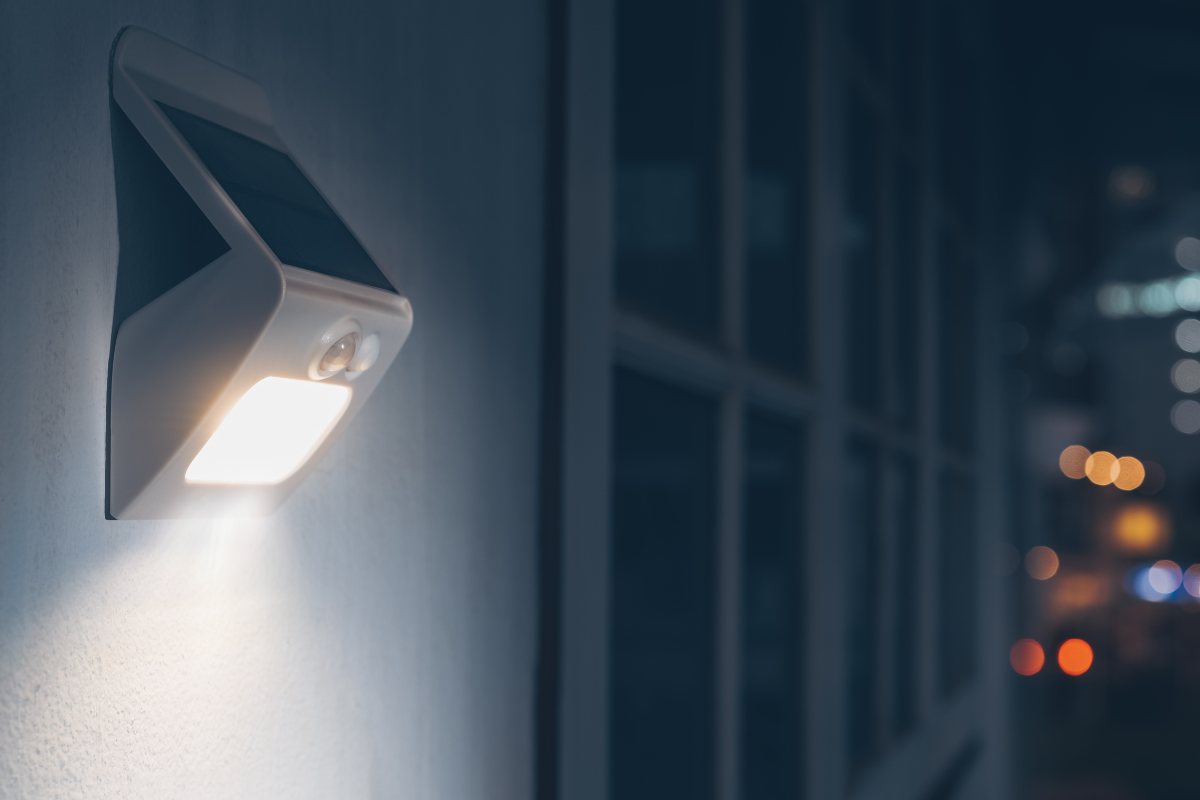
Motion sensor lights, a common sight in modern homes and public spaces, are a fascinating blend of technology and practicality. They serve as a convenient, energy-efficient solution for lighting and security needs, illuminating spaces only when necessary and conserving energy when not in use. But what sets off these motion sensor lights? What factors can trigger them, and how can we prevent false detections?
目錄
- How Sensors Work and How Motion Is Detected
- What Sets off a Motion Sensor
- Can Light Trigger a Motion Sensor
- Does Weather Affect Motion Sensors
- How to Prevent False Detection
- Why the Motion Sensor Lights Stay On
In this article, we’ll discuss the intricate workings of motion sensor lights, exploring how they detect motion, what can set them off, and how external factors like light and weather can affect their operation. And most importantly, how to prevent false triggers and why these lights sometimes stay on longer than expected.
How Sensors Work and How Motion Is Detected
Motion sensors, the heart of motion sensor lights, operate using a variety of technologies. Each technology has its unique way of detecting motion, and they are designed to suit different environments and applications. Knowing their working mechanism will help you understand what can set them off.
Basically, motion sensors are catered into two basic types: active and passive sensors, depending on whether they send out signals for motion detection.
Active Motion Sensors
Active motion sensors, such as microwave sensors, emit waves of electrical and magnetic energy, known as microwaves. These waves reflect off objects and return to the sensor. When an object, such as a person, disrupts these waves, the sensor detects the disturbance and sends a signal. This signal can trigger various actions, such as turning on a light or sounding an alarm.
Ultrasonic motion sensors are another kind of commonly seen active sensors. Similar to microwave sensors, ultrasonic sensors emit ultrasonic sound waves that reflect off objects and bounce back to the original emission point. When a moving object disrupts these waves, the sensor triggers and completes the desired action.
您可能也會感興趣

- 電壓:2 粒 AAA 電池
- 日/夜模式
- 延遲時間:15 分鐘、30 分鐘、1 小時(預設)、2 小時

- 吸頂式 PIR 人體感應器,配備乾觸點繼電器輸出
- 12/24VDC 或 12/24VAC 低電壓供電
- 用於 EMS、HVAC 和建築控制輸入的 COM、NO 和 NC 隔離繼電器觸點

- 低壓直流嵌入式天花安裝微波人體感應開關
- 12 VDC / 24 VDC 輸入,支援 10-30 VDC 範圍
- 最大工作電流 10A,配備可調節延時、光感閾值及靈敏度
- 高負載嵌入式天花安裝微波人體感應開關
- 100-265 VAC 市電輸入,10A 型號
- 5.8 GHz 微波感應,配備可調節延時、光感閾值及靈敏度
- 嵌入式天花安裝微波人體感應開關
- 100-265 VAC 市電輸入,5A 型號
- 5.8 GHz 微波感應,配備可調節延時、光感閾值及靈敏度
- 適用於 220V 電源的天花安裝 RZ037 PIR 被動式紅外線佔空感應調光開關
- 最大工作電流 3A,額定負載 660W
- LUX 按鈕控制光線感應器開關及用戶設定之調光亮度
- 適用於 110V 電源的天花安裝 RZ037 PIR 被動式紅外線佔空感應調光開關
- 最大工作電流 3A,額定負載 330W
- LUX 按鈕控制光線感應器開關及用戶設定之調光亮度

- 低壓直流天花安裝微波人體感應開關
- 12 VDC / 24 VDC 輸入,支援 10-30 VDC 範圍
- 最大工作電流 10A,配備可調節延時、光感閾值及靈敏度
- 高負載吸頂式微波動態感應器開關
- 100-265 VAC 市電輸入,10A 型號
- 5.8 GHz 微波感應,配備可調節延時、光感閾值及靈敏度
- 吸頂式微波動態感應器開關
- 100-265 VAC 市電輸入,5A 型號
- 5.8 GHz 微波感應,配備可調節延時、光感閾值及靈敏度

- 低壓直流嵌頂式 PIR 動態感應器開關
- 12 VDC / 24 VDC 輸入,支援 10-30 VDC 範圍
- 最大工作電流 10A,具備可調式時間延遲、光照度閾值及靈敏度

- 高負載嵌頂式 PIR 動態感應器開關
- 100-265 VAC 市電輸入,10A 型號
- 360度偵測,具備可調式時間延遲、光照度閾值及靈敏度
- 嵌頂式 PIR 動態感應器開關
- 100-265 VAC 市電輸入,5A 型號
- 360度偵測,具備可調式時間延遲、光照度閾值及靈敏度

- 用於室內開關照明控制的無線開關及接收器套裝
- 100-230VAC,50/60Hz 接收器,額定電流 5A
- CR2032 電池供電無線開關,採用 2.4GHz 通訊
- 佔用感應(自動開啟/自動關閉)
- 12–24V DC (10–30VDC),最高 10A
- 360° 覆蓋,直徑 8–12 米
- 延遲時間 15 秒至 30 分鐘
- 光感應器 關閉/15/25/35 Lux
- 高/低靈敏度
- 自動開啟/自動關閉佔用模式
- 100–265V AC,10A(需接零線)
- 360° 全方位覆蓋;8–12 米偵測直徑
- 延遲時間 15 秒至 30 分鐘;Lux 關閉/15/25/35;靈敏度 高/低
- 自動開啟/自動關閉佔用模式
- 100–265V AC,5A(需接零線)
- 360° 全方位覆蓋;8–12 米偵測直徑
- 延遲時間 15 秒至 30 分鐘;Lux 關閉/15/25/35;靈敏度 高/低
These sensors are particularly effective in harsh, high-heat environments. However, they can also cause false alarms if a small animal passes by or if the wind blows too hard. Active motion sensors require a continuous power source or strong batteries due to their active emission of microwaves.
Passive Motion Sensors
Passive motion sensors, such as Passive Infrared (PIR) sensors, work differently. They generate energy when exposed to heat or infrared light, which is emitted by humans and animals. When a PIR sensor detects this heat, it generates energy that triggers the detection, causing the lights to turn on or an alarm to sound.
A PIR motion sensor works by using two sensors, each constructed of a unique infrared-sensitive substance. One sensor measures the ambient temperature of the area the detector monitors, representing how the site appears in typical circumstances. The second sensor picks up any abrupt temperature variations in the area. A pulse that signifies “movement” is produced whenever there is a discrepancy between what these two sensors are “viewing”.
PIR sensors are passive because they do not emit energy for detection purposes. Instead, they work entirely by detecting energy emitted from other objects. Some PIR sensors can ignore objects or animals below a specified size, preventing false alarms from small pets. However, in hot climates where temperatures can climb above 95 degrees F, these sensors may not function effectively.
Dual-Technology Detectors
Dual-technology detectors combine two different motion-detecting technologies. These sensors are more resistant to false alarms, as both technologies must be triggered to confirm a valid motion singal. For example, one of the common dual-tech motion sensors is PIR ultrasonic dual-tech motion sensors. Only when both the PIR sensor and ultrasonic sensor detect motion, the dual-tech sensor will consider it a valid motion signal. And only when the PIR and ultrasonic sensor both cannot detect the ongoing motion anymore does the dual-tech sensor make sure there is no motion happening around the sensor.
Dual-technology detectors/sensors significantly lower the false alarms of both False-On and False-Off, as discussed above. The downside is the high cost, as both sensor technologies are involved in a single sensor.
Motion Sensor Lights
Motion sensor lights are activated by these motion sensors mentioned above. Typically, the light remains on either for a set time or as long as it senses movement. The type of sensor used depends on the specific application and environment, with some sensors being more suitable for indoor use and others for outdoor use.
As PIR motion sensors have significant advantages such as being energy-efficient(does not emit signals), inexpensive(compared to active sensors), and durable(for outdoor conditions, almost all motion sensor lights are equipped or working in conjunction with PIR motion sensors nowadays.
Understanding how these sensors work is crucial to understanding what sets off motion sensor lights. And we will mainly explore PIR motion sensors in the following sections as motion sensor lights are mostly activated and controlled by PIR motion sensors.
What Sets off a Motion Sensor
Motion sensors, particularly those utilizing Passive Infrared (PIR) technology, are triggered by the movement of objects that generate infrared light. This is due to their ability to detect changes in heat. When an object that emits enough infrared energy and causes a temperature shift enters the sensor’s field of view, it triggers the motion detector.
Common Triggers
- Humans and Animals: Humans and animals are common triggers as they emit heat and can cause a significant temperature shift in the sensor’s field of view.
- Heaters and Sunlight: Heaters and sunlight can also set off a motion sensor. These sources can cause a sudden change in temperature, which the sensor picks up.
- Other Heat Sources: Other heat-emitting objects, such as automobiles, can also trigger a motion sensor.
False Triggers
False triggers can occur due to various factors:
從 Rayzeek 動態感測器產品組合中獲得靈感。
找不到您想要的產品?別擔心。總有其他方法可以解決您的問題。也許我們的其中一個產品組合可以幫到您。
- Heat Changes: Changes in heat, such as a radiator turning on or a street light switching on within view, can trigger a PIR sensor.
- Damaged Sensor: A damaged sensor can falsely trigger if a crack in the sensor exposes it to outside elements.
- Interfering Signals(Microwave): An interfering RF or electromagnetic signal, such as from a garage door opener, can trigger a motion sensor.
Can Light Trigger a Motion Sensor
Yes, light can indeed trigger a motion sensor. However, it’s not just any light that can set off a motion sensor. For instance, the normal lights turning on and off in your living room are unlikely to trigger a motion sensor. A passive motion sensor, on the other hand, is more likely to be triggered by sunlight shining directly on it or an extremely hot bulb situated close to the sensor.
However, active motion sensors aren’t foolproof either. Small animals, insects, or even the wind can potentially trigger an active motion sensor. To prevent false alarms, most of today’s motion sensors are a combination of passive and active sensors. This means that both microwaves and heat must be detected simultaneously to trigger the sensor.
In the context of a security system that includes a motion sensor light with a camera, adjusting lighting to reduce false alarms is crucial. This can be achieved in several ways that don’t involve curtains or blinds. For example, you can remove objects that are reflecting light or causing patterns, such as relocating a troublesome mirror or moving a tree whose leaves are creating issues. Another strategy is to keep your home brighter during the day to reduce the contrast between inside and outside light sources.
Does Weather Affect Motion Sensors
Contrary to what one might expect, weather conditions generally have minimal impact on the functioning of motion sensor lights. While PIR sensors may exhibit increased sensitivity in colder temperatures, it’s typically atmospheric disturbances like storms that pose a greater likelihood of interfering with your lights.
Strong winds or heavy rainfall can cause movement of plants and outdoor decorations, potentially triggering your lights. However, such occurrences are relatively rare. If you find your motion sensor lights being set off due to weather-induced movements, there’s a simple solution at hand. You can adjust the sensitivity of your motion sensor to ignore movements small enough to be caused by inclement weather.
This way, your motion sensor lights will continue to function optimally, providing illumination when needed, without being falsely triggered by the weather. Remember, the key is to strike a balance between sensitivity and functionality to ensure your motion sensor lights serve their purpose effectively.
How to Prevent False Detection
Preventing false detection or triggers in motion sensor lights involves a combination of careful placement, regular maintenance, and the use of advanced features available in modern sensors.
Proper Placement of Sensors
The placement of motion sensors is crucial for preventing false triggers. Kep sensors clear of any heat sources such as fireplaces, heaters, and direct sunlight. High-traffic areas that would be hard to avoid in a home, like an entryway, stairwell, or primary hallway, are ideal places for motion sensors.
Regular Maintenance
Regular maintenance is also critical for the proper functioning of motion sensors(well, for any electronics). This includes checking for any damage to the sensor, such as cracks or general wear and tear. If any damage is found, it’s more reliable to replace the sensor outright.
Adjusting Sensitivity and Coverage
Most sensors can be adjusted or replaced with newer models that can ignore pets under 2 1/2 feet and up to 85 lbs. Sometimes, just installing the sensors upside down can get the window of coverage up above what a pet could trigger. If there is something in the field of view which could be changing heat, then you may need to insulate it. Alternatively, you could try adjusting the sensitivity of your sensor.
Dealing with Interfering Signals
For active sensors, if you suspect an interfering signal could be the issue, you can test this by holding your cell phone up to the sensor and dialing someone. If the phone causes the sensor to trip, it is likely an interference. You can get sensors more resistant to interrupting signals.
Following these strategies can significantly reduce the chances of false detection or triggers in your motion sensor lights. The key is regular maintenance and staying updated with the latest advancements in sensor technology.
Why the Motion Sensor Lights Stay On
Motion sensor lights are designed to illuminate when they detect movement and turn off after a set period of inactivity. However, there are instances when these lights may stay on longer than expected. This could be due to several factors.
High Sensitivity Setting
If the sensitivity setting of your light is too high, it may be triggered by minor movements such as a leaf blowing in the wind or a speck of dust settling on the sensor. This could cause the light to stay on as it continually detects these minor movements.
正在尋找動態感應節能解決方案?
歡迎聯絡我們以獲取完整的 PIR 動態感應器、動態感應節能產品、動態感應器開關以及人體感應/無人感應商業解決方案。
Long Duration Settings
Typically, a motion detector light should only stay on for about 20 to 30 seconds after it’s triggered. However, some lights come with adjustable settings that allow them to stay on for longer durations. If your duration setting is too long, it may seem like your motion light never turns off.
Stuck in Auto-On Mode
Some lights have an auto-on setting that causes them to stay on all the time. It’s possible that this mode has been accidentally triggered, or a malfunction has caused the light to get stuck in this mode.
Age, Storm Damage, Power Surge, Improper Installation
These factors can also cause your motion detector to stay on. They may affect the functionality of the sensor or the light itself, causing it to behave abnormally.
If your motion light stays on all the time, it doesn’t always mean that professional intervention is required. There are a few things you can try yourself.
Test Sensitivity
Adjust your sensor’s sensitivity settings and test them. Run different scenarios by placing or throwing objects to see which ones trigger your light. If the test objects that trigger your light are far away or tiny, your sensitivity setting is likely too high. Keep adjusting until you get it just right.
Reset your Motion Detector
To reset your motion light, unplug it from its power source for a full 10 seconds. Plug it back in and allow it to come back on. This should reset your light and turn off the auto-on function.
In addition to these, it’s a good idea to consult your manual and double-check the settings and functions of your light. There’s a possibility that your light’s settings simply need to be tweaked a bit or that your unit needs to be reset.








Bonjour,
Ma lampe (plafonnier) avec détecteur de mouvement est perturbée par la présence, à 2 mètres environ d’un routeur wifi 6G. Elle s’allume et s’éteint de manière intempestive. En revanche si l’opérateur commute le signal en 2.4G la lampe fonctionne normalement. Quelqu’un a-t-il une idée de comment rétablir la 5G sans ces perturbations ?
Consulta un motor eléctrico para portón corredizo energizar puede activar el sensor de movimiento pir