
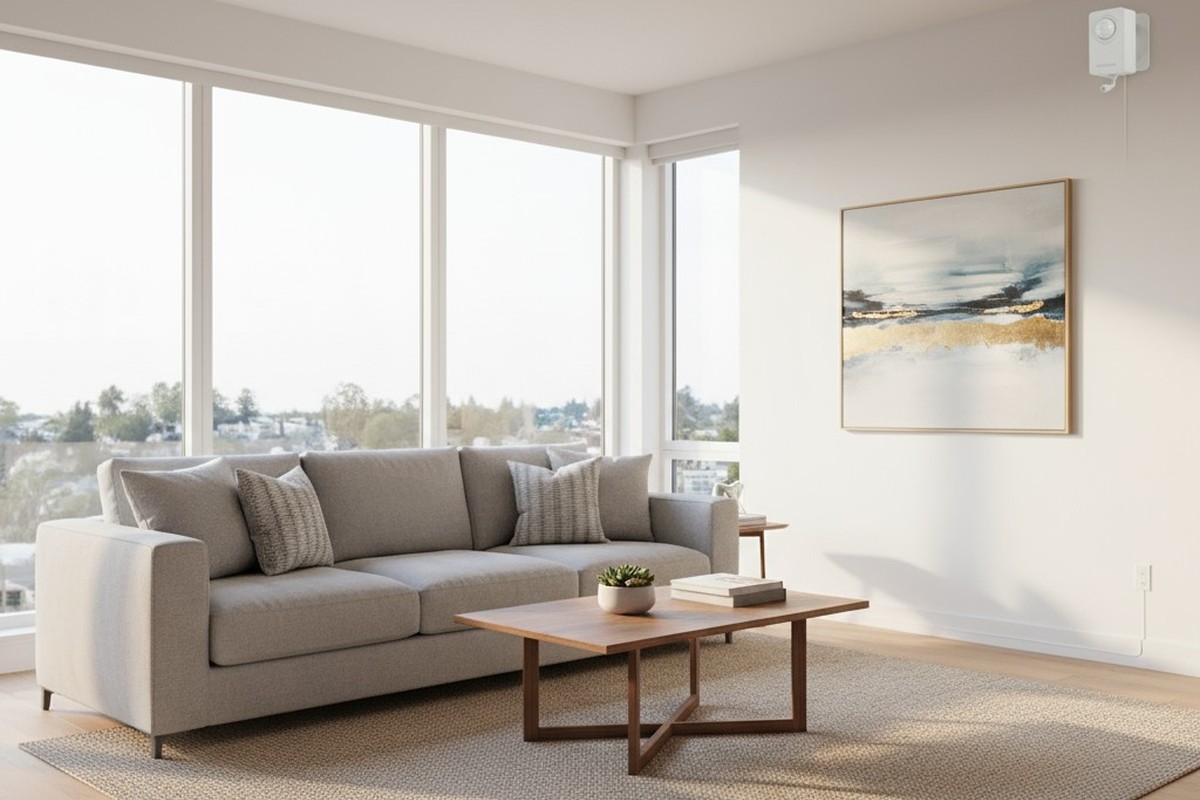
Guests check in, crank the AC down to 65 degrees, and head to the beach for the day. It’s a predictable pattern of energy waste in short-term rentals, and hosts are the ones paying the bill. Others throw open balcony doors while the air conditioning runs full blast, unaware or unconcerned that the cost belongs to someone else. The financial impact is significant. A single three-bedroom unit in a warm climate, running eight unnecessary hours per day, can add hundreds of dollars in avoidable electricity costs over a summer. Multiply this across a portfolio, and the drain becomes a structural problem.
The instinctive solution is a smart thermostat. Wi-Fi-enabled devices promise remote control, scheduling, and geofencing to detect when a space is empty. In theory, they offer precise, app-based management. In practice, they introduce a cascade of failure points that make them poorly suited for the realities of rental property management.
The alternative is a fundamentally different approach: motion-based AC cutoff systems. These self-contained devices require no network connection, no app, and no guest interaction. They detect occupancy through motion and enforce timeouts when a room is empty, automatically restoring cooling the moment movement resumes. This article examines why this non-connected architecture is the more reliable solution for high-turnover rentals, how to configure it to balance comfort with savings, and how to implement it without generating negative reviews.
The AC Abuse Problem in Short-Term Rentals
The misuse of air conditioning in rentals isn’t malicious; it’s a structural consequence of misaligned incentives. Guests don’t pay the electric bill. The comfort of an ice-cold room after a day at the beach costs them nothing. The host, by contrast, absorbs every kilowatt-hour of that waste but lacks any real-time control.
Common patterns emerge. The thermostat is set to its lowest point despite the space being unoccupied for most of the day. Doors to patios are left open, forcing the system to fight a battle it can never win. In properties with poor insulation, the compressor cycles continuously, leading not just to wasted energy but to accelerated wear on HVAC systems and, in extreme cases, frozen evaporator coils.
Quantifying this waste is instructive. A central air system for a typical three-bedroom rental might draw 3 to 5 kilowatts. If guest behavior adds eight unnecessary operating hours per day—a conservative figure—that’s 24 to 40 additional kilowatt-hours daily. Over a 30-day booking, this translates to between 720 and 1,200 kWh of excess consumption. At 15 cents per kWh, a single booking can generate $108 to $180 in avoidable costs. For hosts managing multiple properties, the annual impact is substantial.
Polite notes asking guests to turn off the AC are routinely ignored, not out of defiance, but because the request competes with convenience. The problem demands a solution that operates independently of guest cooperation.
Why Wi-Fi Thermostats Fail This Use Case
Wi-Fi thermostats are engineered for owner-occupied homes, where a single household manages the device for years. The network credentials and app permissions are stable. In a short-term rental, these assumptions collapse.
The first failure point is network instability. Property management turnover, new internet providers, or a simple router replacement requires reconfiguring every connected device. When a Wi-Fi thermostat loses its connection, restoring it demands physical access and re-entry of network credentials. For hosts managing units across different locations, a single network change can orphan an entire portfolio of devices.
您可能也會感興趣

- 電壓:2 粒 AAA 電池
- 日/夜模式
- 延遲時間:15 分鐘、30 分鐘、1 小時(預設)、2 小時

- 吸頂式 PIR 人體感應器,配備乾觸點繼電器輸出
- 12/24VDC 或 12/24VAC 低電壓供電
- 用於 EMS、HVAC 和建築控制輸入的 COM、NO 和 NC 隔離繼電器觸點

- 低壓直流嵌入式天花安裝微波人體感應開關
- 12 VDC / 24 VDC 輸入,支援 10-30 VDC 範圍
- 最大工作電流 10A,配備可調節延時、光感閾值及靈敏度
- 高負載嵌入式天花安裝微波人體感應開關
- 100-265 VAC 市電輸入,10A 型號
- 5.8 GHz 微波感應,配備可調節延時、光感閾值及靈敏度
- 嵌入式天花安裝微波人體感應開關
- 100-265 VAC 市電輸入,5A 型號
- 5.8 GHz 微波感應,配備可調節延時、光感閾值及靈敏度
- 適用於 220V 電源的天花安裝 RZ037 PIR 被動式紅外線佔空感應調光開關
- 最大工作電流 3A,額定負載 660W
- LUX 按鈕控制光線感應器開關及用戶設定之調光亮度
- 適用於 110V 電源的天花安裝 RZ037 PIR 被動式紅外線佔空感應調光開關
- 最大工作電流 3A,額定負載 330W
- LUX 按鈕控制光線感應器開關及用戶設定之調光亮度

- 低壓直流天花安裝微波人體感應開關
- 12 VDC / 24 VDC 輸入,支援 10-30 VDC 範圍
- 最大工作電流 10A,配備可調節延時、光感閾值及靈敏度
- 高負載吸頂式微波動態感應器開關
- 100-265 VAC 市電輸入,10A 型號
- 5.8 GHz 微波感應,配備可調節延時、光感閾值及靈敏度
- 吸頂式微波動態感應器開關
- 100-265 VAC 市電輸入,5A 型號
- 5.8 GHz 微波感應,配備可調節延時、光感閾值及靈敏度

- 低壓直流嵌頂式 PIR 動態感應器開關
- 12 VDC / 24 VDC 輸入,支援 10-30 VDC 範圍
- 最大工作電流 10A,具備可調式時間延遲、光照度閾值及靈敏度

- 高負載嵌頂式 PIR 動態感應器開關
- 100-265 VAC 市電輸入,10A 型號
- 360度偵測,具備可調式時間延遲、光照度閾值及靈敏度
- 嵌頂式 PIR 動態感應器開關
- 100-265 VAC 市電輸入,5A 型號
- 360度偵測,具備可調式時間延遲、光照度閾值及靈敏度

- 用於室內開關照明控制的無線開關及接收器套裝
- 100-230VAC,50/60Hz 接收器,額定電流 5A
- CR2032 電池供電無線開關,採用 2.4GHz 通訊
- 佔用感應(自動開啟/自動關閉)
- 12–24V DC (10–30VDC),最高 10A
- 360° 覆蓋,直徑 8–12 米
- 延遲時間 15 秒至 30 分鐘
- 光感應器 關閉/15/25/35 Lux
- 高/低靈敏度
- 自動開啟/自動關閉佔用模式
- 100–265V AC,10A(需接零線)
- 360° 全方位覆蓋;8–12 米偵測直徑
- 延遲時間 15 秒至 30 分鐘;Lux 關閉/15/25/35;靈敏度 高/低
- 自動開啟/自動關閉佔用模式
- 100–265V AC,5A(需接零線)
- 360° 全方位覆蓋;8–12 米偵測直徑
- 延遲時間 15 秒至 30 分鐘;Lux 關閉/15/25/35;靈敏度 高/低
Guest interaction introduces a second failure mode. Some systems require guests to download an app, create an account, and link to the host’s system. This assumes a level of technical literacy many guests don’t have or care to develop. The friction is high. Guests who can’t complete the setup will either ignore the system or contact the host for support, adding overhead where automation was meant to reduce it.
Even when functioning as designed, internet outages create dead zones. A local service disruption or a guest accidentally unplugging the modem renders the thermostat’s remote features useless. The host loses all ability to monitor or adjust settings. In a rental property, where the host isn’t on-site to troubleshoot, these outages can persist for days. These vulnerabilities make Wi-Fi thermostats fragile in precisely the dimension that matters most for rentals: reliability across turnover.
How Motion-Based AC Cutoff Delivers Self-Contained Reliability
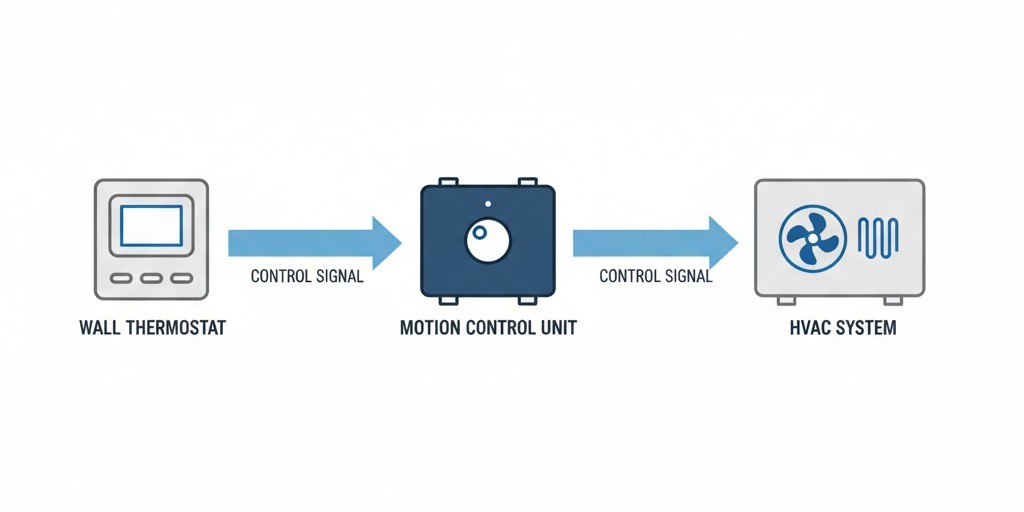
A motion-based AC cutoff system works by inserting itself between the thermostat and the HVAC equipment. Its core mechanism is straightforward: a passive infrared motion sensor monitors the space for activity. When motion is detected, the AC operates normally. When no motion is detected for a user-defined timeout period, the system interrupts the control signal, shutting down the compressor and air handler regardless of the thermostat’s setting.
The critical architectural difference is the absence of external dependencies. The device doesn’t connect to a network, require an app, or rely on cloud services. This self-contained design eliminates the failure modes that plague connected systems. There are no credentials to expire and no internet outages to disable it. The system operates identically on day one and five years later, without reconfiguration.
The Reset-on-Motion Logic That Protects Comfort
The elegance of this approach lies in its timeout-and-renew cycle. A schedule-based thermostat might shut off cooling at 10 a.m., assuming guests are out. If a guest is actually present, the space becomes uncomfortable. A motion-based system, by contrast, resets its timeout timer with every detected movement. If a guest is moving around the space, the system continuously interprets this as active occupancy and maintains cooling.
The countdown only begins after the last motion is detected. If the guest leaves, the countdown completes, and the AC shuts off. If they return after the timeout, the first motion upon re-entry restores normal operation within seconds. This logic adapts to actual occupancy patterns without requiring any input from the guest. The system’s intelligence is passive and responsive, not predictive.
Surviving Property Transitions and Management Changes
Configuration persistence is the second reliability advantage. Once a motion-based system is installed and its timeout is set, that configuration is stored in the device’s local memory. It doesn’t depend on a user account or a cloud database. If the property is sold, the new owner inherits a functioning system with no setup required. If a management company takes over, the device continues operating.
This is invaluable in markets where properties change hands frequently. The system’s function is transparent and local. A new owner who wants to adjust the timeout can do so with the device’s physical controls, but the absence of an adjustment doesn’t render the device useless. It simply keeps enforcing the existing setting, delivering energy savings without guest complaints.
Choosing Timeout Settings: The Comfort-Efficiency Tradeoff
The timeout duration is the primary decision a host must make, defining the balance between energy savings and guest comfort. A shorter timeout maximizes savings, while a longer one minimizes the chance a guest will ever notice the system’s intervention. There is no universal answer; the optimal setting depends on climate, unit size, and insulation.
Short Timeouts (10-15 Minutes) for Maximum Savings
A short timeout is an aggressive strategy. These configurations assume any inactivity longer than a quarter-hour means the space is empty. The energy savings potential is highest here, as the system quickly shuts down after guests step out for a meal or head to the pool.
The risk to the guest experience is also highest. A guest who is present but stationary—reading or working on a laptop—may not generate enough motion to reset the timer. When the AC shuts down, the perception of a malfunction can be strong. Short timeouts are best for properties in moderate climates with good insulation, where the host has proactive communication strategies in place.
Moderate Timeouts (20-30 Minutes) for Balanced Performance
A 20- to 30-minute timeout is the practical middle ground for most rentals. This duration is long enough to accommodate stationary activities while still capturing the majority of true vacancies. It ensures that a guest who leaves for lunch or a beach visit will trigger a shutdown after a predictable delay.
The guest experience in this range is significantly smoother. Complaints about the AC turning off unexpectedly drop because shutdowns align more clearly with actual absence rather than just stillness. This range delivers measurable savings without requiring extensive guest education. For hosts who prioritize review scores alongside energy costs, the 20- to 30-minute window is the defensible default.
Extended Timeouts (45-60 Minutes) for Minimal Disruption
A 45- to 60-minute timeout prioritizes the guest experience almost entirely, eliminating only the most egregious waste, such as a guest leaving for the entire day. A full hour of inactivity must pass before the system intervenes, meaning most guests will never notice its presence.
The savings come exclusively from extended absences. The tradeoff is that medium-length vacancies, like a two-hour lunch, may not trigger a shutdown. Extended timeouts are best for luxury rentals, highly competitive markets, or in extreme climates where a unit heats up quickly and a guest returning to a warm space is more likely to complain.
Guest Communication That Prevents Friction
A reliable system doesn’t guarantee a frictionless experience. A guest who doesn’t understand why the AC shut off will assume it’s broken. This perception can lead to maintenance calls and negative reviews. Effective communication is a necessary part of the implementation.
Poorly designed signage makes the problem worse. A curt notice stating, “The AC will turn off to save energy,” frames the system as a restriction imposed for the host’s benefit.
從 Rayzeek 動態感測器產品組合中獲得靈感。
找不到您想要的產品?別擔心。總有其他方法可以解決您的問題。也許我們的其中一個產品組合可以幫到您。
What Effective Signage Explains
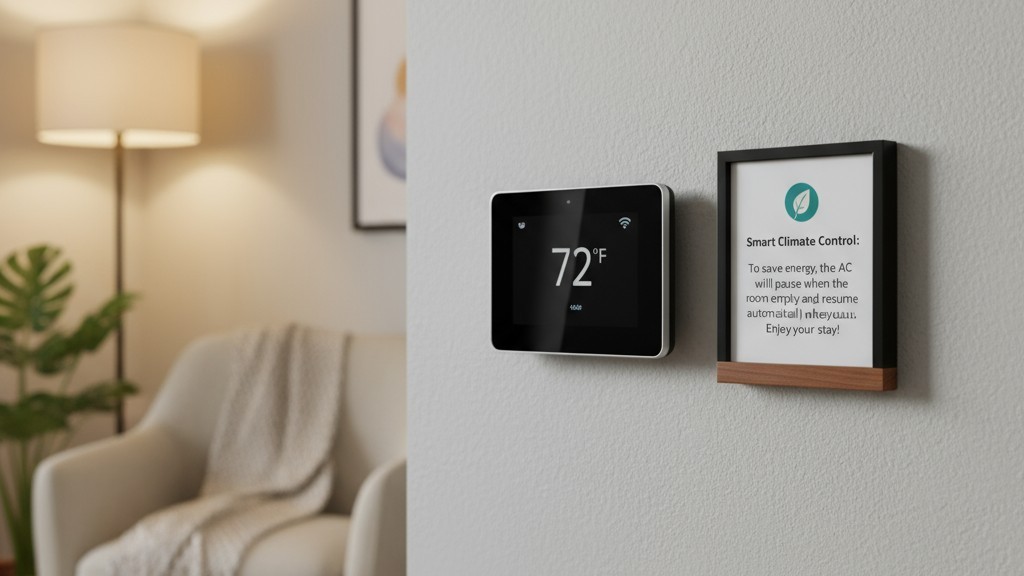
A good sign addresses three things: what the guest will experience, why it happens, and what to do.
What: Explain the behavior factually. The air conditioning will pause if no motion is detected for a set period. Upon your return, cooling resumes automatically. This framing establishes predictability, not malfunction.
Why: Provide the rationale, but frame it around guest benefit, not host economics. Highlight comfort optimization and environmental responsibility. Language like “intelligent climate control” repositions the system as a smart amenity, not a restriction.
How: Clarify that cooling restores automatically when the guest enters and moves around. No manual reset is required. This reassures the guest that they retain control over their environment through their natural behavior.
Tone and Placement
The tone of the signage is as critical as its content. Phrases like “smart climate control” or “automatic comfort management” position the system as a feature. Placement is also key. A sign near the unit’s entrance or in a welcome booklet, reviewed upon arrival, normalizes the system’s behavior from the start. A smaller, secondary sign near the thermostat can serve as a simple reminder.
Pre-arrival messaging is another powerful tool. Briefly explaining the climate control system in the check-in email sets expectations before the guest even arrives, preventing surprises and ensuring a smooth stay.
正在尋找動態感應節能解決方案?
歡迎聯絡我們以獲取完整的 PIR 動態感應器、動態感應節能產品、動態感應器開關以及人體感應/無人感應商業解決方案。
Door and Window Interlocks: Optional Enhanced Control
A motion-based system solves waste from empty rooms, but not from open doors or windows. For properties where this is a recurring problem, like beach rentals with balconies, an interlock system provides an additional layer of control.
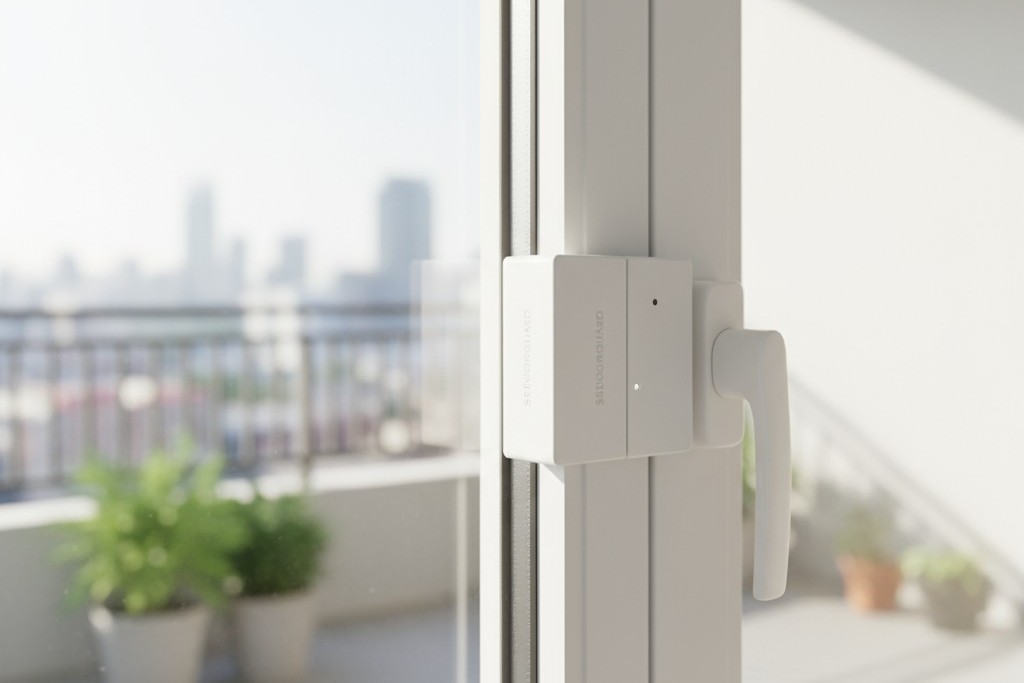
An interlock sensor detects when a door or window is open and immediately interrupts the HVAC signal. The AC remains off until the opening is closed. This prevents the compressor from running continuously against the outside air.
Interlocks are useful in specific contexts but are not a universal requirement. The decision should be driven by observed behavior. A host who consistently finds windows left open during turnover has evidence to justify the investment. Installation complexity increases with interlocks, as each monitored opening requires a sensor, often necessitating professional installation. Communication also becomes more critical, as signage must explicitly state that opening doors will pause cooling.
Implementation Considerations for Rental Properties
Deploying an occupancy-based control system requires attention to installation, edge cases, and cost.
Installation Scope and Professional Requirements
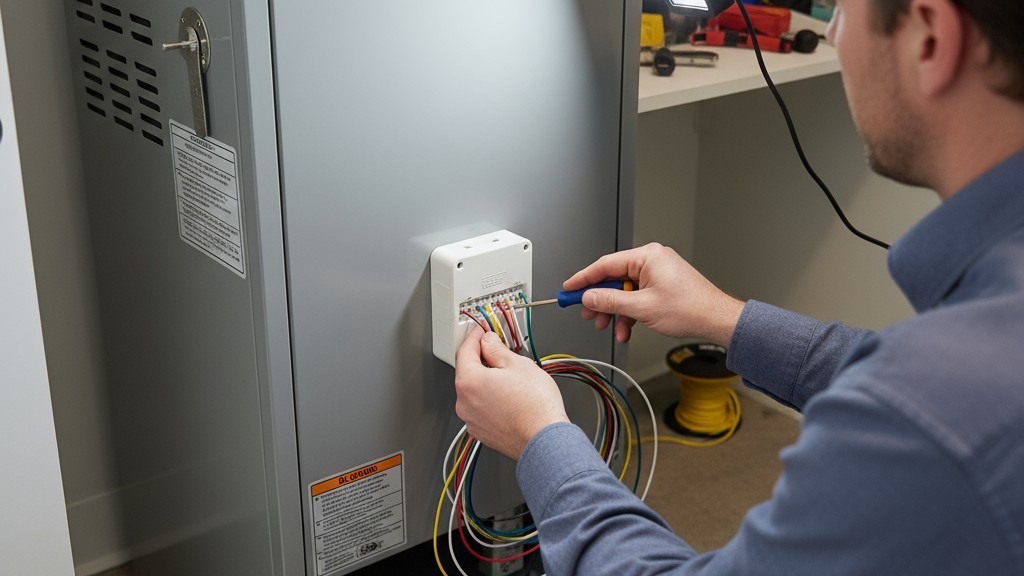
Installation involves wiring the device between the thermostat and the HVAC equipment. For hosts with electrical and HVAC experience, this can be a DIY project. For most, professional installation is the safer choice. An HVAC technician or electrician can ensure compatibility, complete the work without voiding warranties, and avoid safety hazards. Labor costs typically range from one to three hours of service time. Most of these systems are designed for standard 24-volt AC controls, but a pre-purchase consultation with a professional can prevent costly mismatches with less common HVAC setups.
Edge Cases That Require Adjustment
Certain guest behaviors may require timeout adjustments. Guests working remotely may sit still long enough to trigger a shutdown. Hosts marketing to digital nomads should consider longer timeouts of 45 to 60 minutes or place sensors in dedicated work areas. Similarly, guests on longer stays may settle into more sedentary routines, warranting a longer timeout to avoid disruptions.
Cost and Realistic ROI
The total cost includes the device and installation. Motion control devices for a single zone typically range from $80 to $150, with more sophisticated models costing $200 to $400. Professional installation adds another $100 to $300. The total upfront investment for a typical rental generally falls between $200 and $500.
Return on investment depends on climate, electricity rates, and occupancy. A property in a hot climate with high turnover can recover the cost in a single season. A conservative estimate for a moderately used property might be $30 to $60 per month in savings during peak season, resulting in a payback period of 5 to 10 months.
Beyond direct savings, reduced runtime means less wear on HVAC components, extending equipment life and deferring costly replacements. For hosts managing a portfolio, the per-unit economics improve further with bulk purchasing and coordinated installation. A system that operates consistently without network troubleshooting or guest complaints reduces hidden labor costs and protects the review scores that drive long-term success. Motion-based AC control is a practical, reliable solution to the structural problem of energy waste in short-term rentals.







