

Walk through any open-plan office in Chicago, New York, or San Francisco around 2:00 PM. Look for the row of glass-fronted phone booths. You will inevitably witness a specific, humiliating ritual: a senior executive, mid-negotiation, suddenly flailing their arms like a drowning sailor.
The lights have gone out. Again.
This is the “Waving Hand of Shame.” It is the single most common complaint in modern workplace facility logs, outpacing temperature wars and coffee machine failures. For the facility manager, it is a ticket generator. For the user, it is a flow-state killer that signals the building itself does not value their work.
When a VP of Sales is closing a deal in a $15,000 architectural pod and the room plunges into darkness because they sat too still, that isn’t user error—it’s a specification failure. Don’t blame the bulb or the booth. The crash happens because commodity hardware fundamentally misunderstands how human stillness works.
The Physics of “Ignoring” Focus
The root cause of the blackout is almost always a Passive Infrared (PIR) sensor. These are the standard white squares found on walls in every commercial building, often made by Lutron or Leviton. They work by detecting the difference in heat energy (infrared radiation) between a background object (a wall) and a moving object (a human body).
正在尋找動態感應節能解決方案?
歡迎聯絡我們以獲取完整的 PIR 動態感應器、動態感應節能產品、動態感應器開關以及人體感應/無人感應商業解決方案。
PIR sensors excel at detecting Major Motion—walking into a room, standing up, or large arm gestures. They are notoriously terrible at detecting Minor Motion—typing, reading, or the subtle shifting of weight during a tense call.
To a standard PIR sensor, a focused human looks exactly like an empty room.

The sensor divides the room into “zones” using a Fresnel lens—that faceted plastic cover on the switch. To trigger the sensor, you must cross from one zone to another. If you are sitting in a 4×4 booth, deep in a document, your physical movement is likely contained entirely within a single zone. You are generating heat, but you aren’t moving that heat across the lens’s field of view. The sensor’s logic timer counts down—5 minutes, 10 minutes—and then, assuming vacancy, cuts the load.
Defenders often cite energy codes and “green” defaults here. This is a false economy. The energy saved by turning off a 9-watt LED bulb for three minutes is negligible compared to the cost of interrupting a high-value workflow. When a sensor prioritizes a fraction of a cent of electricity over the room’s primary function, it is hostile design.
The Hardware Fix: Dual-Tech and Microphonics
If PIR is the problem, “Dual-Technology” is usually the solution. In commercial lighting control, this means sensors that combine standard PIR with 超聲波 detection.
While PIR looks for heat in motion, Ultrasonic sensors actively fill the space with high-frequency sound waves (usually above 30kHz) and listen for the Doppler shift caused by movement. These waves bounce off hard surfaces—glass, laminate desks, drywall—filling the entire volume of the booth.
Because they detect volume disturbance instead of heat displacement, Ultrasonic sensors are incredibly sensitive to minor motion. They can pick up a hand on a mouse or a shift in posture that a PIR unit would miss completely. For a retrofit, swapping a PIR wall switch for a Wattstopper Dual-Tech unit (like the DT-300 series) is often the most effective $100 fix available.
您可能也會感興趣

- 電壓:2 粒 AAA 電池
- 日/夜模式
- 延遲時間:15 分鐘、30 分鐘、1 小時(預設)、2 小時

- 吸頂式 PIR 人體感應器,配備乾觸點繼電器輸出
- 12/24VDC 或 12/24VAC 低電壓供電
- 用於 EMS、HVAC 和建築控制輸入的 COM、NO 和 NC 隔離繼電器觸點

- 低壓直流嵌入式天花安裝微波人體感應開關
- 12 VDC / 24 VDC 輸入,支援 10-30 VDC 範圍
- 最大工作電流 10A,配備可調節延時、光感閾值及靈敏度
- 高負載嵌入式天花安裝微波人體感應開關
- 100-265 VAC 市電輸入,10A 型號
- 5.8 GHz 微波感應,配備可調節延時、光感閾值及靈敏度
- 嵌入式天花安裝微波人體感應開關
- 100-265 VAC 市電輸入,5A 型號
- 5.8 GHz 微波感應,配備可調節延時、光感閾值及靈敏度
- 適用於 220V 電源的天花安裝 RZ037 PIR 被動式紅外線佔空感應調光開關
- 最大工作電流 3A,額定負載 660W
- LUX 按鈕控制光線感應器開關及用戶設定之調光亮度
- 適用於 110V 電源的天花安裝 RZ037 PIR 被動式紅外線佔空感應調光開關
- 最大工作電流 3A,額定負載 330W
- LUX 按鈕控制光線感應器開關及用戶設定之調光亮度

- 低壓直流天花安裝微波人體感應開關
- 12 VDC / 24 VDC 輸入,支援 10-30 VDC 範圍
- 最大工作電流 10A,配備可調節延時、光感閾值及靈敏度
- 高負載吸頂式微波動態感應器開關
- 100-265 VAC 市電輸入,10A 型號
- 5.8 GHz 微波感應,配備可調節延時、光感閾值及靈敏度
- 吸頂式微波動態感應器開關
- 100-265 VAC 市電輸入,5A 型號
- 5.8 GHz 微波感應,配備可調節延時、光感閾值及靈敏度

- 低壓直流嵌頂式 PIR 動態感應器開關
- 12 VDC / 24 VDC 輸入,支援 10-30 VDC 範圍
- 最大工作電流 10A,具備可調式時間延遲、光照度閾值及靈敏度

- 高負載嵌頂式 PIR 動態感應器開關
- 100-265 VAC 市電輸入,10A 型號
- 360度偵測,具備可調式時間延遲、光照度閾值及靈敏度
- 嵌頂式 PIR 動態感應器開關
- 100-265 VAC 市電輸入,5A 型號
- 360度偵測,具備可調式時間延遲、光照度閾值及靈敏度

- 用於室內開關照明控制的無線開關及接收器套裝
- 100-230VAC,50/60Hz 接收器,額定電流 5A
- CR2032 電池供電無線開關,採用 2.4GHz 通訊
- 佔用感應(自動開啟/自動關閉)
- 12–24V DC (10–30VDC),最高 10A
- 360° 覆蓋,直徑 8–12 米
- 延遲時間 15 秒至 30 分鐘
- 光感應器 關閉/15/25/35 Lux
- 高/低靈敏度
- 自動開啟/自動關閉佔用模式
- 100–265V AC,10A(需接零線)
- 360° 全方位覆蓋;8–12 米偵測直徑
- 延遲時間 15 秒至 30 分鐘;Lux 關閉/15/25/35;靈敏度 高/低
- 自動開啟/自動關閉佔用模式
- 100–265V AC,5A(需接零線)
- 360° 全方位覆蓋;8–12 米偵測直徑
- 延遲時間 15 秒至 30 分鐘;Lux 關閉/15/25/35;靈敏度 高/低
However, this sensitivity introduces a new risk: HVAC interference. In one Chicago retrofit project, Dual-Tech sensors were installed in a row of booths directly under a heavy forced-air vent. The ultrasonic sensors detected the vibration of the air coming out of the diffuser as “motion.” The lights stayed on 24/7 for three weeks. If you go this route, you must locate the sensitivity trimpot on the back of the unit and dial it down until the “false on” triggers stop.
For those with a higher budget or a fresh build, the gold standard is currently “Microphonic” or “True Presence” technology, championed by brands like Steinel. These sensors use high-frequency radar or advanced optics to detect the micro-movements of a breathing ribcage. They do not require line-of-sight the way PIR does, and they are nearly impossible to fool. While overkill for a supply closet, they are the only way to guarantee 100% uptime during stillness in a partner’s dedicated call room.
Configuration: The Invisible Failure
Even the right hardware fails if the settings are left on factory default. The most common error is the Timeout setting.
Most commercial sensors ship with a default timeout of 15 minutes, or sometimes an aggressive “Test Mode” of 5 minutes. In a hallway, 5 minutes is fine. In a focus booth, it is a disaster. The first step in any troubleshooting ticket should be popping the faceplate off the switch to check the dial or dip switches. Max it out. If the sensor allows for 30 minutes, set it to 30.
The second configuration battle is Occupancy vs. Vacancy.
- Occupancy Mode (Auto-On/Auto-Off): You walk in, lights turn on. You leave, lights turn off.
- Vacancy Mode (Manual-On/Auto-Off): You must press the button to turn lights on. They turn off automatically.
California’s Title 24 and other energy codes often mandate Vacancy mode to prevent lights from triggering when someone just walks past an open door. However, users in a rush often assume the booth is broken if the lights don’t greet them automatically. If local code allows, Auto-On is the superior user experience for phone booths. If you are forced to use Vacancy mode, you need clear signage, or users will simply assume the power is out.
從 Rayzeek 動態感測器產品組合中獲得靈感。
找不到您想要的產品?別擔心。總有其他方法可以解決您的問題。也許我們的其中一個產品組合可以幫到您。
The Nuclear Option: Dumb Tech
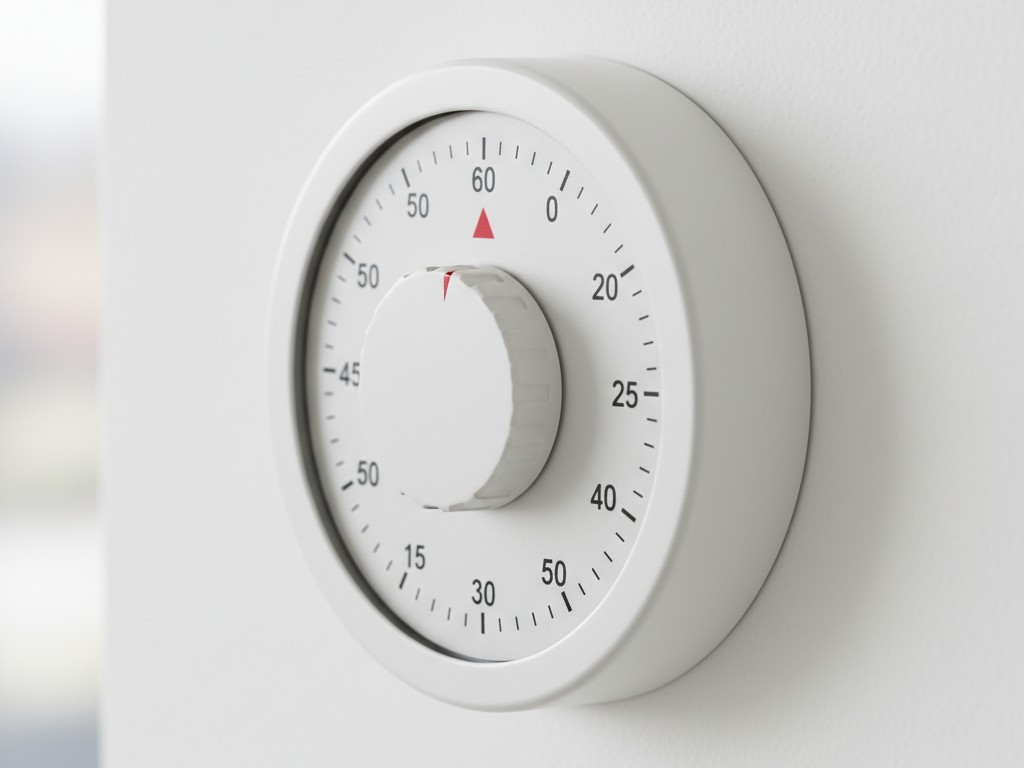
Sometimes, the smartest solution is the dumbest one.
If high-end sensors fail and the budget is tight, consider the Spring Wound Timer. These are the mechanical dials you hear ticking in hotel hot tub rooms or sauna changing areas. Brands like Intermatic have been making them for decades.
They are ugly. They make a faint ticking sound. But they offer something no smart sensor can: tactile certainty. When a user twists the dial to “60 Minutes,” they know exactly how much light they have. There is no guessing game, no waving arms, and no sudden darkness. The physical feedback of the spring winding gives the user total control. In user satisfaction surveys for a coworking space in Austin, booths with mechanical timers consistently outscored those with “smart” automation simply because they never failed unexpectedly.
The Compounding Penalties
The penalty doubles in prefabricated booths where ventilation fans are hardwired to the same load circuit as the lights. When the sensor decides the room is empty and cuts the power, it doesn’t just cut the light; it cuts the air.
The temperature in a soundproofed glass box can spike 5-10 degrees in minutes without airflow. This turns a lighting annoyance into a physical comfort issue. If the sensor is prone to false-offs, the user is punished with both darkness and stagnant air.
Finally, consider the placement of the light itself. Even if the sensor works perfectly, many booths suffer from “Ghoul Lighting”—a single high-intensity downlight positioned directly above the user’s head. On a Zoom call, this casts deep shadows into the eye sockets, making the user look exhausted or sinister. If the goal is a professional environment, the sensor needs to control a diffuse, face-level light source, not a spotlight interrogation lamp.







