
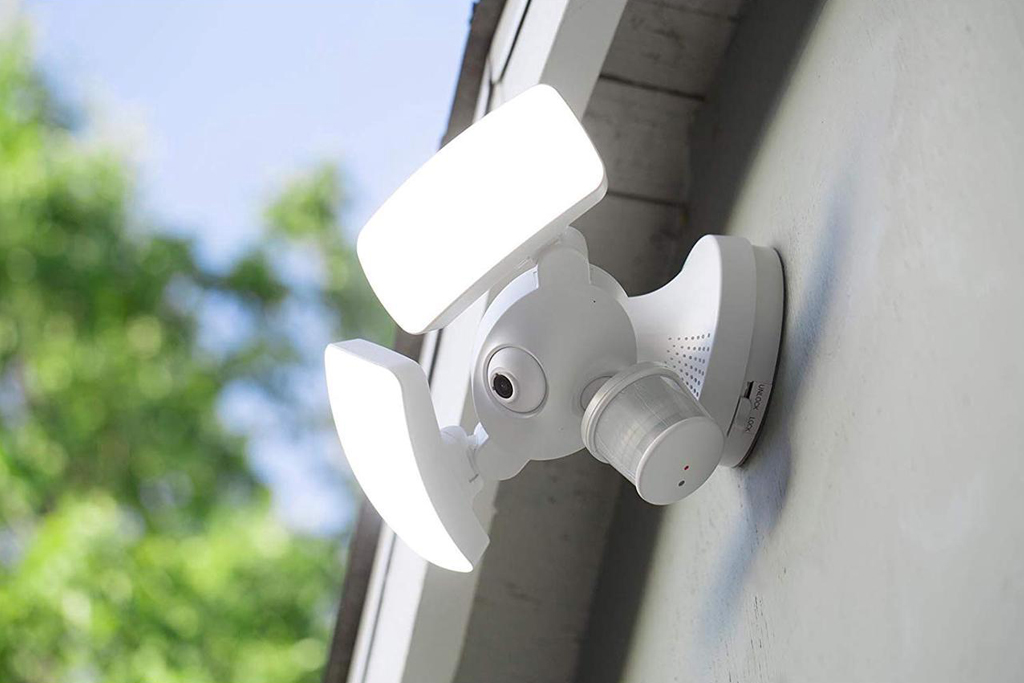
Светильники с датчиком движения отлично экономят электроэнергию и делают жизнь более удобной. Они автоматически включают свет при обнаружении движения людей или движущихся объектов в зоне действия и выключают его после того, как область обнаружения освобождается, предотвращая лишний расход электричества.
Светильники с датчиком движения можно использовать в помещении для освещения, декора и автоматизации света, а также на улице в качестве светильников безопасности для обнаружения посторонних и защиты вашей семьи.
Автоматические светильники с датчиком движения могут быть выполнены в различных формах. Это может быть отдельный светильник со встроенным датчиком движения, например уличный прожектор, готовый к использованию сразу из коробки. Также вы можете установить выключатель с датчиком движения или подключить датчик движения к существующему светильнику, чтобы он работал как автоматический светильник с датчиком движения.
Светильник с датчиком движения работает автоматически, но что делать, если вам нужно, чтобы свет горел непрерывно?
Содержание
- Зачем нужно, чтобы светильник горел постоянно
- Как сделать так, чтобы светильник с датчиком движения работал постоянно
- Заключение
Зачем нужно, чтобы светильник горел постоянно
Светильники с датчиком движения запрограммированы на автоматическое отключение света, если по истечении заданного таймера движение не обнаружено. Например, если вы установите таймер на 20 минут, то после того как помещение опустеет, свет будет гореть еще 20 минут перед выключением, обеспечивая стабильное освещение.
Хотя регулируемая задержка времени от 30 секунд до 30 минут подходит для большинства сценариев использования, все же возникают ситуации, когда для большего комфорта требуется постоянное освещение.
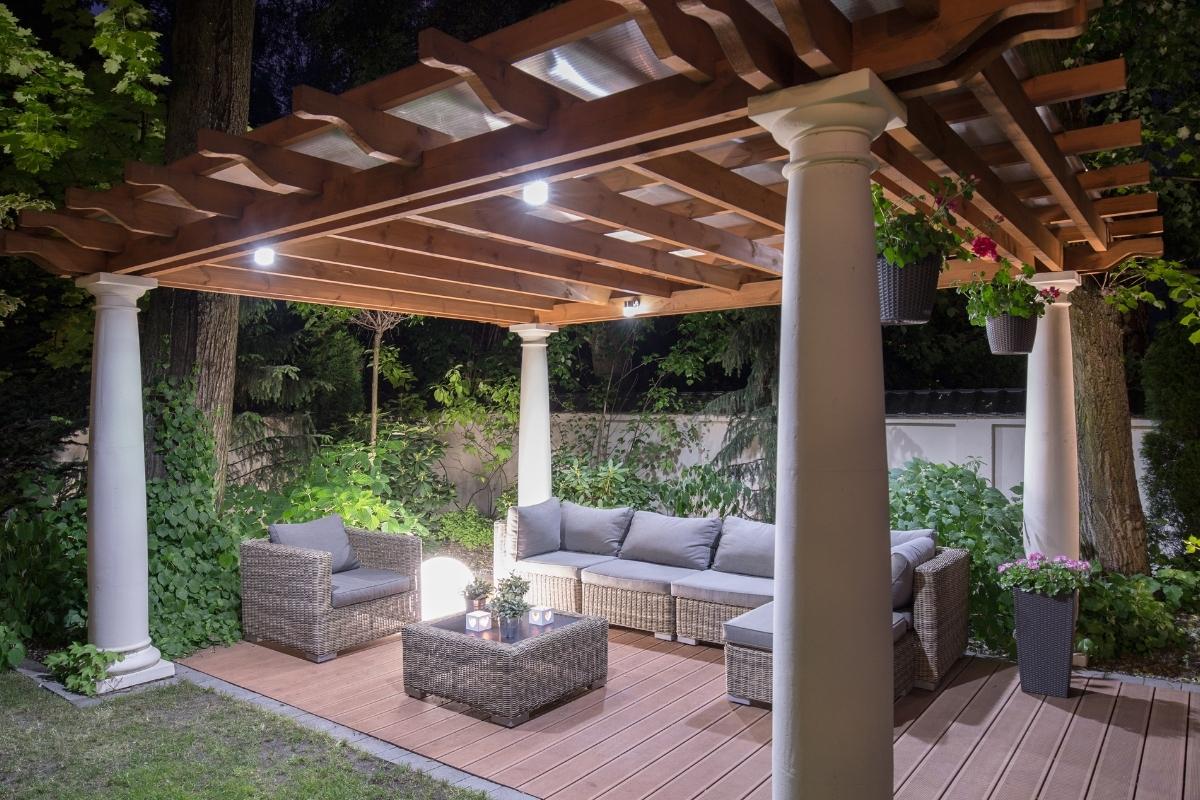
Например, светильники с датчиком движения идеально подходят для наружного применения, такого как освещение заднего двора или сада. Тем не менее иногда требуется, чтобы свет горел всю ночь независимо от того, есть ли движение во дворе. К примеру, во время вечеринки с друзьями в саду свет должен гореть столько, сколько необходимо. Если датчик движения изначально был направлен на дорожку, а не на зону проведения вечеринки, он может не фиксировать движения, из-за чего свет будет постоянно гаснуть, что может сильно испортить праздник.
То же самое относится и к интерьерным светильникам с датчиком движения. Иногда необходимо, чтобы свет на лестнице или в кабинете горел длительное время независимо от фиксации движения. Например, когда вы читаете в кабинете, а датчик расположен далеко и не улавливает мелкие движения вроде перелистывания страниц, свет может регулярно включаться и выключаться, что отвлекает и мешает.
Как сделать так, чтобы светильник с датчиком движения работал постоянно
Теперь очевидно, что потребность в постоянной работе светильника с датчиком движения действительно существует. Неудобно отказываться от преимущества обычного светильника, который может гореть непрерывно при просто включенном выключателе, только потому, что вы “обновили” свое освещение до более современных моделей с датчиками движения. Так как же сделать так, чтобы светильник с датчиком движения горел постоянно?
To keep a motion sensor light on, you can add a bypass switch to independently power the light, quickly switching the motion sensor ON&OFF to get the sensor stuck at ON position, or use a motion sensor light switch with an ON/OFF feature to keep indoor lights ON.
Quickly Switching the Motion Sensor On and Off
One of the quick tricks you can try is to quickly turn the motion sensor ON, OFF, ON to override the motion detection and make the light stay on.

To go back to motion detection mode, turn the motion sensor off, wait for about 10 seconds, and then turn it on again. The motion sensor will go back to the standard motion detection mode.
Ищете энергосберегающие решения с датчиками движения?
Свяжитесь с нами, чтобы заказать готовые PIR-датчики движения, энергосберегающие устройства с активацией по движению, выключатели с датчиками движения, а также коммерческие решения контроля присутствия (Occupancy/Vacancy).
Why Does This Work
Some old PIR motion sensors are sensitive to voltage spikes or power surges, so the PIR motion sensor might get jammed and stuck at either ON or OFF position after a power spike caused by turning ON and OFF quickly.
This is also why you might see some motion sensor lights may suddenly turn on right after you turn on an air conditioner or washing machine inside the house. The heavy load appliance causes a voltage spike that triggers the motion sensor light to turn on.
There are people who claim that some old motion sensor lights have this “feature” built-in, but we don’t know for sure. Additionally, some new and advanced PIR motion sensors are resistant to power spikes so this trick won’t work. But this is definitely a trick worth trying because it does not require any tools or DIY installation.
Hardwire a Switch to Bypass the Sensor
You can hardwire an additional light switch parallel to the motion sensor, so you can power the light independently, bypassing the motion sensor. This way, the light can be powered by both hot wires from the motion sensor and the light switch.
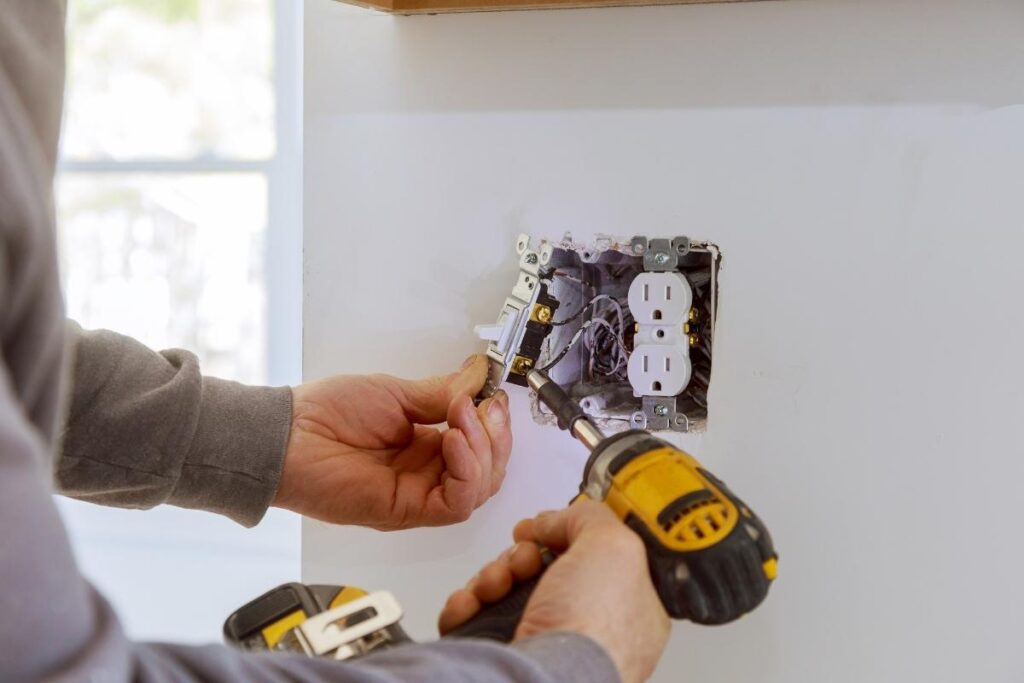
If you need to keep the light ON, you can simply turn on the switch. Now the light is powered straight from the hotwire from the switch’s line. Whether the motion sensor detects motion or not, it does not matter. The light will keep ON as long as you leave the switch ON.
If you want the light to switch back to motion-detecting mode, you can turn off the switch. Now the light only gets power from the motion detector. Whenever the motion sensor detects a valid motion signal, it will supply power to the light to turn on the light and cut off the power when the space is empty with no people.
The hardwire bypass method does require some wiring and manual work, but it’s a guaranteed method. And it can be fairly easy or a little bit complicated depending on the type of sensor light you have:
A Light Connected to a Motion Detector
If your motion sensor light is a combination of a motion detector and a standard light, it can be fairly easy to add a switch because the wirings are clear.
Select a switch from your house that is not in line between the sensor and light, and connect the output hotwire of the switch to the input of your light(which is also connected to the motion sensor’s output). It’s as simple as it is. Now the motion sensor and manual switch are parallel, and both can power the light.
You can have your imagination here to use a 3-way or even a dual switch for more precise control. For example, for the previous setup, it’s not possible to keep the light off because the light might still get power from the motion sensor. You can choose to keep the light off by adding a main switch to the motion sensor. It’s simple as well by wiring the main switch’s output to both inputs of the switch and motion sensor. In this way, you can turn off the main switch to keep the light off for as long as you like.
A Motion Sensor Light With Built-in Sensor
Now, this can be tricky because the motion sensor is built-in, and you only get three wires from the motion sensor light. Though the theory and wiring are exactly the same as above, you have to disassemble the motion sensor light and do a lot of rewiring.
Возможно, вас заинтересует

- Напряжение: 2 батарейки типа AAA
- Режим День/Ночь
- Задержка времени: 15 мин, 30 мин, 1 ч (по умолчанию), 2 ч

- Потолочный PIR-датчик присутствия с выходом реле с сухими контактами
- Низковольтное питание 12/24VDC или 12/24VAC
- Изолированные контакты реле COM, NO и NC для систем управления зданием (EMS), ОВК (HVAC) и автоматизации

- Низковольтный встраиваемый потолочный микроволновый выключатель с датчиком движения постоянного тока
- Вход 12 VDC / 24 VDC с диапазоном 10-30 VDC
- Максимальный рабочий ток 10A с регулируемой задержкой времени, порогом освещенности (Lux) и чувствительностью
- Встраиваемый в потолок микроволновый датчик движения (выключатель) для повышенной нагрузки
- Входное сетевое напряжение 100-265 VAC, модель на 10A
- Микроволновое обнаружение на частоте 5.8 GHz с регулировкой задержки времени, порога освещенности (Lux) и чувствительности
- Встраиваемый в потолок микроволновый датчик движения (выключатель)
- Входное сетевое напряжение 100-265 VAC, модель на 5A
- Микроволновое обнаружение на частоте 5.8 GHz с регулировкой задержки времени, порога освещенности (Lux) и чувствительности
- Потолочный PIR-датчик присутствия с функцией диммера RZ037 для сетей 220V
- Максимальный рабочий ток 3A с номинальной нагрузкой 660W
- Кнопка LUX управляет включением/выключением датчика освещенности и установленной пользователем яркостью диммирования
- Потолочный PIR-датчик присутствия с функцией диммера RZ037 для сетей 110V
- Максимальный рабочий ток 3A с номинальной нагрузкой 330W
- Кнопка LUX управляет включением/выключением датчика освещенности и установленной пользователем яркостью диммирования

- Низковольтный потолочный микроволновый датчик движения (выключатель) постоянного тока (DC)
- Вход 12 VDC / 24 VDC с диапазоном 10-30 VDC
- Максимальный рабочий ток 10A с регулируемой задержкой времени, порогом освещенности (Lux) и чувствительностью
- Потолочный микроволновый датчик движения (выключатель) для повышенной нагрузки
- Входное сетевое напряжение 100-265 VAC, модель на 10A
- Микроволновое обнаружение на частоте 5.8 GHz с регулировкой задержки времени, порога освещенности (Lux) и чувствительности
- Потолочный микроволновый датчик движения (выключатель)
- Входное сетевое напряжение 100-265 VAC, модель на 5A
- Микроволновое обнаружение на частоте 5.8 GHz с регулировкой задержки времени, порога освещенности (Lux) и чувствительности

- Низковольтный встраиваемый потолочный датчик-выключатель движения PIR постоянного тока
- Вход 12 VDC / 24 VDC с диапазоном 10-30 VDC
- Максимальный рабочий ток 10 А с регулировкой задержки времени, порога освещенности (Lux) и чувствительности

- Встраиваемый потолочный датчик-выключатель движения PIR для повышенной нагрузки
- Входное сетевое напряжение 100-265 VAC, модель на 10A
- Обнаружение на 360 градусов с регулировкой задержки времени, порога освещенности (Lux) и чувствительности
- Встраиваемый потолочный датчик-выключатель движения PIR
- Входное сетевое напряжение 100-265 VAC, модель на 5A
- Обнаружение на 360 градусов с регулировкой задержки времени, порога освещенности (Lux) и чувствительности

- Комплект из беспроводного выключателя и приемника для управления внутренним освещением (вкл/выкл)
- Приемник 100–230 В переменного тока, 50/60 Гц с номинальным током 5 А
- Беспроводной выключатель на базе батарейки CR2032 с частотой связи 2.4 ГГц
- Контроль присутствия (автоматическое включение и выключение)
- 12–24 В постоянного тока (10–30 В постоянного тока), до 10 А
- Зона покрытия 360°, диаметр обнаружения 8–12 м
- Задержка времени от 15 с до 30 мин
- Датчик освещенности: Выкл / 15 / 25 / 35 Люкс
- Высокая/низкая чувствительность
- Режим присутствия: авто-включение / авто-выключение
- 100–265V AC, 10A (требуется нейтраль)
- Зона покрытия 360°; диаметр обнаружения 8–12 м
- Задержка времени 15 с–30 мин; Lux ВЫКЛ/15/25/35; Чувствительность Высокая/Низкая
- Режим присутствия: авто-включение / авто-выключение
- 100–265V AC, 5A (требуется нейтраль)
- Зона покрытия 360°; диаметр обнаружения 8–12 м
- Задержка времени 15 с–30 мин; Lux ВЫКЛ/15/25/35; Чувствительность Высокая/Низкая
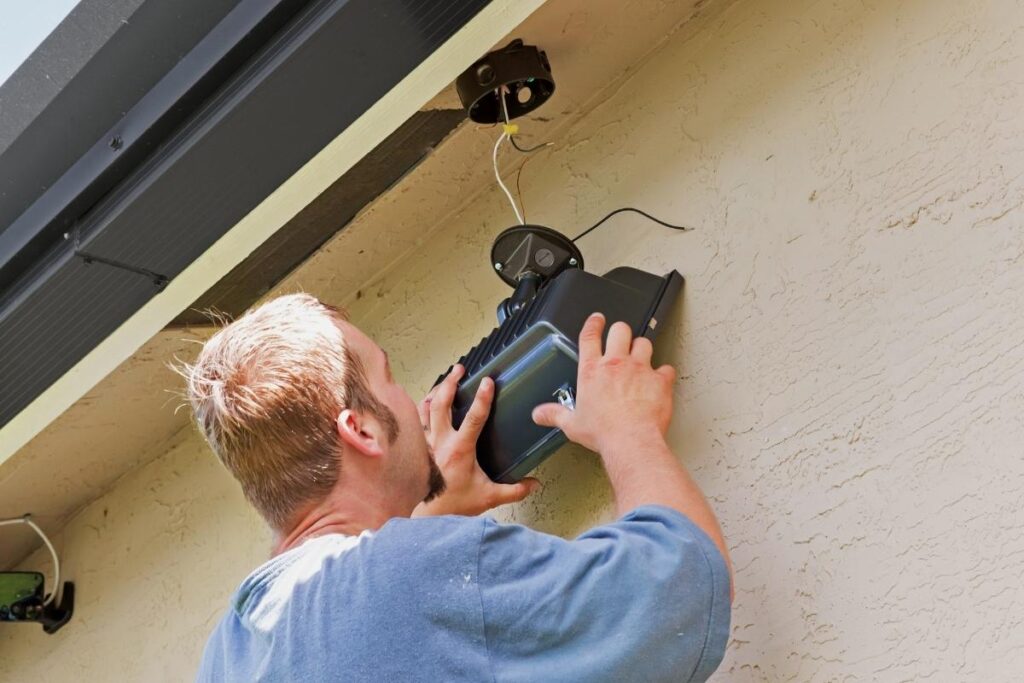
Some lights might be easy to rewire, and some might not. If your light is not easy to rewire, it’s recommended to upgrade it with a new one with an ON/OFF feature built-in, which is designed by default for users to control the light with a switch manually.
Note that this solution is for both outdoor and indoor motion sensor lights but mainly for controlling outdoor lights. For indoor motion sensor lights, we can have better options, such as using a motion sensor switch with ON/OFF feature. And many of the indoor lights already have built-in manual control settings because home users frequently need to adjust them, such as motion sensor strip lights and night lights, unlike the outdoor lights that are rarely adjusted once properly installed.
Вдохновляйтесь линейками датчиков движения Rayzeek.
Не нашли то, что искали? Не волнуйтесь, всегда есть альтернативные варианты решения ваших задач. Возможно, вам подойдет одна из наших линеек продукции.
Use a Motion Sensor Switch With On/Off Feature
If your indoor motion-activated light setup is a light fixture controlled by an occupancy or vacancy wall switch, the best way I’d recommend is to use a motion sensor switch with an ON/OFF mode directly. With the ON mode enabled, you can keep the light ON permanently and keep the light OFF with the OFF mode selected, the same as a standard ligth switch.
These types of motion sensor switches have a built-in manual mode to make the motion sensor work like a normal light switch, regardless of any motion detection. And you can switch back to normal motion detection mode fairly easily by pressing some buttons on the switch panel.
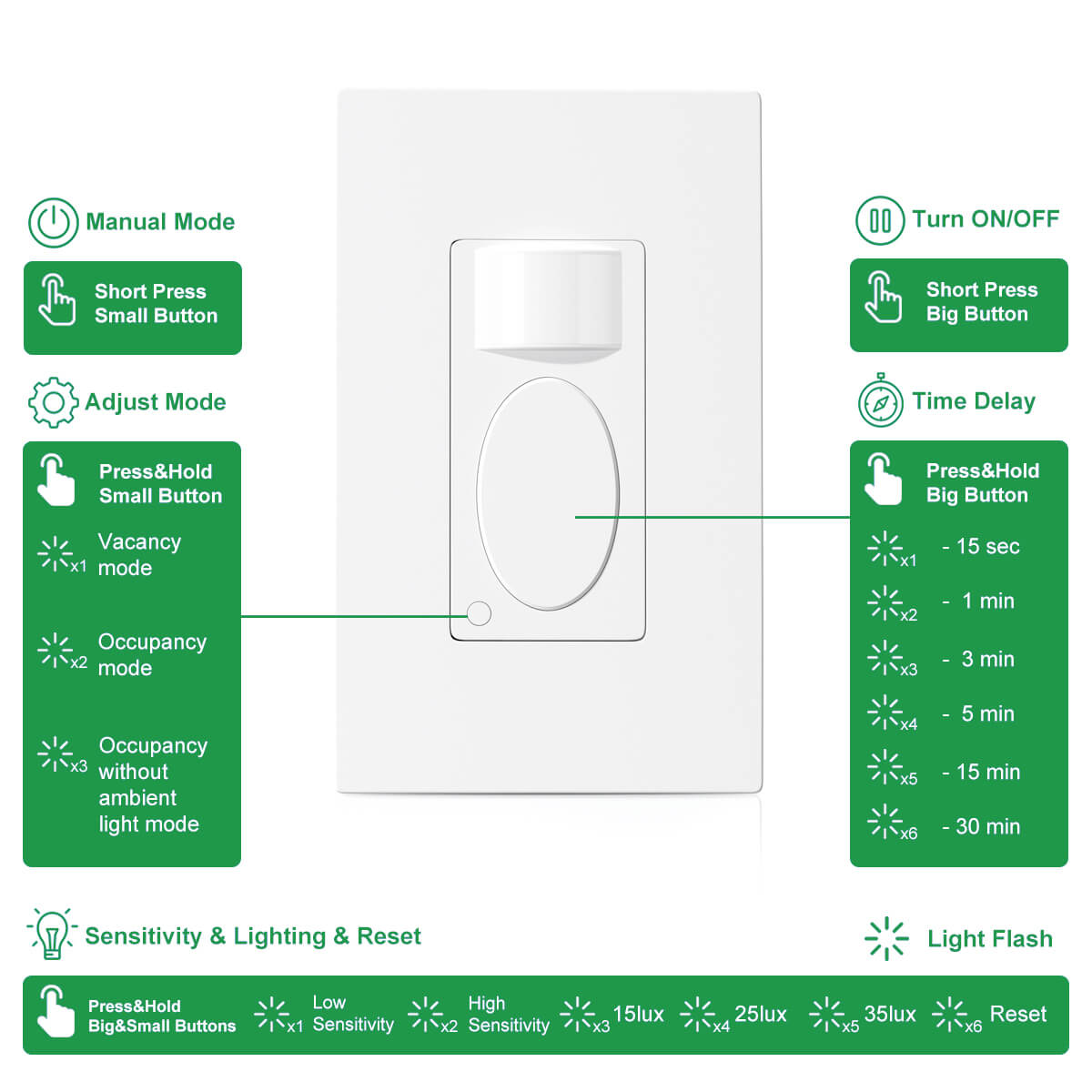
For example, our Rayzeek RZ-021 motion sensor light switch allows users to quickly shift the motion sensor switch to a standard light switch by pressing the small button. It’s extremely fast and convenient to select from ON, OFF or back to the previous motion detection mode with one button.
Why it’s best to use a motion sensor switch with manual mode?
First, by utilizing a motion sensor switch with a manual ON/OFF function, you don’t have to add another light switch to control the light. It just seems redundant and a waste.
Second, motion wall switches are particularly cost-effective nowadays. Compared to adding a manual switch, the cost of replacement with a new motion sensor with manual mode is pretty much similar.
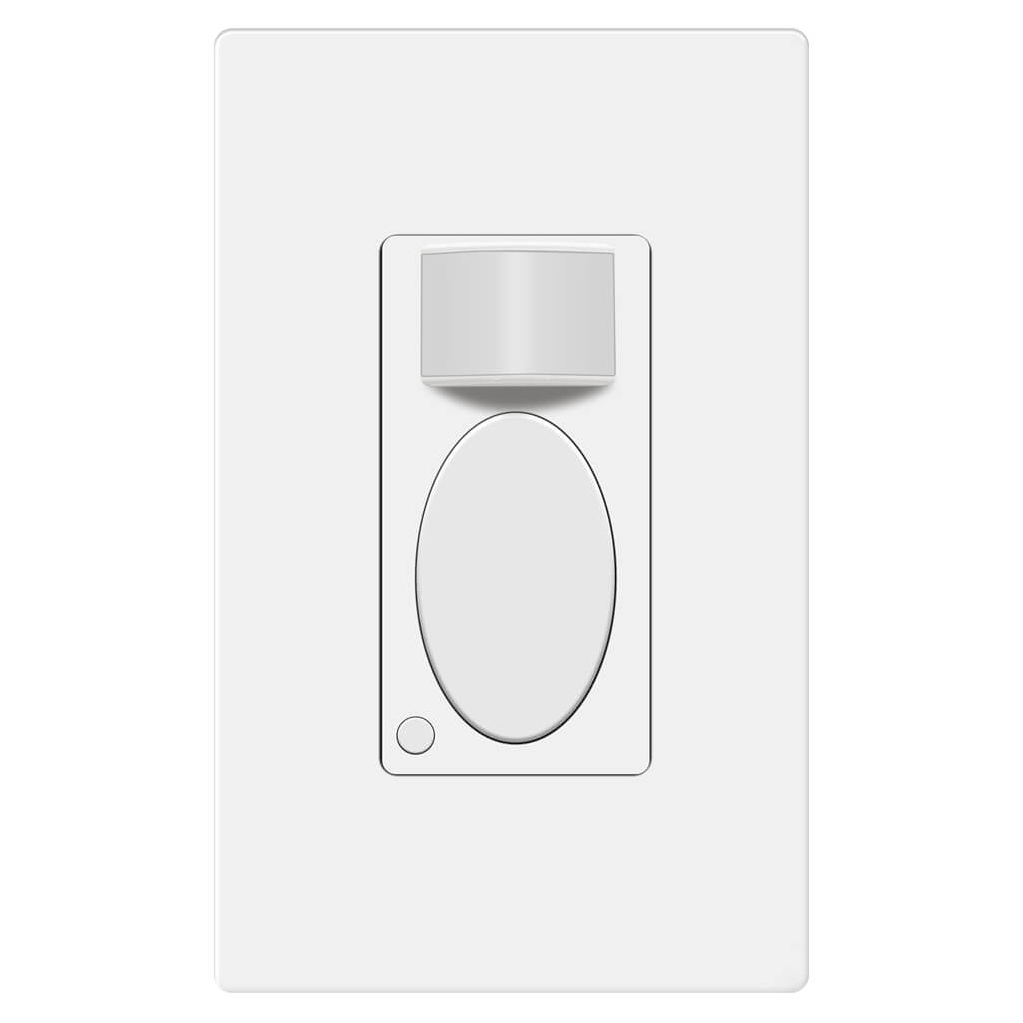
Rayzeek RZ021-5A-G
Выключатель света с датчиком движения
Датчик присутствия/отсутствия
- Эксклюзивный режим ручного включения/выключения
- Нейтральный провод не требуется
- Коммерческий класс 110v~277v
Lastly, a standard occupancy or vacancy motion sensor switch is not always better than a regular light switch. Even though a motion sensor switch is more advanced, automated, and energy-efficient, we will still think of the good old toggle light switch when we need to keep the light ON for the whole night, which is not achievable with a normal motion sensor switch. But you can definitely enjoy the best of both worlds with an ON/OFF motion sensor light switch from now on.
Заключение
Sometimes we do need to keep the lights on for special purposes. In most cases, motion sensor lights are better than standard lights. Finding a balance between motion activation and manual control is always an ongoing and interesting topic.
We hope this guide can help you find the best way that suits you to keep your motion sensor light ON and better enjoy your lighting in everyday life.








Where do I find one of those motion lights that stay on for longer than 30 seconds? 30 seconds are useless in a garage. I tried to rig up an oscillating fan to maintain motion but that didn’t work. The light still turned off in 30 seconds.
Hi John,
A fan probably won’t work as you tested. What kind of motion lights are you using? Nearly all motion-activated lights provide time-delay options as it’s a pretty basic function.
Mine last for 15 seconds. 15 seconds wth is a person going to do.in 15 secs lol
buy a 2 dollar clock movement
use just second hand and extend it with some lightweight tape
strap movement just above sensor
I set my motion exterior light to stay on all the time, tonight it went off, I went to the wall switch and turned that to the off position, I waited a few seconds and turned the switch back to on, the light outside is now on, what would have made it go off and then be able to reset it and its back on, should I be concerned?
Small issue I have griping about an unmet need for a 12 hour occupancy proximity switch
These days newer homes are better and tighter built. They are also required to have an ‘always on’ whole house exhaust fan.
The reason for all this is modern homes are getting so air tight. And can result in carbon dioxide poisoning making you drunk on lack of oxygen, mentally retarded, even death in your home has been reported (in the U.K.).
People don’t understand the need, and so there is no current demand nor availability of a 12+ hour occupancy motion activated proximity switch. The longest proximity switch settings are all 30 minutes maximum.
I really need one that can be set for 12 hours — so that long catch up sleepers slumbering away in the bedroom for up to 12 hours (or more) will still have the whole house exhaust fan going. And still automatically turn off if you leave the house for a vacation or weekend.
Too bad. One day the need for longer timed proximity switches will result in their manufacture. We are still not ‘advanced’ enough.
The on, off, on didn’t work. I’m using the light in a pagoda lawn ornament, so hard wiring is not an option. What else can I try to keep my solar light on continuously and by pass “motion” feature?
Hi Joan,
The ON/OFF/ON is a “flaw” of old motion sensor design that “jams” the sensors to be ON/OFF. It will not work on modern PIR motion sensors.
Since hardwiring is not an option for your solar light, we suggest buying a new motion solar light with a dusk-to-dawn feature that can keep the light on when in the dark.
Bonjour,
Je cherche, pour une personne âgée qui se lève la nuit sans allumer, une lampe de chevet qui s’allume toute seule dès que la personne bouge et qui reste allumée au moins une demi-heure le temps qu’elle se repère, qu’elle fasse ce qu’elle a à faire et revienne dans son lit … sans qu’il soit besoin d’appuyer sur un bouton quelconque. Est-ce que cela existe ? dans l’affirmative me conseiller. Merci. Cordialement.