O problema mais caro com sensores de presença em um escritório raramente é “o sensor não funciona”. É o momento em que ele funciona exatamente como configurado, mas ainda assim faz com que as pessoas se sintam tolas, interrompidas ou envergonhadas.
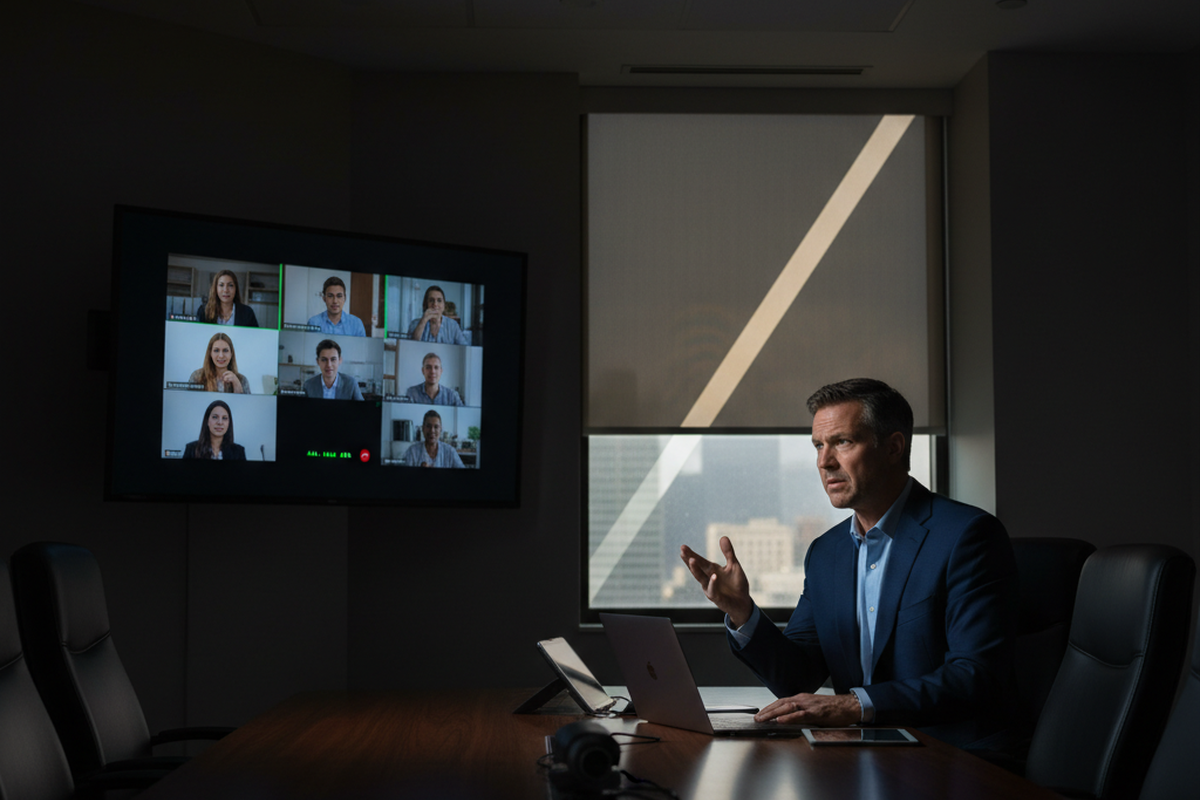
Uma sala de reuniões é um bom exemplo de como isso pode dar errado. Em um conjunto comercial em Fremont, CA, uma sala passou em todas as inspeções rápidas: alguém entrava, acenava, saía e as luzes funcionavam. Então o conjunto começou a operar. As luzes se apagaram no meio de uma reunião — durante uma análise orçamentária presidida por um CFO, com auditores externos na sala. O sensor não estava “com defeito”, mas a meta de comissionamento estava errada. O sistema precisava proteger uma reunião com pessoas sentadas e imóveis, com grande impacto social.
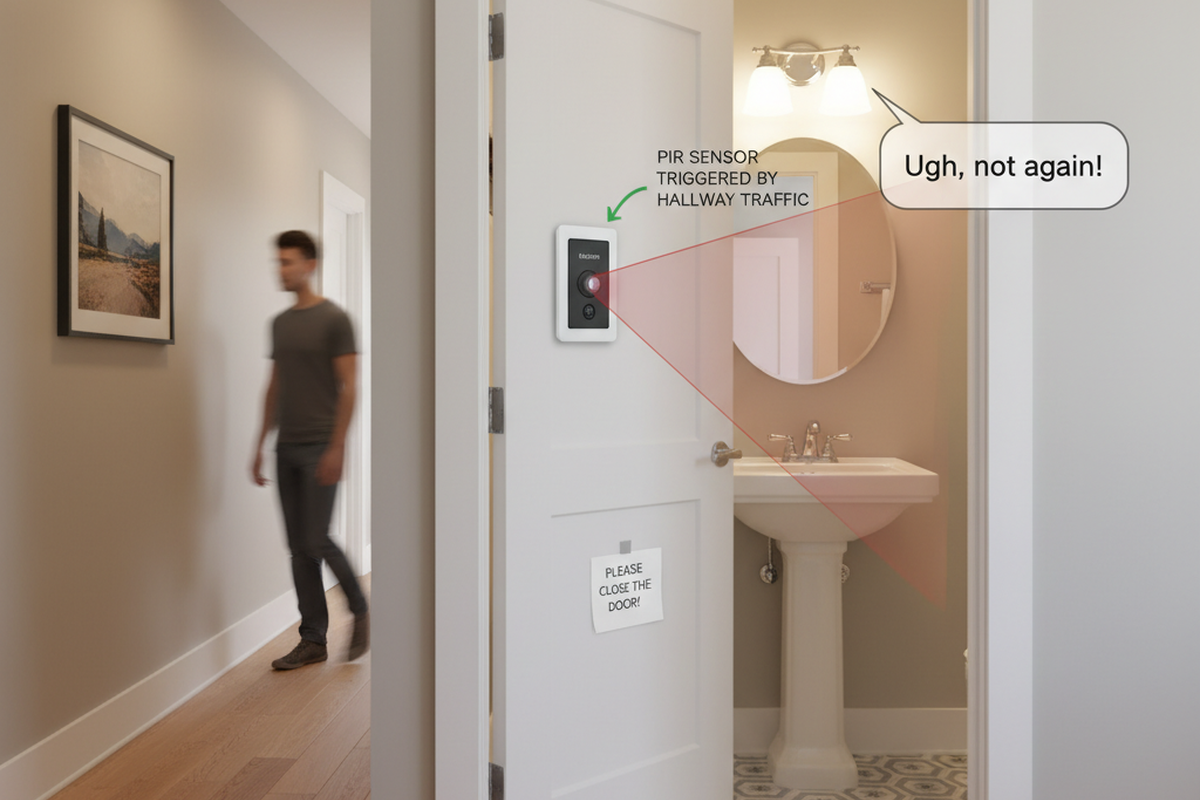
O instinto padrão após uma reclamação de luzes apagadas é aumentar a sensibilidade. Essa é a armadilha. Nesse mesmo layout, no momento em que você aumenta a sensibilidade, uma divisória de vidro ao lado de uma porta de 36 polegadas se torna uma antena de movimento para o tráfego do corredor. A sala deixa de estourar o tempo limite, mas agora se acende aleatoriamente quando alguém passa pelo vidro. As pessoas dizem que o local está “assombrado” e deixam de confiar na modernização.
Um conjunto funcional não surge de ajustes milagrosos. Ele vem de um pequeno conjunto de perfis por tipo de sala, aplicados de forma consistente, com poucas exceções devidamente documentadas como se fossem importantes — porque realmente são.
Mais uma tradução que economiza tempo: o chamado que diz “as luzes estão piscando” em um escritório individual muitas vezes não é um problema de driver. Na era do trabalho híbrido, muitas reclamações que parecem problemas de LED são apenas tempos limite e “falhas por imobilidade”. Se uma pessoa fica de frente para um monitor em uma mesa de 24 polegadas de profundidade e mal se move por dois minutos, o PIR fará o que o PIR faz, a menos que o perfil seja projetado para esse comportamento.
Antes das configurações: uma verificação prática do PIR em 10 minutos
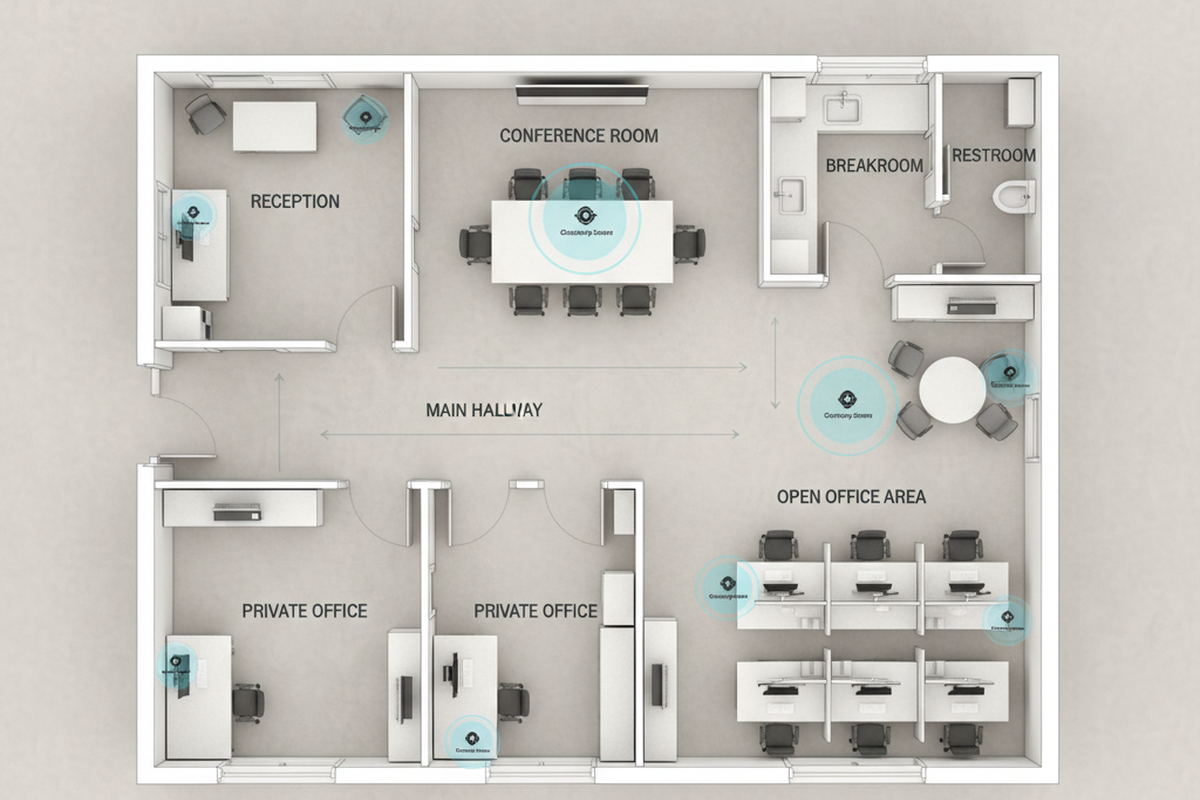
Nenhuma configuração corrige um sensor que não consegue visualizar a zona relevante. Em um pequeno conjunto de escritórios, os ganhos mais rápidos de comissionamento geralmente vêm de caminhar pela sala e observar para onde o sensor está “olhando” em comparação com o que os ocupantes realmente fazem.
Procurando soluções de economia de energia ativadas por movimento?
Entre em contato conosco para sensores de movimento PIR completos, produtos de economia de energia ativados por movimento, interruptores com sensor de movimento e soluções comerciais de Presença/Ausência (Occupancy/Vacancy).
A verificação da linha de visão não tem segredo. Fique abaixo do sensor e mapeie a provável zona de detecção. Em seguida, procure os problemas recorrentes: uma saída de ar condicionado soprando no campo do sensor, uma porta que enquadra o movimento do corredor, uma fachada de vidro do escritório que transforma o tráfego do corredor em falsos disparos, uma fotocopiadora aquecida alterando o fundo térmico da sala ou divisórias bloqueando os movimentos que realmente acontecem.
Os banheiros são o lembrete mais claro de que o posicionamento não é decorativo. Um banheiro de duas cabines em San Jose, CA, tinha um sensor centralizado acima das cabines porque parecia simétrico. Isso também produziu o pior modo de falha possível: as luzes se apagarem enquanto alguém ainda estava na cabine. A situação escalou para o RH e houve uma exigência para desativar os sensores até que fossem recomissionados. O reparo não foi uma configuração inteligente; exigiu mover a cobertura em direção à zona de entrada e atribuir um tempo limite conservador para que a imobilidade não fosse penalizada. Essa correção exigiu retoque/pintura e a troca de uma placa do teto, mas ainda assim foi mais barata do que o dano à reputação.
A cobertura varia entre as instalações. A altura de montagem, o padrão da lente e a geometria da sala alteram o padrão real de detecção o suficiente para que o comissionamento não possa ser feito de uma mesa. Uma lista de verificação mínima para evitar comportamentos “misteriosos” é a seguinte:
- Identificar fontes de tráfego cruzado: Divisórias de vidro, portas abertas, adjacência com corredores.
- Identificar anomalias de fluxo de ar ou térmicas: Saídas de ar condicionado, incidência direta de luz solar, equipamentos quentes.
- Identificar onde as pessoas ficam imóveis: Assentos de salas de reunião, cadeiras de escritório, cabines de banheiro.
- Decidir o primeiro passo: Trata-se de direcionamento/bloqueio/relocação em vez de alterações de parâmetros? As configurações são secundárias até que o arranjo físico esteja adequado.
Três perfis que geralmente funcionam em escritórios reais
Um conjunto com dez comportamentos de ocupação diferentes não precisa de dez configurações diferentes. Ele precisa de um pequeno número de perfis que uma futura equipe de manutenção possa entender rapidamente e que um técnico de comissionamento possa restaurar sem adivinhações.
Documentation habits matter here because small office suites churn: tenants change, furniture moves, and the person who “knows the settings” leaves. A full closeout binder can exist in a SharePoint folder named TI_2022_Lighting and still be functionally invisible. What survives is a one‑page “Room Type → Profile” map forwarded in an email thread, or taped inside the lighting panel door if policy allows.
These profiles are behavioral targets, not universal Rayzeek DIP switch recipes, because models and firmware differ (DIP banks vs app parameters). Crosswalk these intents to the exact options in the installation manual for the model on the ceiling.
Profile A: “People Work Here” (stillness-tolerant)
This is the default for private offices and conference rooms unless there is a strong reason to treat them differently. The assumption is simple: a person can be present and productive with very little motion. The timeout needs to be long enough to survive a seated meeting or a long video call, and detection needs to prioritize the seated zone, not the doorway.
Build this profile around stillness risk. In private offices, the “Zoom stillness” posture is real: facing a monitor, hands on the desk, minimal movement for minutes at a time. If the sensor is aimed at the door rather than the chair—or if the office has a glass sidelight and the door is often left slightly ajar—the temptation is to increase sensitivity until micro‑motion is detected. That often turns into corridor bleed and random ons.
A safer pattern: ensure the sensor can “see” the chair zone, extend timeout to cover the stillness window, and only consider sensitivity changes if the aim and bleed are already under control.
Conference rooms deserve a note because their failure cost is disproportionate. The Fremont incident—lights dropping mid‑meeting with execs and auditors—wasn’t solved by chasing detection with higher sensitivity. It was solved by acknowledging the room’s job: protect meetings. That usually means a longer timeout than the rest of the suite, plus a sensitivity level that ignores hallway chatter through a glass sidelight. A conference room that turns on when someone walks past the glass isn’t “more advanced.” It feels unpredictable.
Profile B: “Dignity Settings” (restrooms and HR-sensitive spaces)
Restrooms are not a place to be clever. The rule that tends to reduce complaint risk is blunt: restrooms get longer timeouts and forgiving behavior, even if the energy manager wants to treat them as easy savings.
The reason is social, not technical. In the San Jose two‑stall case, one lights‑out event in a stall became a story that spread and forced an emergency re‑commissioning. The energy penalty from a longer restroom timeout is usually small compared to the cost of disabling sensors entirely after a backlash. This profile also has a placement bias: avoid coverage blocked by 7‑foot stall partitions, avoid centering over stalls “for symmetry,” and prioritize coverage near the entry and the movement patterns people actually make.
If someone searches for “bathroom sensor embarrassing” or “restroom occupancy sensor keeps turning off,” the correction isn’t a lecture about PIR. The correction is treating the restroom as a high‑stakes human space, commissioning it conservatively, and validating it with an honest stillness test.
Profile C: “Burst Rooms and Transit” (copy rooms, storage, corridors)
This is where aggressive energy savings can be done with less social risk—provided cross‑traffic bleed is managed first. Copy rooms, storage rooms, and corridors are usually “enter, do a short task, exit.” They aren’t designed for stillness. A shorter timeout is often appropriate, but only after the sensor stops triggering on the wrong people in the wrong place.
A Portland, OR copy room shows the common failure mode. The door was routinely propped open with a wedge during busy periods, and the sensor had a sightline to hallway motion through that opening. People complained the copy room was “always on,” and the first proposed fix was to shorten the timeout. That would have made the room worse during real use: people print, wait, collate, and stand relatively still for short stretches. The effective fix was to stop the hallway bleed (aim/masking and door behavior), then set a timeout that turns the room off quickly after a true exit without punishing the 60–120 seconds of print wait.
Corridors add the after‑hours layer. In an Oakland, CA suite, corridor lights were repeatedly on early in the morning. The cleaning crew had a predictable 6–9 pm window and a loop pattern: trash, wipe, move on, repeat. With generous timeouts and glass office fronts, intermittent motion kept re‑triggering the corridor. The tenant didn’t report it as a “comfort complaint” at first; it showed up as an energy optics problem when utility bills were compared month‑over‑month. In transit spaces, shorter timeouts and tighter control of bleed are usually a safer place to be aggressive than in desks, meetings, or restrooms.
Exceptions (kept small on purpose)
Exceptions should be earned and documented, not improvised. A server room with infrequent entry might want a different behavior. A copy room next to a high‑traffic corridor might need masking that other rooms don’t. The rule that keeps suites maintainable is: keep exceptions few, write down why they exist, and keep a rollback path to the profile baseline.
A suite that “works” today but cannot be explained six months later will get reset to defaults by the next person under pressure. Profiles are a defense against that.
The Knobs That Matter (and the Order to Touch Them)
Most commissioning thrash happens because changes are made out of order. To reduce callbacks, follow this sequence: sightline/aim/masking first, timeout second, sensitivity third, and mode policy (occupancy vs. vacancy) as a deliberate decision rather than a patch.
Você Também Pode Se Interessar Por

- Tensão: 2 Pilhas AAA
- Modo Dia/Noite
- Atraso de tempo: 15min, 30min, 1h(padrão), 2h
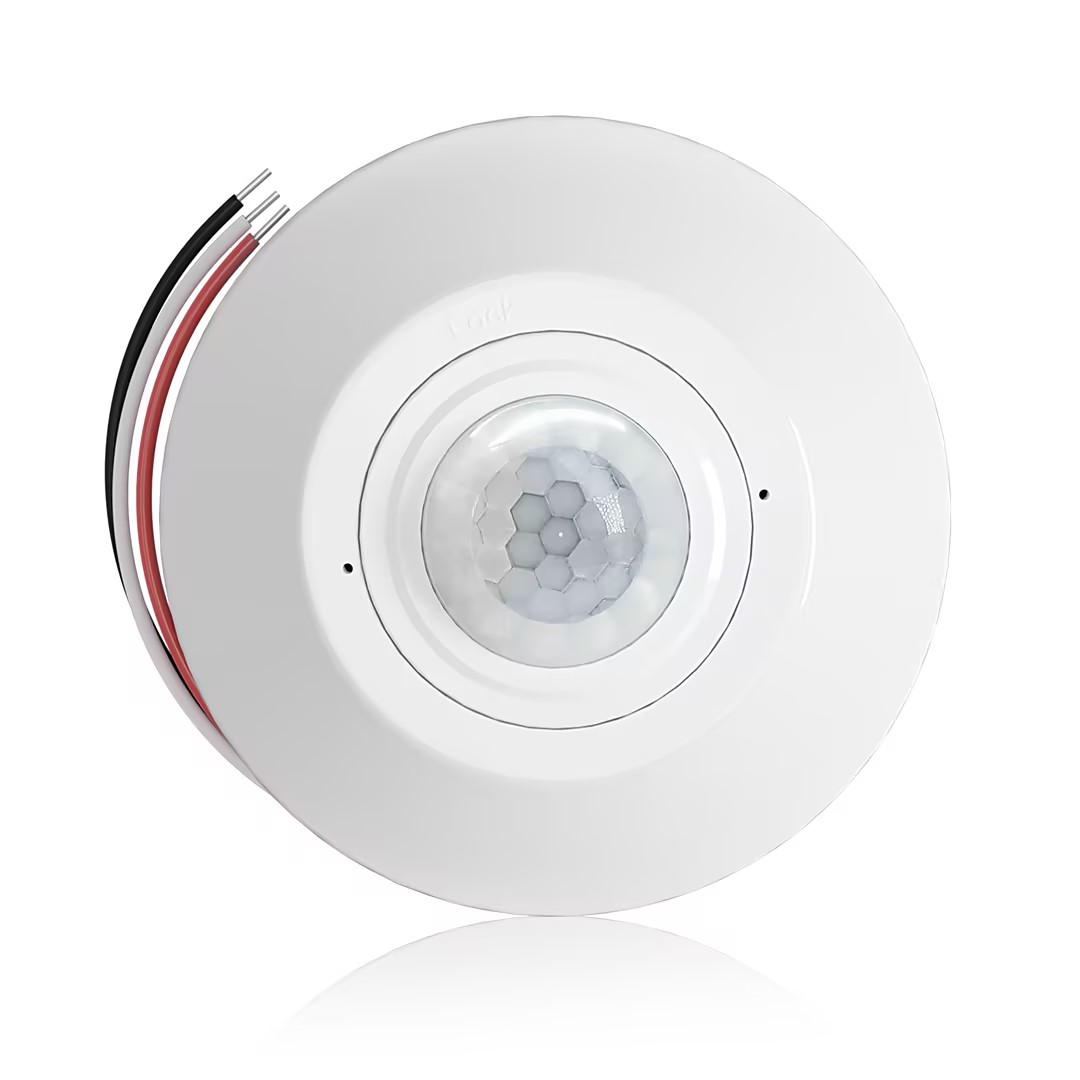
- Sensor de ocupação PIR para montagem no teto com saída de relé de contato seco
- Alimentação de baixa tensão de 12/24VDC ou 12/24VAC
- Contatos de relé isolados COM, NO e NC para entradas de EMS, HVAC e controle predial
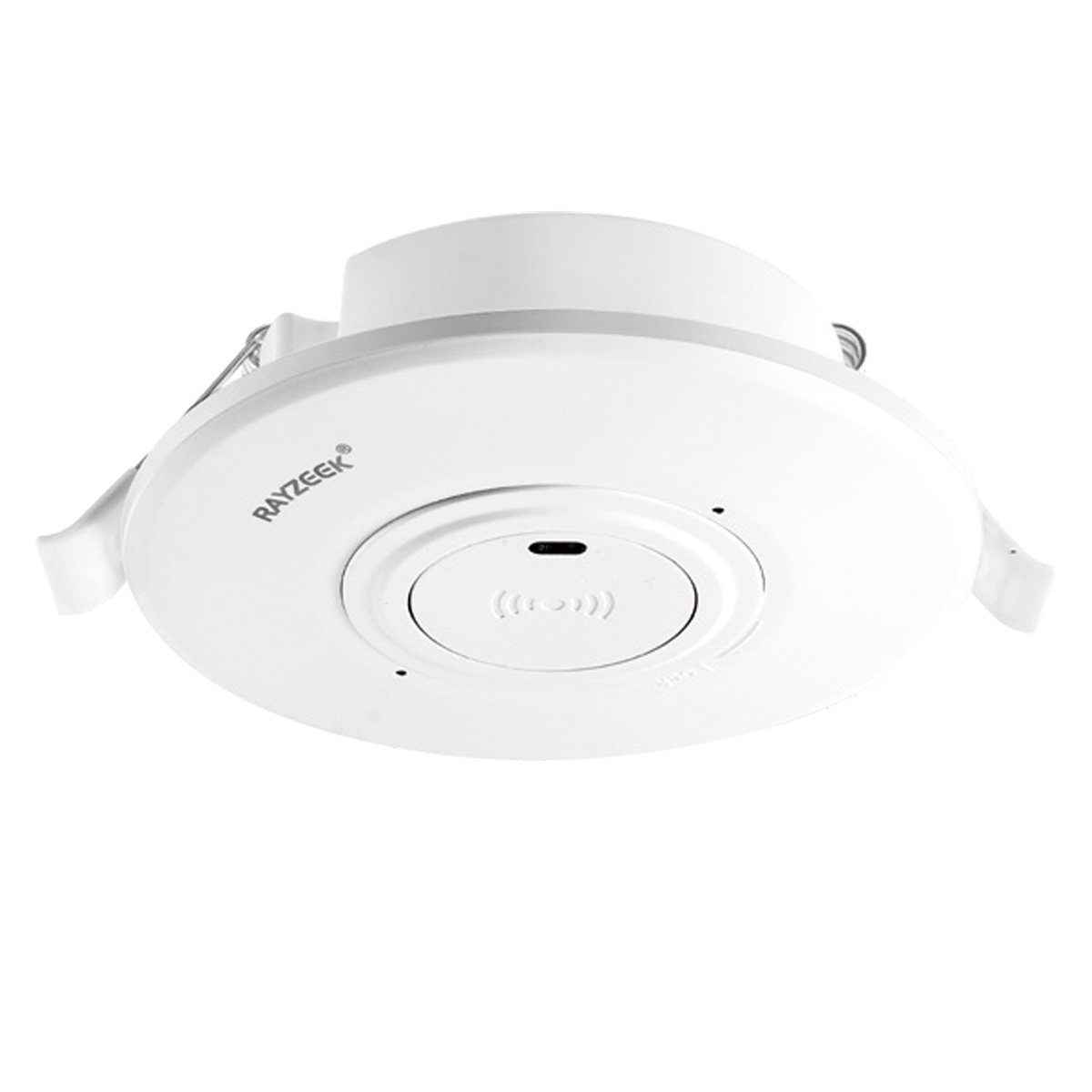
- Interruptor sensor de movimento de micro-ondas embutido no teto em baixa tensão CC
- Entrada de 12 VDC / 24 VDC com faixa de 10-30 VDC
- Corrente máxima de trabalho de 10A com tempo de retardo, limite Lux e sensibilidade ajustáveis
- Interruptor sensor de movimento de micro-ondas embutido no teto para maior carga
- Entrada de tensão de rede de 100-265 VAC, modelo 10A
- Detecção de micro-ondas de 5,8 GHz com tempo de atraso, limite de Lux e sensibilidade ajustáveis
- Interruptor de sensor de movimento de micro-ondas embutido para teto
- Entrada de tensão de rede de 100-265 VAC, modelo 5A
- Detecção de micro-ondas de 5,8 GHz com tempo de atraso, limite de Lux e sensibilidade ajustáveis
- Dimmer de sensor de presença PIR para teto RZ037 para alimentação de 220V
- Corrente máxima de trabalho de 3A com carga nominal de 660W
- O botão LUX controla o Ligar/Desligar do sensor de luz e o brilho de dimerização definido pelo usuário
- Dimmer de sensor de presença PIR para teto RZ037 para alimentação de 110V
- Corrente máxima de trabalho de 3A com carga nominal de 330W
- O botão LUX controla o Ligar/Desligar do sensor de luz e o brilho de dimerização definido pelo usuário
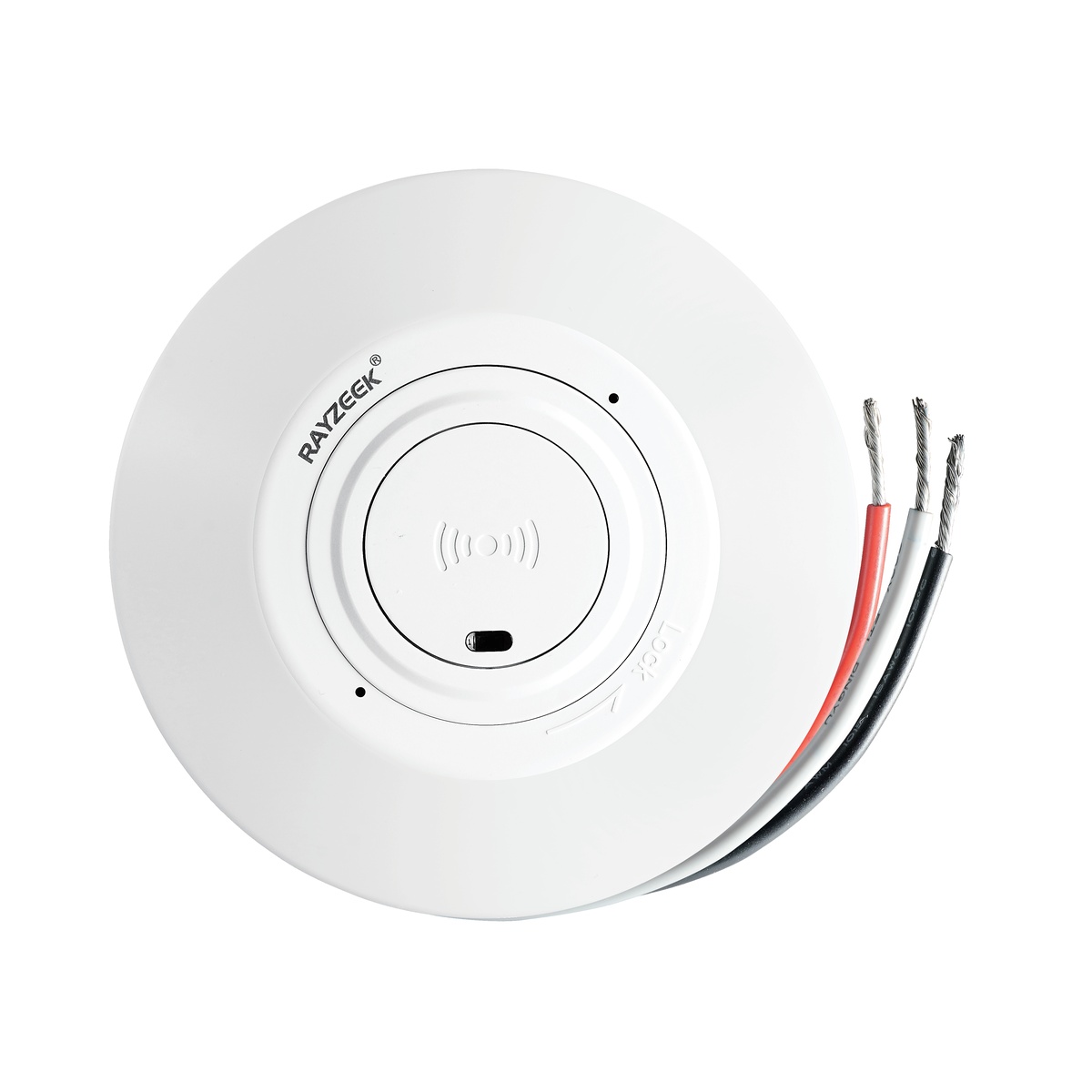
- Interruptor de sensor de movimento de micro-ondas para teto em baixa tensão CC
- Entrada de 12 VDC / 24 VDC com faixa de 10-30 VDC
- Corrente máxima de trabalho de 10A com tempo de retardo, limite Lux e sensibilidade ajustáveis
- Interruptor de sensor de movimento de micro-ondas para teto de maior carga
- Entrada de tensão de rede de 100-265 VAC, modelo 10A
- Detecção de micro-ondas de 5,8 GHz com tempo de atraso, limite de Lux e sensibilidade ajustáveis
- Interruptor com sensor de movimento por micro-ondas para montagem no teto
- Entrada de tensão de rede de 100-265 VAC, modelo 5A
- Detecção de micro-ondas de 5,8 GHz com tempo de atraso, limite de Lux e sensibilidade ajustáveis
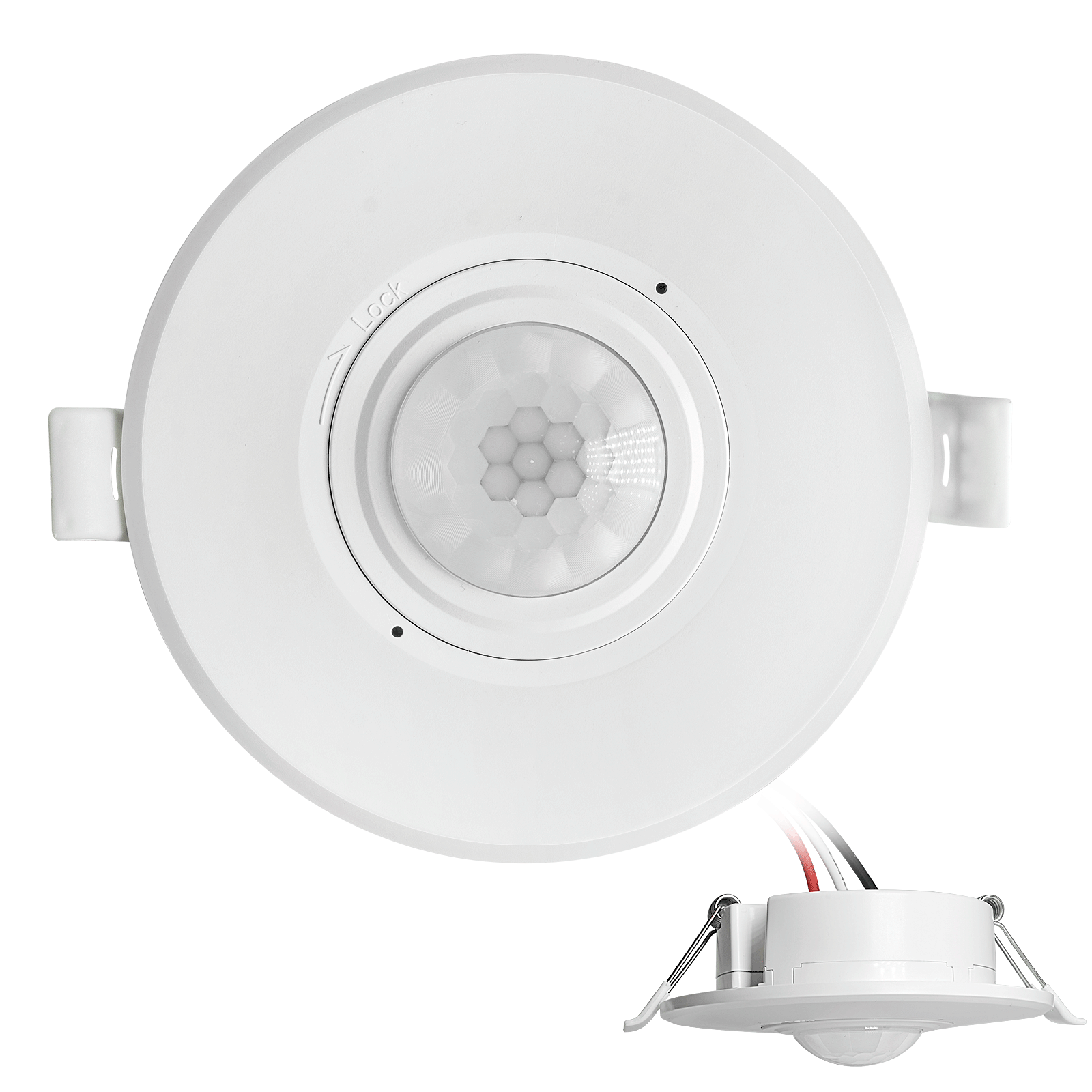
- Interruptor com sensor de movimento PIR de teto embutido CC de baixa tensão
- Entrada de 12 VDC / 24 VDC com faixa de 10-30 VDC
- Corrente máxima de trabalho de 10A com tempo de atraso, limite de Lux e sensibilidade ajustáveis
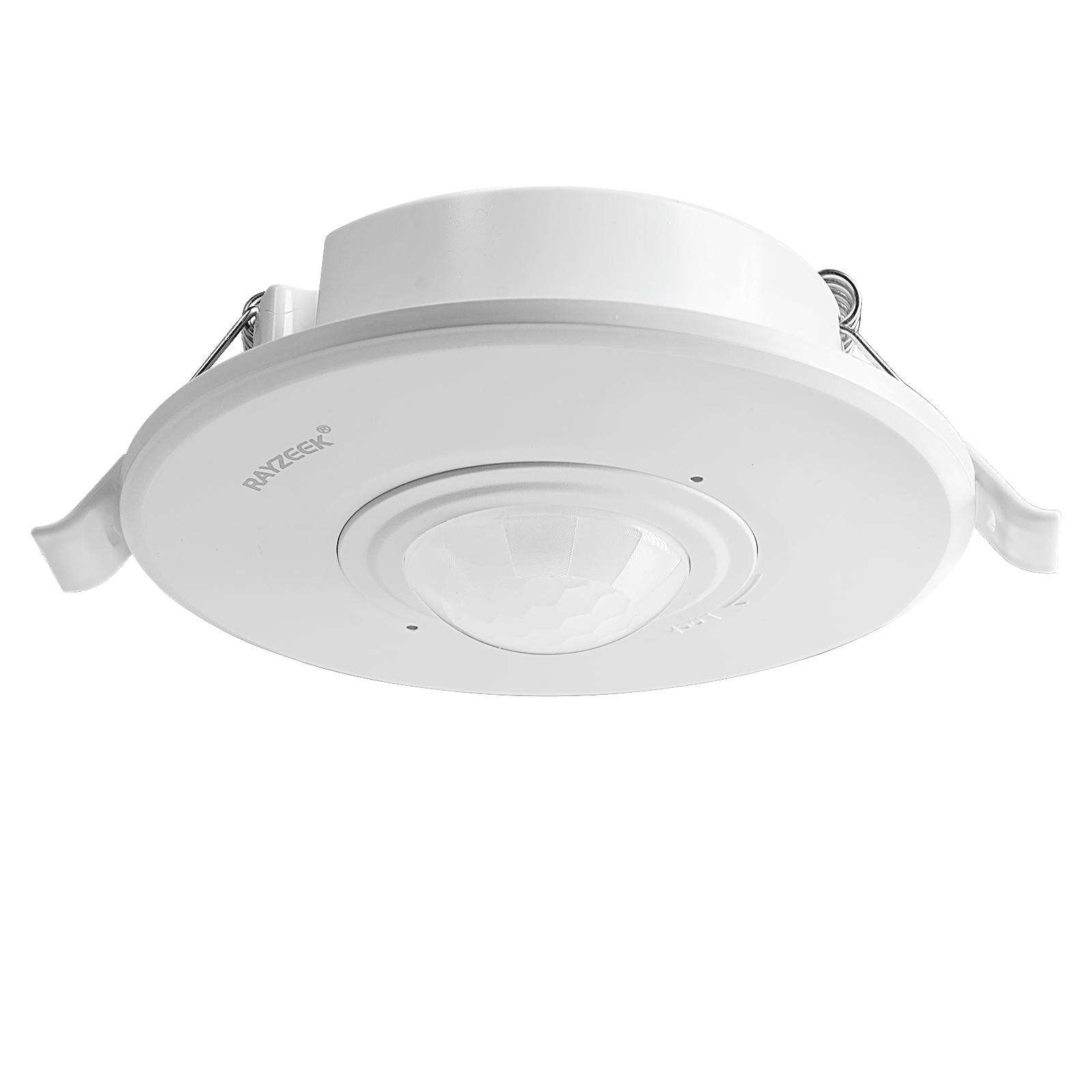
- Interruptor com sensor de movimento PIR de teto embutido para maior carga
- Entrada de tensão de rede de 100-265 VAC, modelo 10A
- Detecção de 360 graus com tempo de atraso, limite de Lux e sensibilidade ajustáveis
- Interruptor com sensor de movimento PIR de teto embutido
- Entrada de tensão de rede de 100-265 VAC, modelo 5A
- Detecção de 360 graus com tempo de atraso, limite de Lux e sensibilidade ajustáveis
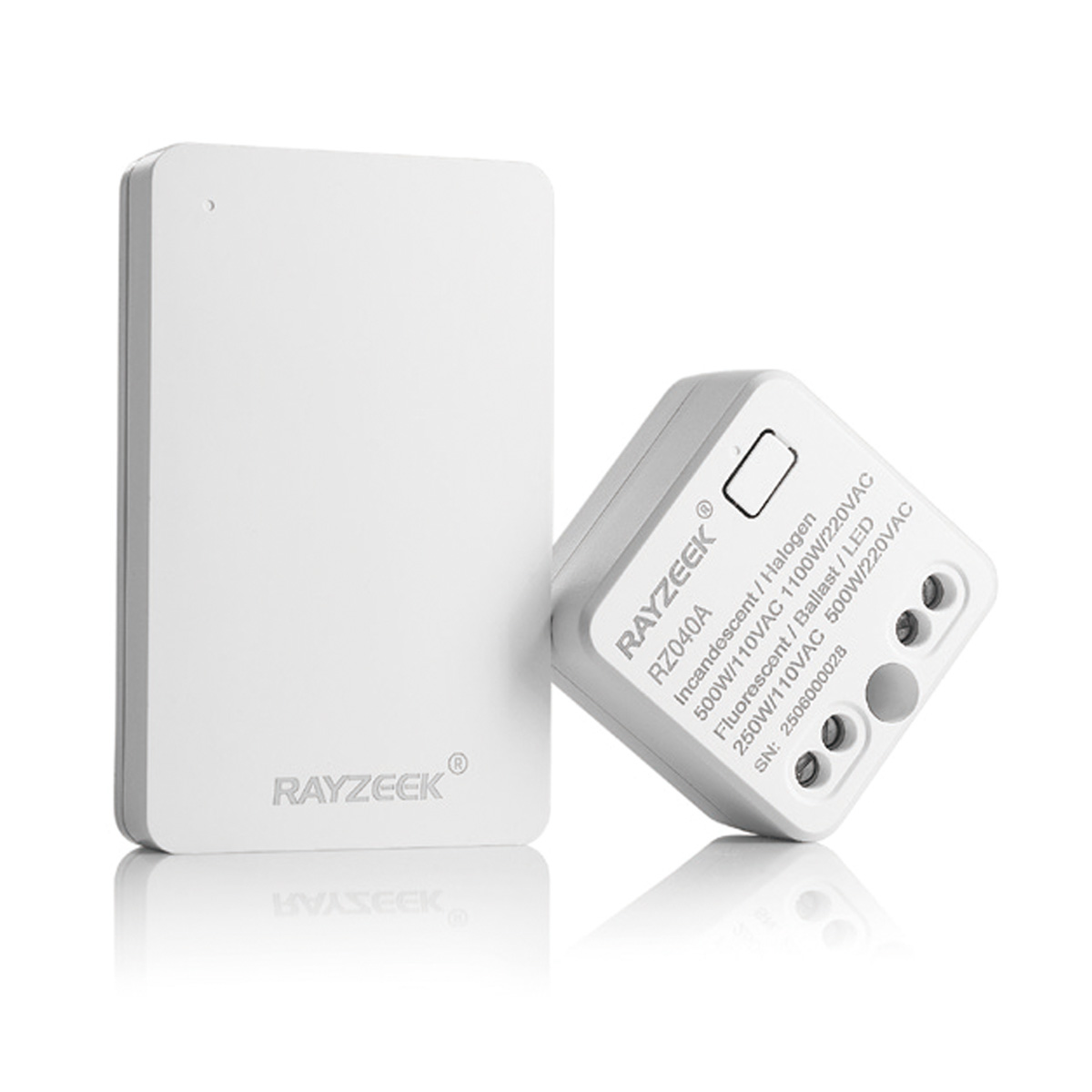
- Kit de receptor e interruptor sem fio para controle de iluminação LIGA/DESLIGA em ambientes internos
- Receptor de 100-230VAC, 50/60Hz com corrente nominal de 5A
- Interruptor sem fio alimentado por CR2032 com comunicação de 2,4 GHz
- Ocupação (LIGA automático/DESLIGA automático)
- 12–24V CC (10–30VDC), até 10A
- Cobertura de 360°, 8–12 m de diâmetro
- Temporização: 15 s–30 min
- Sensor de luz: Desligado/15/25/35 Lux
- Sensibilidade Alta/Baixa
- Modo de ocupação Liga-Automático/Desliga-Automático
- 100–265V AC, 10A (neutro obrigatório)
- Cobertura de 360°; diâmetro de detecção de 8–12 m
- Temporização: 15 s–30 min; Lux DESLIGADO/15/25/35; Sensibilidade Alta/Baixa
- Modo de ocupação Liga-Automático/Desliga-Automático
- 100–265V AC, 5A (neutro obrigatório)
- Cobertura de 360°; diâmetro de detecção de 8–12 m
- Temporização: 15 s–30 min; Lux DESLIGADO/15/25/35; Sensibilidade Alta/Baixa
Timeout is the primary lever because it maps directly to the most common complaint: “lights went off while I was still here.” In offices and conference rooms, longer timeouts aren’t laziness; they are a stability choice. The energy savings are preserved by pushing aggressiveness into corridors, storage, and other transit spaces where the stillness window is short and the embarrassment cost is low.
Sensitivity is the most misunderstood lever because it behaves like a trade. In a Sacramento law office suite, a partner’s office went dark while they were reading; the quick fix was to make the sensor “more sensitive.” Then the office started turning on every time someone walked past the glass front in the corridor. The suite didn’t become more comfortable; it became unpredictable. The repair involved backing sensitivity off, aiming toward the seated zone, and extending the timeout modestly. That order matters: when cross‑traffic exists, sensitivity increases amplify the wrong motion as much as the right motion.
Rayzeek devices vary in how these options are represented—DIP switches on the ceiling unit in some installs, app parameters in others. The target is the same: choose a timeout range that matches the room’s stillness risk, and treat sensitivity as a careful adjustment after the detection zone is aimed where it should be. Use the manual for the exact model as a crosswalk, but keep the profile intent stable.
Commissioning Rituals: Test Like the Suite Will Be Used
A “walk in and wave” test produces false confidence. The failure modes show up when people behave normally: seated and quiet, partially hidden by partitions, or moving in short bursts.
The stillness test is a simple example. In a private office, sit in the chair facing the monitor with hands on the desk for two minutes. If the lights fail that test, the next move is not automatically sensitivity. Confirm the sensor sees the seated zone, then adjust the timeout to cover a realistic stillness window. Many tickets logged as “flicker/off” in the hybrid‑work era are resolved by this exact validation, without replacing LEDs or drivers.
Restrooms deserve their own validation ritual because of the dignity cost. If access is possible, a stall stillness test—quiet, minimal movement—should be part of commissioning, especially in small two‑stall restrooms with partitions around 7 feet. A restroom profile that fails this test isn’t “close enough.” The risk is too high. Fix placement/coverage first and timeout second.
Conference rooms get a meeting posture test. The room should survive seated stillness during a real or simulated meeting. If the room only stays on when someone is gesturing, it will fail at the worst moment. And if sensitivity changes make it trigger from hallway motion through a glass sidelight, the room will feel random even when it is technically consistent.
A short checklist that ties tests to fixes prevents random adjustments:
- Run a doorway bleed test (stand near the doorway and observe false triggers from corridor motion).
- Run a stillness test where people actually sit.
- Observe after-hours behavior once during the cleaning window if “all night burn” is a concern.
- Change one variable at a time and document it.
Stop Cranking Sensitivity: A Mini Red‑Team and Rebuild
The obvious fix—”make it more sensitive”—is responsible for a lot of the offices that end up feeling unreliable.
Inspire-se com os portfólios de sensores de movimento da Rayzeek.
Não encontrou o que procura? Não se preocupe. Sempre existem formas alternativas de resolver seus problemas. Talvez um de nossos portfólios possa ajudar.
In glass-front suites, increasing sensitivity doesn’t just detect smaller movements; it detects more wrong movements. Corridor foot traffic, doorways left ajar for airflow, and glass sidelights create exactly the conditions where “more” becomes “random.” That randomness is what occupants remember.
The rebuild is boring on purpose. If a private office goes dark, check whether the sensor is aimed at the chair zone or the doorway zone. Next, increase the timeout to cover still work. Only then, if the suite has controlled cross‑traffic and a sane sightline, consider sensitivity adjustments in small steps. The conference room that failed a CFO meeting didn’t need a heroic sensitivity change; it needed a profile that treated meetings as sacred and a sightline that didn’t watch the hallway.
A safe sequence for change control: confirm bleed sources, change one setting, retest with a stillness or burst-use test, and stop when the socially costly failure mode is prevented. Don’t keep tuning to chase theoretical savings while creating a complaint machine.
Complaint Translation: What They Say vs. What It Means
Occupant complaints are rarely phrased as “timeout is too short” or “field of view includes corridor motion.” They arrive as symptoms. Commissioning gets easier when those symptoms are translated into likely root causes before anyone touches settings.
A practical translation mindset also prevents unnecessary replacements.
- “I had to wave like an idiot during a call” usually points to a stillness miss in a private office or conference room: timeout too short, or sensor can’t see the seated zone.
- “The room is always on” often points to cross‑traffic bleed: door propped open with a wedge, glass-front corridor motion, or an aim issue.
- “Lights flicker” may be a timeout event or partial-off behavior that looks like flicker to a non-technical reporter; confirm with a stillness test before blaming LEDs or drivers.
There is a boundary here. If the suite continues to behave erratically after sightlines are corrected and profile-based settings are validated, it is time to escalate to electrical troubleshooting. Remote advice shouldn’t pretend to diagnose drivers, neutrals, or wiring faults from a complaint log. The translation job is to reduce thrash and route the problem to the right kind of fix.
Once a complaint is translated and resolved, write that translation down in the same place the profiles live. That is how a suite avoids repeating the same debate every time a new person inherits it.
Make It Survive: Documentation, Reset Paths, and Week‑1 Stabilization
A commissioning job isn’t done when the lights “seem fine.” It is done when the settings can survive the next tweak, the next tenant change, or the next urgent email from someone important.
The minimum survivable documentation is small but specific: label the sensor or room type, record which profile it uses, and capture the settings state in a way that can be restored. Photos of DIP switch banks saved into the closeout folder are more useful than a narrative paragraph describing them. A one‑page “Room Type → Profile” map—stored in a shared drive or, where permitted, taped inside the lighting panel door—beats a 60‑page binder that no one opens. Some sites prefer a CMMS entry; that’s fine as long as the mapping is easy to find during a complaint call.
A practical handoff checklist looks like this:
- Write the three profile intents in plain language.
- Note any exceptions and why they exist.
- Include a reset-to-baseline instruction.
- Assign ownership of changes (who is allowed to adjust settings, and who needs to be notified).
That ownership step sounds administrative, but it prevents the “random walk” problem where well-meaning people keep adjusting knobs until the suite is inconsistent.
Compliance constraints vary by jurisdiction and project type, so commissioning advice shouldn’t drift into disabling required controls. The safer framing is: tune within policy. If local requirements impose shutoff behavior, treat the remaining degrees of freedom—placement, aim, timeouts by room type, and documentation—as the levers to make the suite livable.
Finally, allow for a short stabilization window. Week‑1 feedback catches the failure modes that commissioning can miss when the suite is empty. Week‑4 follow‑up catches the “cleaning sweep” and “doors propped open” patterns that only appear once operations settle. That small investment is often cheaper than living with callbacks and eroded trust for the life of the suite.