

Every facility manager knows the specific dread of the Monday morning meter audit. You open the utility portal, pull up the weekend load profile, and there it is: a flat, high plateau of energy consumption running from Friday at 6:00 PM straight through to Monday morning. The chart doesn’t lie. While the building was supposedly empty, the chillers were ramping up, the air handlers were pushing thousands of cubic feet of conditioned air, and the meter was spinning.
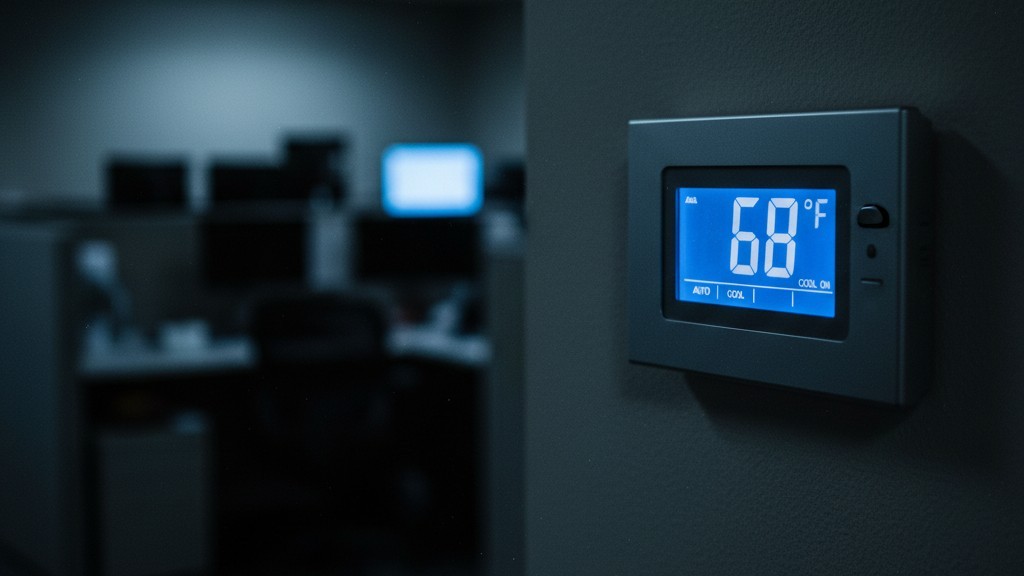
Investigation usually reveals a familiar culprit. A cleaning crew came in, found the conference room stuffy, and mashed the “down” arrow on the thermostat until it read 68 degrees. They finished their work in forty minutes and left. The thermostat, however, stayed at 68 degrees for the next forty-eight hours.
Policies about “resetting the thermostat” are useless against human nature and transient staff. You cannot train a rotating roster of night cleaners to care about your peak demand charges. The only way to stop the bleed is to remove the human element entirely. But that introduces a new, equally expensive problem: how do you automate the “off” signal without creating a revolt among the paying tenants?
The Trap of the “Smart” Thermostat
Many modern operators instinctively throw Wi-Fi at the problem. The market is flooded with glossy, glass-faced smart thermostats that promise app control, learning algorithms, and remote scheduling. For a residential home, these are fine. For a commercial facility, they are a ticking time bomb of maintenance tickets.
Look at the reality of a commercial network environment. When you install fifty smart thermostats on a guest Wi-Fi network, you are at the mercy of the IT department’s whims. A simple security update from WPA2 to WPA3, or a routine change of the SSID to isolate guest traffic, can instantly brick your entire HVAC control system. Suddenly, you have forty-five units offline, blinking red, requiring a physical truck roll to manually re-authenticate every single device.
There is also the “Mini-Split Remote” issue. In many retrofitted conference rooms cooled by ductless mini-splits, the handheld remote is the single greatest point of failure. It gets lost, the batteries die, or it gets locked in a desk drawer. Adding a smart IR blaster to mimic the remote just adds another layer of fragility—another device that needs a power brick, a Wi-Fi password, and an app update. The goal of facility management is to reduce the number of things that can wake you up on a Saturday. Adding networked IoT devices does the opposite.
관심 있는 다른 제품

- 전압: AAA 배터리 2개
- 주간/야간 모드
- 시간 지연: 15분, 30분, 1시간(기본값), 2시간

- 무전압 접점 리레이 출력을 갖춘 천장 설치형 PIR 재실 감지 센서
- 12/24VDC 또는 12/24VAC 저전압 전원 공급
- EMS, HVAC 및 빌딩 제어 입력을 위한 COM, NO 및 NC 절연 리레이 접점

- 저전압 DC 매립형 천장 설치형 마이크로웨이브 모션 센서 스위치
- 10-30 VDC 범위를 지원하는 12 VDC / 24 VDC 입력
- 조절 가능한 지연 시간, Lux 임계값 및 감도 기능을 갖춘 최대 10A 동작 전류
- 고부하용 매립형 천장 설치형 마이크로웨이브 모션 센서 스위치
- 100-265 VAC 라인 전압 입력, 10A 모델
- 조절 가능한 지연 시간, Lux 임계값 및 감도를 갖춘 5.8 GHz 마이크로웨이브 감지
- 천장 매립형 마이크로웨이브 동작 감지 센서 스위치
- 100-265 VAC 라인 전압 입력, 5A 모델
- 조절 가능한 지연 시간, Lux 임계값 및 감도를 갖춘 5.8 GHz 마이크로웨이브 감지
- 220V 전원용 천장 부착형 RZ037 PIR 재실 감지 센서 디머
- 660W 정격 부하 및 최대 동작 전류 3A
- LUX 버튼으로 조도 센서 ON/OFF 및 사용자 설정 디밍 밝기 제어
- 110V 전원용 천장 부착형 RZ037 PIR 재실 감지 디머 스위치
- 330W 정격 부하 및 최대 동작 전류 3A
- LUX 버튼으로 조도 센서 ON/OFF 및 사용자 설정 디밍 밝기 제어

- 저전압 DC 천장 부착형 마이크로웨이브 동작 감지 센서 스위치
- 10-30 VDC 범위를 지원하는 12 VDC / 24 VDC 입력
- 조절 가능한 지연 시간, Lux 임계값 및 감도 기능을 갖춘 최대 10A 동작 전류
- 고부하용 천장 부착형 마이크로웨이브 동작 감지 센서 스위치
- 100-265 VAC 라인 전압 입력, 10A 모델
- 조절 가능한 지연 시간, Lux 임계값 및 감도를 갖춘 5.8 GHz 마이크로웨이브 감지
- 천장 부착형 마이크로웨이브 동작 감지 센서 스위치
- 100-265 VAC 라인 전압 입력, 5A 모델
- 조절 가능한 지연 시간, Lux 임계값 및 감도를 갖춘 5.8 GHz 마이크로웨이브 감지

- 저전압 DC 매립형 천장 PIR 동작 감지 센서 스위치
- 10-30 VDC 범위를 지원하는 12 VDC / 24 VDC 입력
- 시간 지연, 조도 임계값, 감도 조절이 가능한 최대 동작 전류 10A 제품

- 고부하용 매립형 천장 PIR 동작 감지 센서 스위치
- 100-265 VAC 라인 전압 입력, 10A 모델
- 시간 지연, 조도 임계값, 감도 조절이 가능한 360도 감지
- 매립형 천장 PIR 동작 감지 센서 스위치
- 100-265 VAC 라인 전압 입력, 5A 모델
- 시간 지연, 조도 임계값, 감도 조절이 가능한 360도 감지

- 실내 ON/OFF 조명 제어용 무선 스위치 및 수신기 키트
- 정격 전류 5A의 100-230VAC, 50/60Hz 수신기
- 2.4GHz 통신 방식의 CR2032 배터리 구동 무선 스위치
- 재실 모드(자동 ON/자동 OFF)
- 12–24V DC (10–30VDC), 최대 10A
- 360° 감지 범주, 직경 8–12m
- 시간 지연 15초–30분
- 조도 센서 Off/15/25/35 Lux
- 높음/낮음 감도
- 자동 ON/자동 OFF 재실 모드
- 100–265V AC, 10A (중성선 필요)
- 360° 감지 범위; 감지 직경 8–12m
- 시간 지연 15초–30분; 조도 OFF/15/25/35; 감도 높음/낮음
- 자동 ON/자동 OFF 재실 모드
- 100–265V AC, 5A (중성선 필요)
- 360° 감지 범위; 감지 직경 8–12m
- 시간 지연 15초–30분; 조도 OFF/15/25/35; 감도 높음/낮음
Enter the Rayzeek: A Victory for “Dumb” Hardware
The Rayzeek motion controller separates itself from the consumer-grade toys by being unapologetically “dumb.” It does not have an app. It does not have a touchscreen. It does not know your Wi-Fi password, and it doesn’t care if the building’s internet connection goes down. It is a hardwired, physical occupancy sensor that physically interrupts the control signal or power to the HVAC unit when a room is empty.
The device operates on a simple, brutal logic: if no one is here, the air conditioning should not be running. It uses a Passive Infrared (PIR) sensor to detect the heat signatures of moving bodies. When it sees people, it closes a relay, allowing the thermostat (or the mini-split) to do its job. When it stops seeing people, it starts a timer. When that timer expires, it opens the relay, cutting the call for cooling or heating.
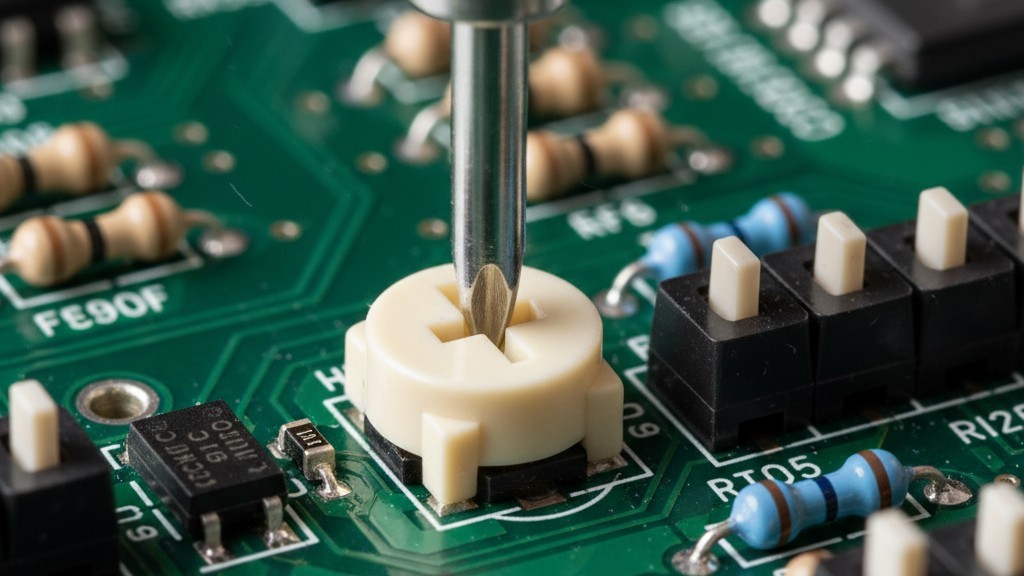
This mechanical simplicity is its primary asset. Inside the unit, there are no software menus to navigate. Instead, you find a row of physical dip switches and a potentiometer. These are controls you adjust with a jeweler’s screwdriver, not a smartphone. Once set, they stay set. They are immune to firmware updates, server outages, and the inevitable obsolescence of cloud platforms. Ten years from now, a relay will still be a relay.
The “Dead Body” Problem and the Art of the Timeout
Installing the hardware is only half the battle. The success or failure of a motion-controlled HVAC system comes down entirely to one setting: the timeout delay. This is where most installations fail, leading to the infamous “Waving Arms Dance”—that moment when a room full of executives is plunged into darkness or stagnant air, forcing someone to stand up and wave their arms like a castaway signaling a plane.
동작 감지 기반의 에너지 절감 솔루션을 찾고 계십니까?
PIR 동작 감지 센서, 동작 감지 에너지 절감 제품, 동작 감지 센서 스위치, 상업용 점유/부재(Occupancy/Vacancy) 감지 솔루션에 대해 문의해 주시기 바랍니다.
Passive Infrared sensors have a weakness. They are excellent at detecting walking, entering, and exiting. They are terrible at detecting a board member reading a contract for twenty minutes without moving. In the industry, we call this the “dead body” problem. If you leave the Rayzeek on its factory default setting—often as low as 5 or 10 minutes—you are guaranteeing complaints. You are saving pennies on electricity while spending political capital with your tenants.
The golden rule for conference rooms is a minimum 30-minute timeout. You must aggressively overshoot the “stillness” threshold of a boring meeting. If a meeting ends early, the system will run for an extra thirty minutes. That is acceptable waste. The cost of running a single fan coil unit for thirty extra minutes is negligible compared to the cost of a tenant demanding a rent credit because their client pitch was interrupted by a sweating room.
You also have the option to adjust sensitivity, usually via a dial on the unit. In a high-traffic hallway, you might dial this down to avoid false triggers from passersby. In a conference room, you want this cranked high so the sensor picks up the slight shift of a person leaning back in a chair or typing on a laptop. The Rayzeek allows for this granularity without needing a software interface, but it requires the installer to actually walk the room and think like an occupant.
Wiring Logic and Voltage Realities
When it comes to integration, the Rayzeek offers flexibility that fits the messy reality of older buildings. Most commercial controls operate on 24V AC—the standard “thermostat wire” voltage. The Rayzeek can sit inline on the R (power) or Y (cooling) wire, acting as a gatekeeper. When the room is empty, it breaks the connection, and the HVAC unit believes the thermostat is satisfied, regardless of what the wall unit says.
For ductless mini-splits or PTAC units (the kind you see in hotels), the approach changes. These units often don’t use standard 24V thermostat wiring. Here, the “dry contact” capability becomes essential. Many modern mini-split heads have a specific input on their circuit board for a window sensor or keycard switch. You wire the Rayzeek into this port. When the sensor detects vacancy, it signals the unit to go into a standby or “setback” mode.
Be careful with high-end VRF/VRV systems, like those from Daikin or Mitsubishi. These often communicate via proprietary digital signals, not simple 24V on/off triggers. In these cases, you cannot simply cut a wire without causing an error code. You may need a specific interface adapter from the manufacturer that provides a dry contact input. This is the one area of uncertainty where a multimeter and a schematic review are mandatory before cutting any wires.
The Vacancy vs. Occupancy Distinction
Facility managers must also understand the behavioral difference between “Occupancy Mode” (Auto-On/Auto-Off) and “Vacancy Mode” (Manual-On/Auto-Off).
Rayzeek 모션 센서 포트폴리오에서 영감을 얻어보세요.
원하시는 제품을 찾지 못하셨나요? 걱정하지 마세요. 문제를 해결할 수 있는 대체 방법은 언제나 존재합니다. 당사의 포트폴리오 중 하나가 도움이 될 수 있습니다.
In “Occupancy Mode,” the Rayzeek turns the HVAC on the moment someone walks in. This sounds convenient, but in a conference room with glass walls, it can lead to false starts every time someone walks past the door. “Vacancy Mode” is often the superior choice for energy savings. In this configuration, a human must physically turn the thermostat or unit on when they enter (confirming they actually want conditioning), but the Rayzeek ensures it turns off automatically when they leave. It eliminates the “ghost” cycles where the AC runs just because the cleaning crew walked through to empty a trash can.
The Ultimate Reliability Test
When evaluating any building control solution, apply the “Christmas Morning Test.” Imagine it is December 25th, you are out of town, and the system fails. Can the junior maintenance technician on duty fix it?
If the solution requires logging into a web portal, resetting a password, or troubleshooting an IP address conflict, you have failed the test. You will be getting a phone call during your holiday dinner. If the solution involves a plastic box on the wall, a wiring diagram, and a flathead screwdriver, you pass. The Rayzeek passes. It is a tool for operators who understand that in facility management, the most advanced feature a device can offer is the ability to be forgotten.







